

2023 Yilinda Hayatinizi Kolaylastiracak En Iyi 8 Takvim Uygulamasi

The Best Calendar Apps to Organize Your Life in 2024
In today’s fast-paced world, staying organized is more than a skill; it’s a necessity. A well-maintained calendar can be the cornerstone of a productive and stress-free life. It’s your personal assistant, ensuring you never miss a critical meeting, a doctor’s appointment, or a friend’s birthday. By offloading your schedule from your brain onto a reliable system, you free up mental bandwidth to focus on what truly matters: executing your tasks and living in the moment.
While traditional paper planners have their charm, digital calendars offer unparalleled flexibility, accessibility, and integration. With countless options available across various platforms, choosing the right one can feel overwhelming. Are you a power user who needs advanced features, or do you prefer a minimalist design that simply gets the job done? This guide is here to help you navigate the choices.
We’ve meticulously researched and compiled a definitive list of the best calendar apps available today. Each app on this list caters to different needs and lifestyles, from busy professionals and dedicated students to Apple enthusiasts and Android power users. Discover the perfect tool to conquer your schedule and bring order to your life.
Google Calendar: The Universal Standard for Productivity
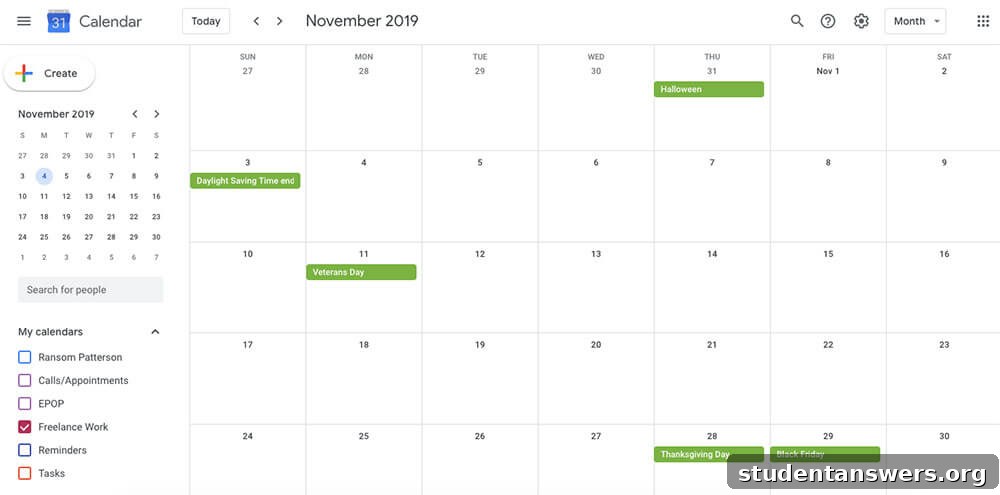
Overview: A powerful, reliable, and deeply integrated calendar app that serves as the backbone for millions of users’ productivity systems.
Google Calendar is a titan in the world of digital scheduling, and for good reason. It’s the default choice on Android devices and performs flawlessly on iOS and the web, offering a consistent and synchronized experience no matter where you access it. Creating new events is intuitive, and its ability to handle multiple time zones with ease makes it a favorite for travelers and remote teams. Its true strength, however, lies in its seamless integration with the broader Google ecosystem and countless third-party applications.
If you use Gmail, Google Calendar becomes an indispensable tool. It automatically scans your emails for flight confirmations, hotel reservations, and event tickets, adding them to your schedule without you lifting a finger. This feature alone can save you from frantic searches through your inbox. Furthermore, you can easily create and share calendars with family members, friends, or colleagues, making it simple to coordinate group activities or track team projects. You can also attach files from Google Drive directly to events and launch Google Meet video calls from your calendar, creating a unified productivity hub.
Price: Free
Platforms: Android, iOS, Web
Apple Calendar: Sleek and Seamless for the Apple Ecosystem
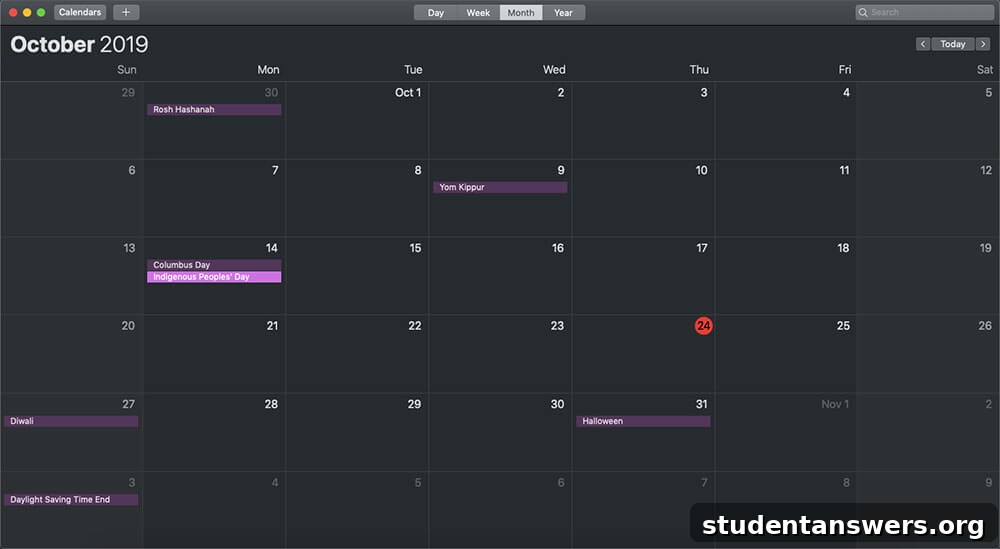
Overview: A clean, minimalist, and deeply integrated calendar designed for users who live within the Apple ecosystem.
For those committed to Apple’s suite of products, Apple Calendar is a natural and excellent choice. Its primary advantage is its flawless synchronization via iCloud across your iPhone, iPad, Apple Watch, and Mac. An event added on your phone will instantly appear on your laptop, providing a cohesive and effortless experience. The interface is characteristically Apple: clean, uncluttered, and intuitive, allowing you to focus on your schedule without distraction.
Apple Calendar covers all the essential features you would expect. You can create events, set reminders, and invite others. Its integration with Siri is particularly powerful, allowing you to add appointments hands-free with simple voice commands like, “Hey Siri, schedule a meeting with Jane for 3 PM tomorrow.” The app also intelligently scans for potential events in Mail and Messages, offering to add them to your calendar with a single tap. While it may lack some of the advanced features of third-party apps, its simplicity and perfect integration make it the ideal choice for Apple loyalists who value a streamlined workflow.
Price: Free
Platforms: iOS, Mac, Web (via iCloud.com)
Outlook Calendar: The Corporate and Academic Powerhouse
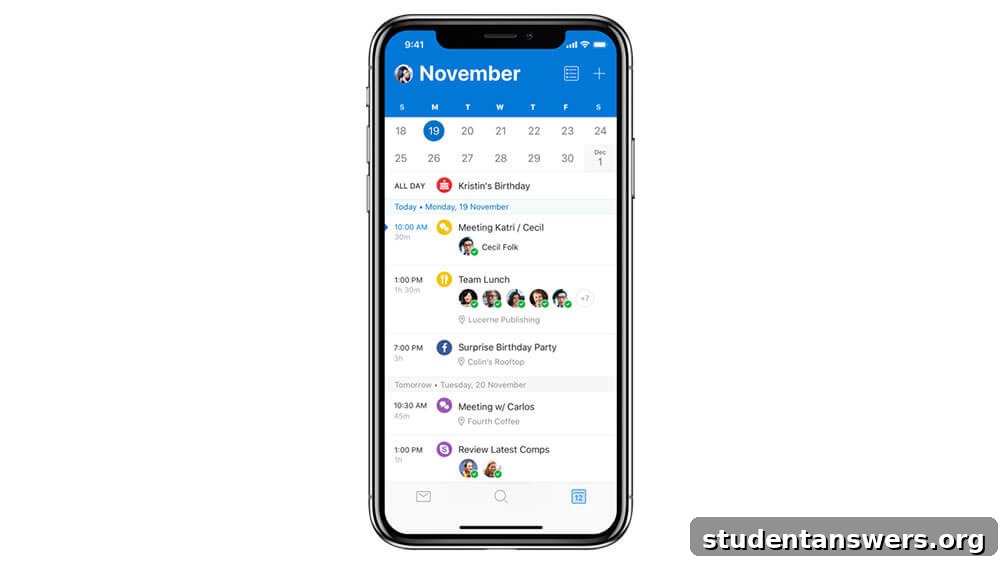
Overview: A robust and reliable calendar that is the default choice in many corporate and educational environments.
Microsoft Outlook Calendar is a familiar name, ubiquitous in large corporations, government agencies, and universities. Its main strength is this widespread adoption; chances are, your colleagues or classmates are already using it. This makes scheduling meetings and sharing availability incredibly straightforward within your organization. It’s built for a professional environment and excels at handling the complexities of corporate scheduling.
The app itself is a solid performer, tightly integrated with the entire Microsoft 365 suite. You can easily schedule Microsoft Teams meetings, view multiple calendars side-by-side, and use the Scheduling Assistant to find available time slots among a large group of attendees. While it might not have the flashy design or niche features of some competitors, it prioritizes functionality and reliability. If your work or school life revolves around the Microsoft ecosystem, using Outlook Calendar is the most efficient way to manage your professional schedule.
Price: Included with Microsoft 365 subscriptions (starting at $69.99/year), but often provided for free by employers or schools.
Platforms: Android, iOS, Mac, Windows, Web
SavvyCal: The Smartest Way to Schedule Meetings
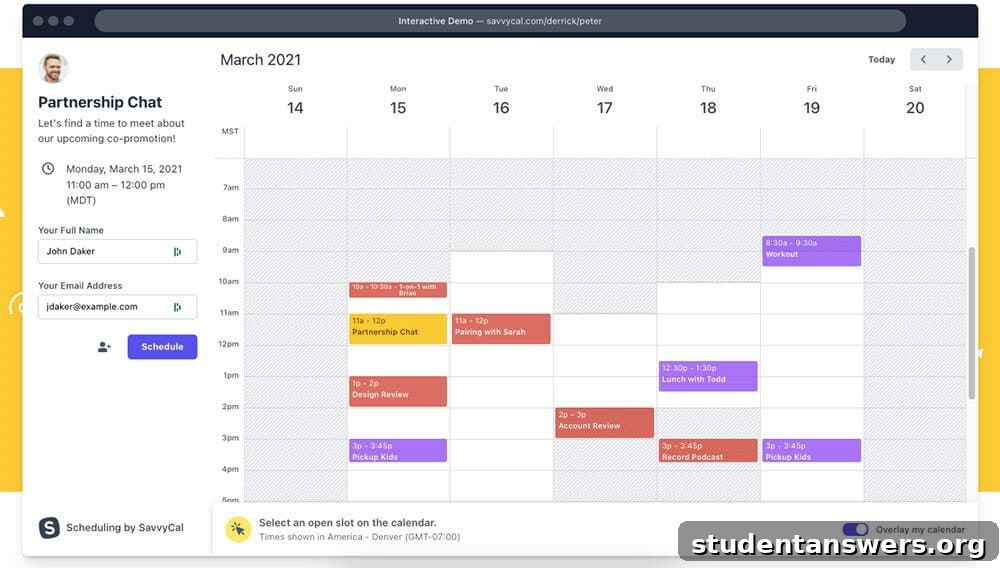
Overview: A specialized scheduling tool designed to eliminate the painful back-and-forth emails of finding a meeting time.
The endless chain of emails—”Does Tuesday at 2 PM work for you?”—is a major productivity killer. SavvyCal is engineered to solve this specific problem with an elegant and user-friendly approach. It syncs with your existing calendar (like Google Calendar or Outlook) to know your real-time availability. You then share a personalized scheduling link where others can book a time with you.
What sets SavvyCal apart from other scheduling tools is its recipient-focused design. When someone opens your link, they can overlay their own calendar directly on the scheduling page. This small but brilliant feature prevents them from having to toggle back and forth between their calendar and your booking page, making it dramatically faster and more pleasant for them to find a mutual time. SavvyCal also allows you to offer different meeting durations, limit how far in advance people can book, and integrates seamlessly with video conferencing tools like Zoom and Google Meet. It’s an essential tool for consultants, freelancers, and anyone who frequently schedules meetings with people outside their organization.
Price: Starts at $12/month per user
Platforms: Web
Fantastical: The Feature-Packed Upgrade for Apple Power Users
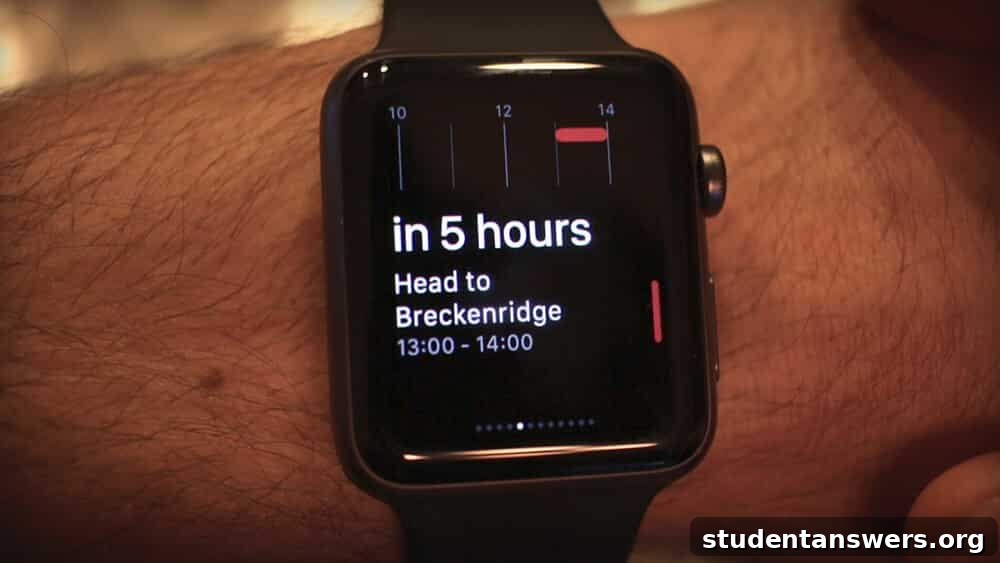
Overview: A premium, beautifully designed calendar app for the Apple ecosystem, packed with advanced features for productivity enthusiasts.
If you love the Apple ecosystem but find the default calendar app too basic, Fantastical is the upgrade you’ve been dreaming of. Its most celebrated feature is its best-in-class natural language processing. You can simply type or speak a phrase like “Lunch with Sarah at The Corner Cafe on Friday at 1 pm” and Fantastical will instantly parse the details and create the event correctly. This makes event creation incredibly fast and intuitive.
Beyond that, Fantastical is brimming with powerful tools. “Calendar Sets” let you quickly toggle between different views—for example, showing only your work calendars during the day and personal calendars in the evening. It integrates weather forecasts directly into your daily view, helping you plan ahead. The app also supports a wide range of calendar services, including iCloud, Google, and Outlook, consolidating all your schedules into one beautiful interface. With its polished design and deep feature set across Mac, iPhone, iPad, and Apple Watch, Fantastical is the definitive choice for Apple power users who demand the best.
Price: Free version with limited features; Premium subscription unlocks all features across all platforms.
Platforms: iOS, Mac
My Study Life: The Essential Organizer for Students
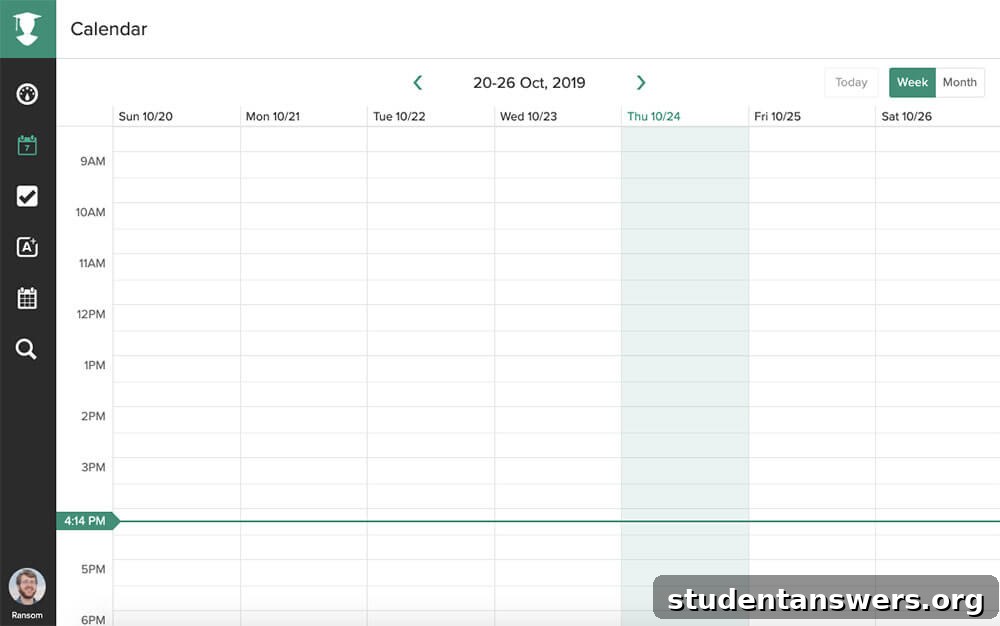
Overview: A free calendar and planner built from the ground up to handle the unique scheduling needs of student life.
Standard calendar apps are often ill-equipped to handle the complexities of an academic schedule. My Study Life is designed specifically to solve this. Its standout feature is its ability to manage rotating or block schedules (like Week A/Week B timetables) that change from week to week. You enter your class schedule once, and the app takes care of the rest, ensuring you’re always in the right place at the right time.
But it’s more than just a class scheduler. My Study Life is a complete academic planner. It includes a dedicated task manager for tracking homework and assignments, with reminders for upcoming deadlines. There’s also a section specifically for exam dates and revision planning. The app syncs seamlessly across all your devices and works offline, so you can check your schedule or add a new assignment even with spotty campus Wi-Fi. For any student looking to get organized, My Study Life is an invaluable and completely free tool.
Price: Free
Platforms: Android, iOS, Web
Timepage: A Calendar with Style and Substance
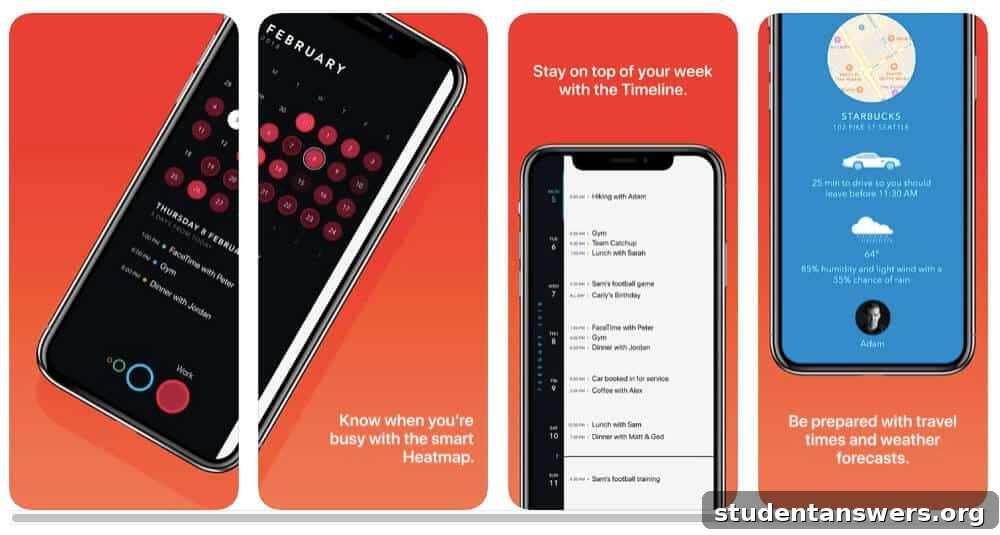
Overview: An exquisitely designed iOS calendar app from the makers of Moleskine notebooks that combines beauty with smart functionality.
For those who believe that digital tools should be as beautiful as they are functional, Timepage is a masterpiece. Developed by Moleskine, the app brings the brand’s legendary design ethos to your screen. It features an elegant, minimalist interface with beautiful themes and a smooth, fluid user experience. The main view is a continuous timeline, which provides a unique and intuitive way to see your days and weeks ahead.
Timepage is not just a pretty face. It’s packed with intelligent features. Its monthly “heat map” view lets you see your busiest days at a glance. It integrates useful information directly into your schedule, providing travel time estimates to your next appointment and weather forecasts so you’ll know whether to bring an umbrella. Natural language event creation makes scheduling quick and easy. If you’re an iOS user who appreciates thoughtful design and wants a calendar that is a joy to use every day, Timepage is well worth its subscription.
Price: Subscription-based, typically $1.99/month or $11.99/year with a free trial.
Platforms: iOS
Business Calendar 2: Ultimate Customization for Android Users
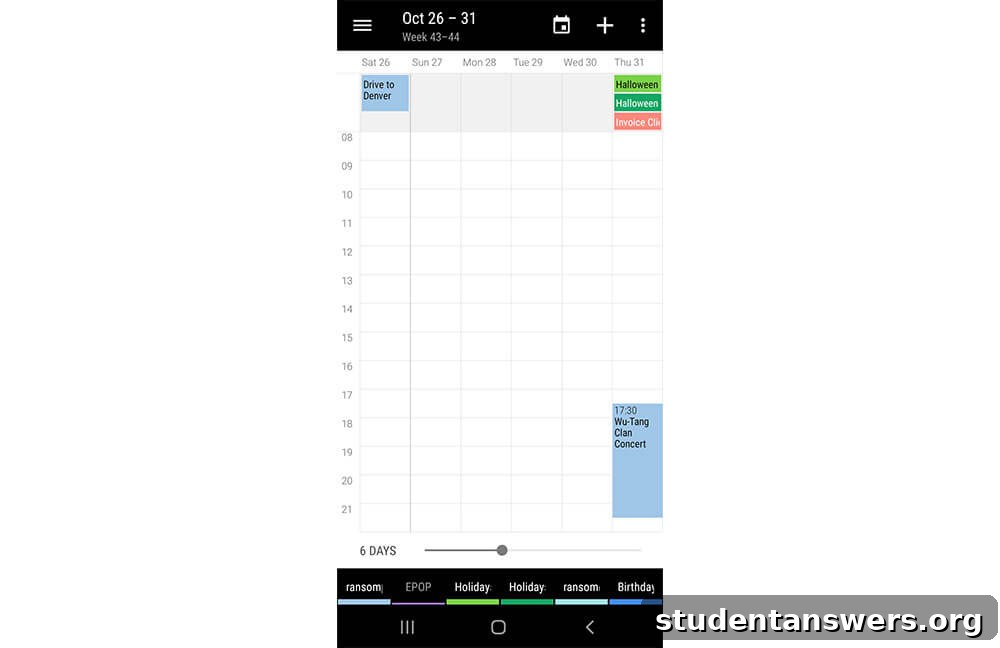
Overview: A highly flexible and customizable calendar app for Android that puts you in complete control of your schedule’s appearance and function.
While its name may sound generic, Business Calendar 2 is one of the most powerful and configurable calendar apps available on the Android platform. Its greatest strength is the sheer level of customization it offers. You can tweak almost every aspect of the interface, from themes and colors to the layout of your day, week, and month views. You can set a view to show any number of days, from 1 to 14, and swipe between them effortlessly.
The app also excels at event management. Powerful home screen widgets give you a clear overview of your schedule without even opening the app. Drag-and-drop functionality makes rescheduling a breeze, and natural language input allows for quick event creation. The pro version unlocks even more features, such as advanced task management, event templates for recurring appointments, and the ability to attach files. For Android users who want to fine-tune their calendar to their exact preferences, Business Calendar 2 is the undisputed champion.
Price: Free (ad-supported). A one-time purchase of the Pro version ($6.99) removes ads and adds premium features.
Platforms: Android
Find the Right Calendar to Master Your Schedule
Choosing the best calendar app ultimately comes down to your personal needs, your preferred operating system, and what you value most in a digital tool. Whether you need the universal connectivity of Google Calendar, the seamless ecosystem of Apple Calendar, the powerful customization of Business Calendar 2, or the beautiful design of Timepage, there is a perfect solution waiting for you. By adopting one of these powerful apps, you take the first and most crucial step toward a more organized, productive, and less stressful life. Take control of your time, and you’ll be amazed at what you can accomplish.