Epson EcoTank ET-4500 Review: Escape the Ink Cartridge Trap for Good
We’ve all been there. You find a printer for an unbelievably low price, maybe £30 or £40, and feel like you’ve secured the deal of the century. The euphoria lasts until the included “starter” cartridge runs dry after printing a handful of pages. A quick online search for a replacement reveals the harsh truth: a new set of cartridges costs more than the printer itself. This frustrating cycle is a familiar story for anyone who has owned a traditional inkjet printer.
My own journey through the world of printing has been a costly one. After my first bargain printer became a money pit, I tried a second model that accepted cheaper, third-party compatible inks. While this saved money, the print quality was disappointingly poor. When that printer finally gave up, I resigned myself to paying premium prices for official cartridges for my next machine. It felt like there was no winning. This is why, when I was offered the chance to review the cartridge-free Epson EcoTank ET-4500, I was genuinely excited to see if it could offer a real solution.
Upfront Cost vs. Long-Term Savings: A New Way to Print
The business model for most printers is famously compared to razors and blades: sell the handle cheap and make a fortune on the replacement blades. Printer manufacturers have perfected this strategy, luring customers in with low hardware costs only to lock them into a cycle of expensive ink cartridge purchases. The Epson EcoTank series aims to shatter this model entirely.
The Epson EcoTank ET-4500 does away with cartridges in favor of a high-capacity, refillable ink tank system. The most remarkable part? It comes with enough ink in the box to last the average user for two years. According to Epson, this is sufficient to print an incredible 4,000 pages in black and 6,500 pages in color. To provide further confidence in this new approach, Epson includes an extended three-year warranty with the ET-4500, ensuring your investment is protected.
Of course, this revolutionary approach comes with a higher initial price tag. With a recommended retail price of around £299.99, the ET-4500 is a significant investment compared to a standard budget printer. However, it’s crucial to look beyond the initial sticker price. Epson claims an average saving of 70% on printing costs. For anyone who prints regularly—students with essays, home offices with reports, or families with school projects—the long-term savings can quickly eclipse the higher upfront cost, making it a far more economical choice over time.
Unboxing and Setting Up the ET-4500
Once you’ve unboxed the printer and removed all the protective blue tape, the first and most unique task is to fill the four ink tanks located on the side of the unit. This might sound intimidating to anyone used to the simple click of a cartridge, but the process is surprisingly straightforward and clean.
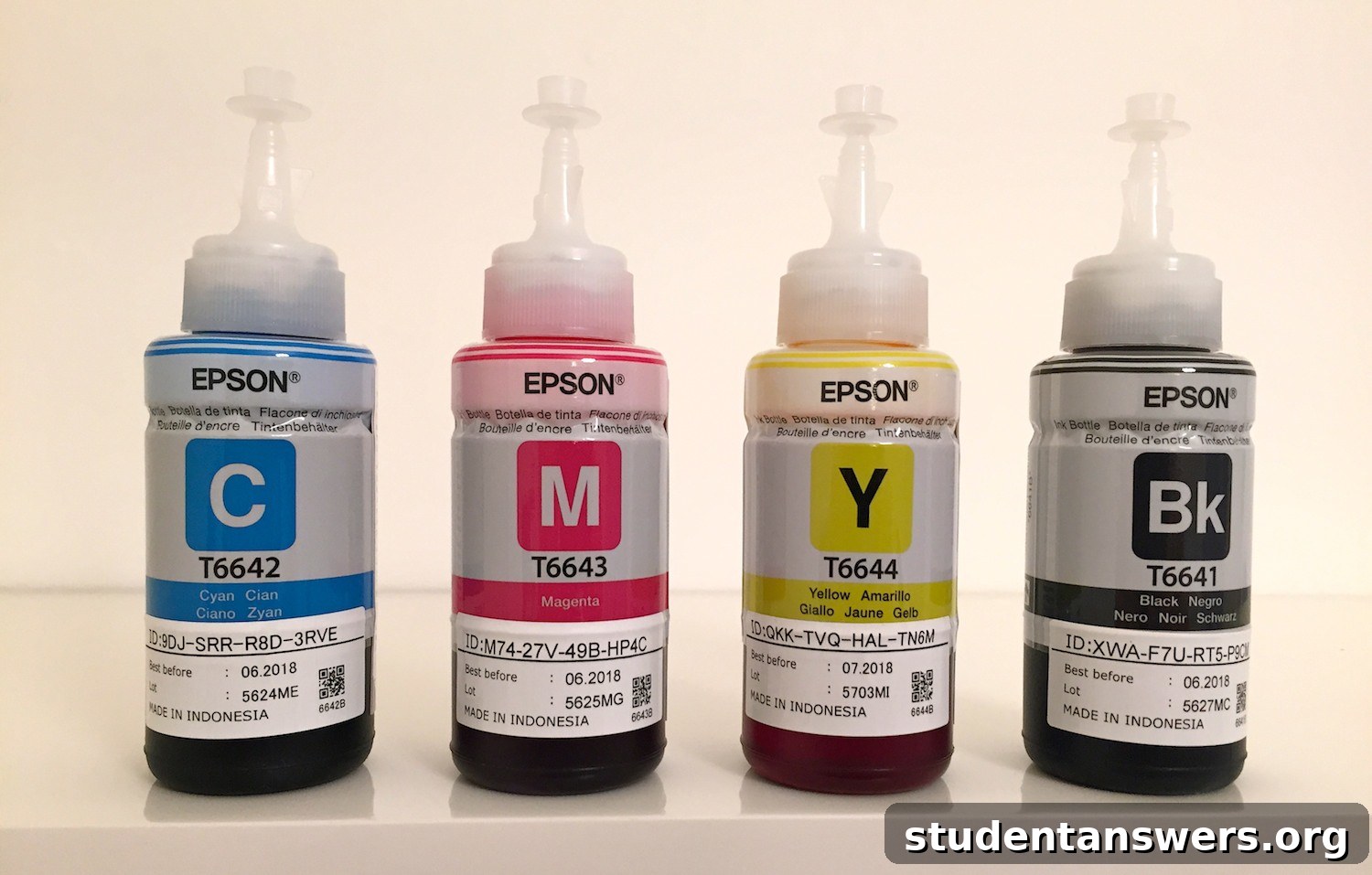
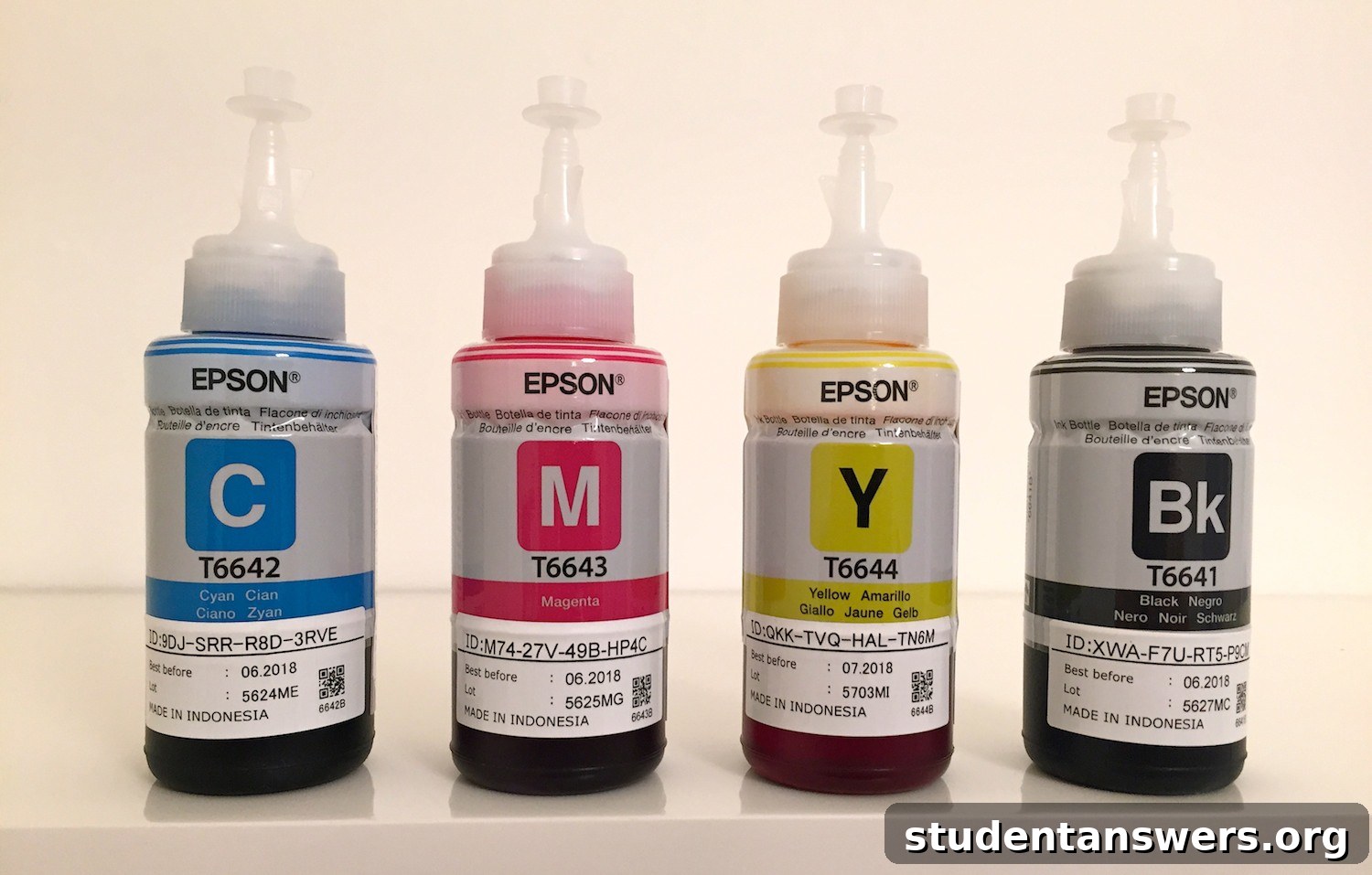
I took some precautions, laying down newspaper and wearing gloves, expecting a messy ordeal. However, my fears were unfounded. To fill a tank, you simply uncap the corresponding ink bottle, remove a foil seal, and screw the cap back on. Then, you insert the bottle’s nozzle into the tank and gently squeeze until it’s empty. Each tank is clearly labeled, and a transparent window lets you see the ink levels at a glance, so you always know how much you have left.

The four empty ink tanks ready to be filled.
The generous supply of ink that comes in the box.
The ink tanks are full and ready for printing.
The only slightly messy part was disposing of the ink-stained foil seals. My tip is to have a paper towel handy for them. While it takes a few more minutes than swapping cartridges, the reward is knowing you won’t have to think about ink again for potentially thousands of pages.
Software setup was equally painless. While a disc is included for Windows users, I was setting it up on a Mac and simply followed the instructions to download the drivers from Epson’s website. I connected the printer to my Wi-Fi network without a hitch, but it also offers Ethernet and USB connections for flexibility. Modern connectivity is fully supported, allowing you to print directly from smartphones and tablets using Epson’s iPrint app. The ET-4500 even includes fax functionality, which, while a bit dated, could still be valuable for certain small office environments.
Performance, Features, and Everyday Use
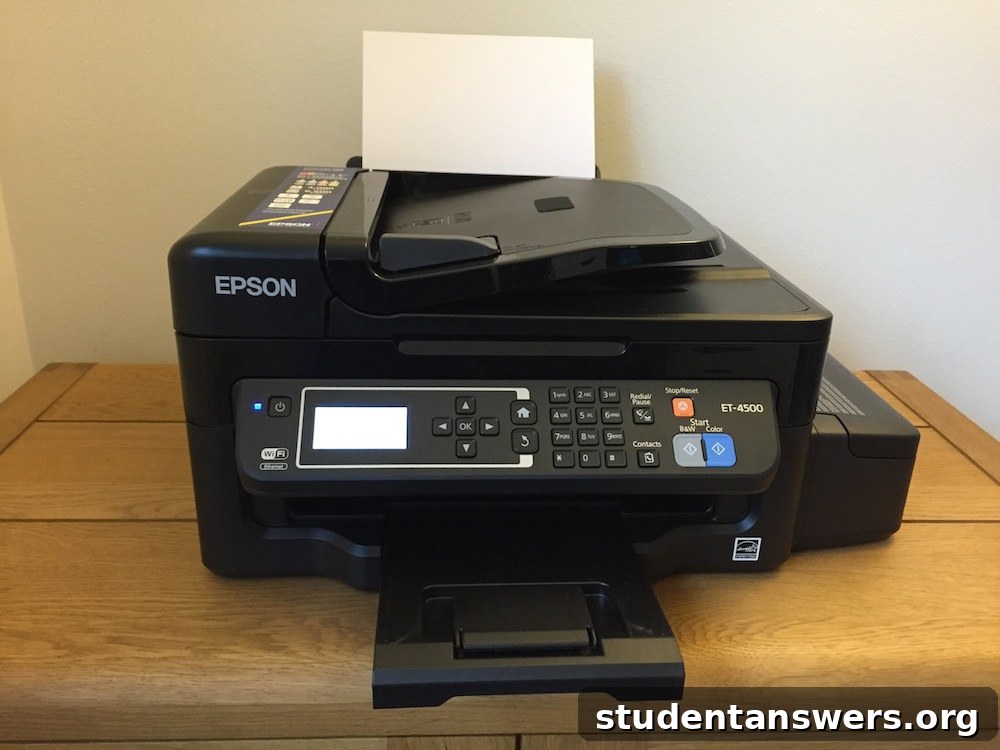
The ET-4500 uses a traditional button-based control panel rather than a modern touchscreen, but the layout is intuitive and easy to navigate. I found the default beeps and chimes for button presses and finished jobs a little loud for my taste, but I was pleased to discover they can be easily lowered or turned off completely in the settings.
In terms of performance, I was thoroughly impressed. The print quality for both black-and-white text documents and full-color images was excellent. Text was sharp and clear, while photos printed on glossy paper were vibrant and detailed. When printing a large document, the ET-4500 maintained a respectable speed, churning out pages efficiently. For times when noise is a concern, a “Quiet Mode” is available, which slows down printing slightly to reduce operational sound.
As an all-in-one device, its functionality extends beyond printing. The flatbed scanner and copier work as expected, and the 30-sheet Automatic Document Feeder (ADF) is a fantastic feature for scanning or copying multi-page documents without having to manually feed each page. The main paper tray holds up to 100 sheets, which is adequate for most home or small office use.
Physically, the printer has a modest footprint (49cm x 38cm x 23cm) and can comfortably sit on a desk. It’s also light enough for one person to move, though you should always keep it level to avoid any potential ink spills once the tanks are full. If you’re a student planning to move it between home and university, it’s wise to keep the original packaging and the included ink-stop valve to ensure a mess-free journey.
The Final Verdict: Is the ET-4500 a Worthwhile Investment?
Without a doubt, the greatest advantage of the Epson EcoTank ET-4500 is its incredibly low running cost. The high initial purchase price can be a barrier, but it’s essential to do the math. Consider a budget printer at £50. A full set of XL cartridges might cost £60 and print around 500 pages. To print the 4,000 black pages the ET-4500 delivers out of the box, you would need to buy eight sets of cartridges, costing you £480 on top of the printer’s price.
Suddenly, the ET-4500’s price seems not just reasonable, but like a smart long-term investment. The savings continue even after the initial ink supply runs out. Replacement high-yield ink bottles from Epson cost around £8 each and provide thousands more pages of printing. This fundamentally changes your relationship with printing; you no longer have to hesitate before printing a long document or a color photo, worried about the cost of ink.
So, who is this printer for?
- Students: If you frequently print essays, lecture notes, and research papers, the ET-4500 is a game-changer. The cost savings over a three-year degree course would be substantial.
- Home Offices: For small businesses that rely on printing invoices, reports, and marketing materials, the reliability and low cost per page are a significant benefit.
- Families: From kids’ homework and school projects to family photos and documents, this printer can handle it all without breaking the bank.
If you only print a few pages a month, the high upfront cost may be harder to justify. But for anyone with moderate to heavy printing needs, the Epson EcoTank ET-4500 is a superb choice. It’s a cost-effective, high-quality, and reliable machine that frees you from the expensive and wasteful cycle of ink cartridges. It represents a shrewd purchase that will pay for itself many times over throughout its lifespan.