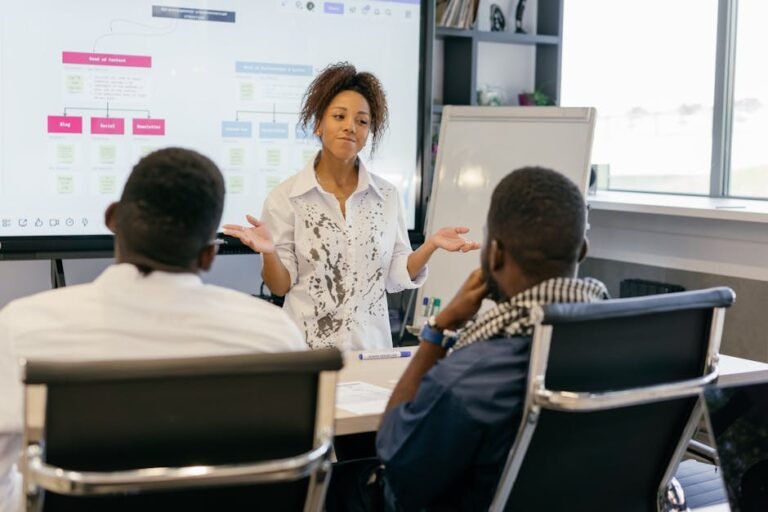
Okay, so I’m putting together a workshop for college students on improving their teamwork and collaboration skills. A lot of the feedback we’ve gotten is that students struggle in group projects, both in person and online. They have trouble delegating tasks, communicating effectively, and resolving conflicts. Some students dominate conversations, while others stay silent and disengaged.
Beyond just telling them to "communicate better," I want to give them concrete strategies and techniques they can actually use. I’m thinking about covering things like active listening, conflict resolution styles, and maybe even different project management methodologies like Agile.
Specifically, I’m looking for ideas that are practical and easily implemented. What specific exercises or activities can we do in the workshop to simulate teamwork scenarios? Are there any tools or technologies we should be introducing them to that can facilitate better collaboration? Also, how can we address the common issues of unequal participation and freeloading in group projects? Maybe some grading strategies that incentivize collaboration?
I’m open to suggestions for resources (books, articles, websites) that are helpful for students learning about teamwork and collaboration. I need actionable advice!
Answer
To improve teamwork and collaboration skills, students can focus on several key areas encompassing communication, roles and responsibilities, problem-solving, conflict resolution, and fostering a positive team environment.
I. Communication Skills Development:
- Active Listening: Encourage students to practice attentive listening by summarizing what others have said to ensure understanding. Emphasize techniques like maintaining eye contact, nodding to show agreement, and asking clarifying questions rather than interrupting. Organize activities where one student explains a concept and another paraphrases it back, promoting accurate information exchange.
- Clear and Concise Communication: Train students to articulate their ideas and opinions directly and comprehensively. This can involve activities where they must present information within a specific time limit or word count, pushing them to prioritize key points. They should also learn to use visual aids and other supporting materials effectively.
- Non-Verbal Communication: Make students aware of the impact of body language, facial expressions, and tone of voice on communication. Role-playing exercises can help them identify and adjust non-verbal cues to convey messages effectively and appropriately. For example, practicing assertive communication versus aggressive communication.
- Constructive Feedback: Teach students how to give and receive feedback effectively. Emphasize the importance of focusing on specific behaviors and providing actionable suggestions for improvement, rather than making general or personal criticisms. Practice giving feedback using the "sandwich" method (positive comment, constructive criticism, positive comment) and receiving feedback with an open mind.
- Utilizing Communication Tools: Familiarize students with various communication platforms (e.g., email, instant messaging, video conferencing) and best practices for using them in a team setting. They need to understand the appropriate use of each tool and learn to manage communication overload, especially in virtual teams.
II. Defining Roles and Responsibilities:
- Task Allocation: Teach students how to effectively divide tasks based on individual skills and interests. Use project-based learning where students are assigned roles like project manager, researcher, editor, and presenter. This allows them to take ownership and be accountable for their specific contributions.
- Role Clarity: Ensure that each team member has a clear understanding of their assigned roles and responsibilities. This can be achieved through detailed project briefs, team meetings, and regular check-ins. A responsibility assignment matrix (RACI matrix) can be used to clearly define who is Responsible, Accountable, Consulted, and Informed for each task.
- Shared Leadership: Encourage students to share leadership responsibilities throughout the project. Rotating leadership roles can provide opportunities for each team member to develop leadership skills and contribute to decision-making.
- Establishing Team Norms: Guide teams in developing shared norms for communication, decision-making, conflict resolution, and meeting etiquette. Document these norms and regularly revisit them to ensure that they are being followed.
- Accountability: Create a system for holding team members accountable for their contributions. This could involve regular progress reports, peer evaluations, and individual performance assessments based on team outcomes.
III. Enhancing Problem-Solving Skills:
- Brainstorming Techniques: Introduce students to various brainstorming methods, such as free writing, mind mapping, and round-robin brainstorming. Encourage them to generate a wide range of ideas without judgment and to build upon each other’s suggestions.
- Decision-Making Processes: Teach students different decision-making models, such as consensus-building, voting, and the Delphi method. Help them understand the strengths and weaknesses of each model and when to use them appropriately.
- Root Cause Analysis: Train students to identify the underlying causes of problems rather than just addressing the symptoms. Introduce techniques like the "5 Whys" or Fishbone diagrams.
- Creative Problem-Solving: Encourage students to think outside the box and to explore unconventional solutions. Activities like design thinking challenges or case studies can help them develop their creative problem-solving skills.
- Data Analysis: Equip students with basic data analysis skills to support informed decision-making. Teach them how to gather, analyze, and interpret data relevant to their project or problem.
IV. Managing Conflict Resolution:
- Understanding Conflict Styles: Introduce students to different conflict styles (e.g., competing, collaborating, compromising, avoiding, accommodating) and help them understand their own preferences and tendencies.
- Active Conflict Resolution: Teach students techniques for actively resolving conflicts, such as active listening, empathy, and negotiation. Model constructive communication and facilitate mediated discussions.
- Mediation Skills: Train students in basic mediation skills to help them facilitate discussions and find common ground between conflicting parties. Role-playing mediation scenarios can provide valuable practice.
- Setting Ground Rules: Establish clear ground rules for addressing conflict within the team. These rules should emphasize respect, fairness, and a focus on finding solutions.
- Seeking External Help: Emphasize the importance of seeking help from a facilitator or mediator if the team is unable to resolve conflicts on their own. Make sure students know who they can turn to for assistance.
V. Fostering a Positive Team Environment:
- Building Trust: Encourage students to build trust by being reliable, honest, and supportive of each other. Activities like team-building games and social events can help strengthen relationships.
- Respect and Inclusion: Emphasize the importance of respecting diverse perspectives and creating an inclusive environment where all team members feel valued and heard.
- Empathy and Understanding: Encourage students to develop empathy and to try to understand the perspectives of others, even when they disagree.
- Celebrating Successes: Celebrate team accomplishments and recognize individual contributions. This can boost morale and reinforce positive team behaviors.
- Team Charters/Contracts: Have teams create charters or contracts that outline shared values, goals, and expectations for behavior. Regularly review and revise these documents to ensure they remain relevant.
- Team-Building Activities: Regularly incorporate team-building activities into the curriculum. These activities can be designed to improve communication, problem-solving, and trust.
By implementing these strategies, students can develop the essential teamwork and collaboration skills needed to succeed in academic, professional, and personal settings.