How can I effectively use a planner or calendar?
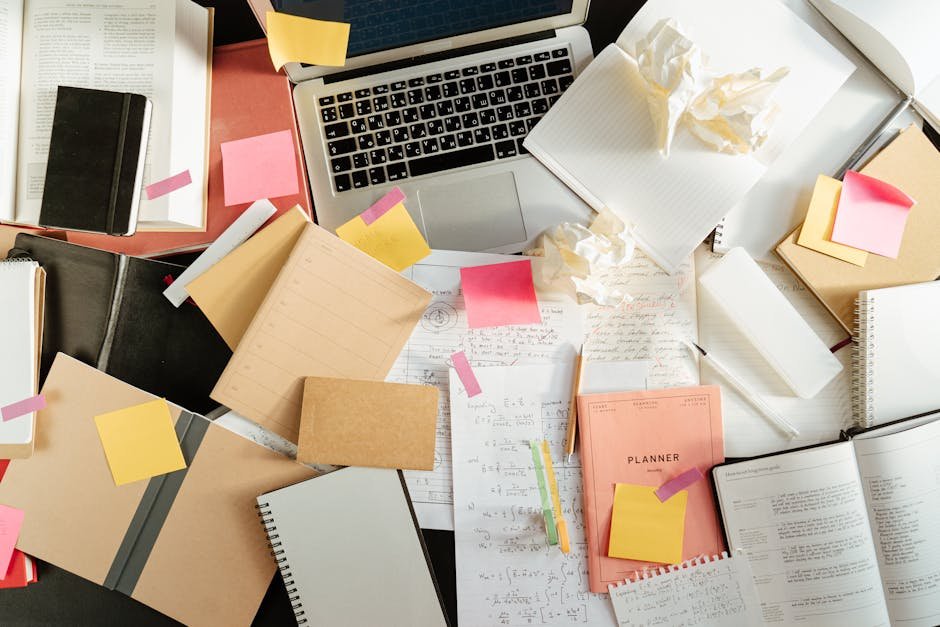
I always start the year with a brand new planner, all excited to organize my life. I buy the cute stickers, the colorful pens… the whole shebang! But by like, March, it’s a chaotic mess or completely abandoned. It’s supposed to help me manage my time and be productive, but it ends up just being another thing I feel guilty about neglecting.
I’ve tried a few different kinds – paper planners (weekly and daily layouts), digital calendars (Google Calendar and Outlook), even a bullet journal for a hot minute. I thought maybe the bullet journal would be more flexible, but I just got overwhelmed trying to be artistic.
I need help figuring out how to actually use a planner consistently and effectively. Specifically, I’m looking for practical tips on:
- Actually remembering to look at it regularly. I forget it exists half the time!
- What to put in it, beyond just appointments. I feel like I’m underutilizing it. Should I track habits? Meal plan?
- Dealing with unexpected changes and rescheduling. I get thrown off completely when something comes up.
- Choosing the right format. Should I try a digital system again? Or stick with paper? What kind of layout works best for me? I think that’s part of the problem, I never stick with one long enough to figure that out.
Basically, I need a planner/calendar intervention! How do you make these things work for you? What’s your system? And how do you stick to it?
Answer
Effectively using a planner or calendar requires a systematic approach that involves selecting the right tool, consistently inputting information, and regularly reviewing and adjusting your system. Here’s a comprehensive guide:
1. Choosing the Right Planner/Calendar:
-
Format:
-
Paper Planner: Offers tactile experience, no reliance on technology, visual layout flexibility (can be customized with stickers, colors), and can be more conducive to focused planning. Types include:
- Daily Planner: Detailed view of each day, broken down by hours. Best for individuals with very busy schedules and lots of appointments.
- Weekly Planner: Shows an entire week at a glance. Good for seeing how your week is structured and managing recurring events.
- Monthly Planner: Provides a broader overview of the month. Useful for long-term planning and tracking deadlines.
- Academic Planner: Runs from July/August to June/July, designed for students.
- Undated Planner: Allows you to start planning at any time of the year and customize the dates.
-
Digital Calendar (e.g., Google Calendar, Outlook Calendar, Apple Calendar): Offers syncing across devices, reminders, easy rescheduling, sharing capabilities, and search functionality.
- Desktop Applications: Provide a larger screen view and often more features.
- Mobile Apps: Offer portability and on-the-go access.
- Hybrid (Paper + Digital): Combines the benefits of both. For example, using a paper planner for daily tasks and a digital calendar for appointments and reminders.
-
- Features:
- Space: Choose a planner/calendar with sufficient space to write down your tasks and appointments. Consider the size of your handwriting and the level of detail you need to record.
- Layout: Select a layout that suits your planning style. Some planners have vertical layouts, horizontal layouts, hourly layouts, or to-do list sections.
- Sections: Look for useful sections like goal-setting pages, habit trackers, note-taking areas, contact lists, and project planning pages.
- Customization: Can you customize the planner? Some digital calendars allow you to create custom calendars or add custom fields. Some paper planners have customizable inserts or layouts.
- Accessibility: The chosen planner should be readily accessible, whether physically or digitally. If using a digital calendar, ensure it’s easily accessible on all devices you use.
2. Inputting Information:
-
Schedule Appointments and Events:
- Immediate Entry: Enter appointments and events as soon as they are scheduled. Do not rely on memory.
- Details: Include all relevant details such as date, time, location, contact person, and any necessary materials.
- Color-Coding: Use color-coding to categorize different types of appointments and events (e.g., work, personal, social). Most digital calendars and many paper planners support color-coding.
-
Record Tasks and To-Dos:
- Break Down Large Tasks: Divide large, overwhelming tasks into smaller, more manageable steps. This makes them less daunting and easier to accomplish.
- Prioritize: Determine which tasks are most important and should be tackled first. Use methods like the Eisenhower Matrix (urgent/important) or simply assigning priority levels (A, B, C).
- Estimate Time: Estimate how long each task will take and block out time in your planner accordingly. This prevents overcommitting and helps you stay on schedule.
- Recurring Tasks: Schedule recurring tasks (e.g., weekly meetings, monthly bills) in your planner to avoid forgetting them. Digital calendars excel at this.
-
Set Reminders:
- Timely Reminders: Set reminders for appointments, deadlines, and tasks. Adjust the timing of the reminders based on how much lead time you need to prepare.
- Multiple Reminders: For important events, consider setting multiple reminders to ensure you don’t forget.
- Reminder Types: Use different types of reminders, such as notifications, emails, or alarms, depending on your preference.
- Include Personal Time:
- Schedule Breaks: Block out time for breaks, meals, and relaxation. This helps prevent burnout and ensures you have time to recharge.
- Personal Activities: Schedule time for hobbies, exercise, and social activities. This helps maintain a healthy work-life balance.
- "Buffer" Time: Add buffer time between appointments and tasks to account for unexpected delays or to simply allow yourself to transition smoothly.
3. Regular Review and Adjustment:
-
Daily Review:
- Start and End of Day: Review your planner at the start of each day to see what you have scheduled and at the end of the day to reflect on what you accomplished.
- Adjust as Needed: Adjust your schedule as needed based on unexpected events or changing priorities.
- Check Off Completed Tasks: Mark completed tasks as done to give yourself a sense of accomplishment and to track your progress.
-
Weekly Review:
- Plan the Week Ahead: Take time each week to plan out the upcoming week. Review your goals, appointments, and tasks, and schedule them in your planner.
- Identify Potential Conflicts: Look for any potential conflicts in your schedule and resolve them in advance.
- Evaluate Progress: Evaluate your progress towards your goals and make adjustments as needed.
-
Monthly Review:
- Review Goals: Review your monthly goals and assess your progress.
- Identify Trends: Look for any trends or patterns in your schedule that may be affecting your productivity.
- Adjust Strategies: Adjust your planning strategies as needed to improve your effectiveness.
- Quarterly/Annual Review:
- Long-Term Goals: Review your long-term goals and make sure your daily, weekly, and monthly plans are aligned with them.
- Planner Effectiveness: Evaluate the effectiveness of your planner and make changes if necessary. Consider trying a different format or system if your current one is not working.
4. Tips for Staying Consistent:
- Make it a Habit: Integrate using your planner into your daily routine. Set a specific time each day to review and update your schedule.
- Keep it Visible: Keep your planner in a visible location to remind you to use it. If using a digital calendar, keep the app open on your computer or phone.
- Use Reminders: Set reminders to review and update your planner.
- Be Flexible: Don’t be afraid to adjust your schedule as needed. Life happens, and it’s important to be able to adapt.
- Don’t Aim for Perfection: Don’t get discouraged if you miss a day or don’t stick to your schedule perfectly. Just get back on track as soon as possible.
- Reward Yourself: Reward yourself for consistently using your planner and achieving your goals. This will help you stay motivated.
- Find an Accountability Partner: Partner with a friend, family member, or colleague who also uses a planner and hold each other accountable.
- Experiment: Don’t be afraid to experiment with different planning methods and tools until you find one that works best for you.
- Focus on Progress, Not Perfection: The goal is to improve your organization and productivity, not to create a perfect schedule.
- Use Visual Cues: Use colors, stickers, and other visual cues to make your planner more engaging and easier to use.
By following these steps, you can effectively use a planner or calendar to stay organized, manage your time, and achieve your goals. The key is to find a system that works for you and to consistently use it.
This content has been prepared by the Studentanswers editorial team for educational and informational purposes only. We recommend consulting a qualified professional before making any personal decisions.