
Smartphones are undeniably powerful tools, but their constant presence can quietly undermine your productivity, focus, and overall quality of life. The endless stream of notifications and alluring apps is designed to capture your attention. To truly benefit from your device without falling prey to its downsides, you must take proactive steps to create a healthier relationship with it. This means transforming your phone from a source of constant distraction into a tool that serves your goals.
In this comprehensive guide, we will walk you through a clear, actionable process for making your phone significantly less distracting. We’ll begin by tackling the digital clutter within your phone, decluttering apps and settings. Then, we’ll expand to broader strategies and environmental changes that will help you regain control over your attention. By the end of this article, you will have a complete toolkit to redesign your smartphone experience, allowing you to reclaim your focus and live a more present, productive life.
Step 1: The Great App Purge – Reclaim Your Home Screen
Before you can optimize your phone’s settings, you need a clean slate. Over time, our phones become digital junkyards, filled with apps we downloaded on a whim and forgot about. This clutter isn’t just an eyesore; it’s a cognitive burden. A disorganized phone makes it harder to find the tools you actually need and is littered with potential distractions. The first and most crucial step is to perform a thorough app audit. Ask yourself the following four questions for every single app on your device.
Do You Genuinely Use This App?
It’s a simple question, but the answer can be revealing. You likely have more unused apps than you realize, especially if you’ve owned your phone for a year or more. Scroll through every page and folder and be honest with yourself. If you haven’t opened an app in the last six months and have no foreseeable need for it, delete it.
Of course, there are exceptions. Some apps are essential, even if used infrequently. For example, you might only use your airline’s app a few times a year, but the convenience it offers on travel days makes it worth keeping. The goal is not to achieve absolute minimalism but to eliminate the definite clutter. I recently deleted a language-learning app I used when I was studying French and a vacation rental app from a trip over a year ago. They served their purpose, but their time on my phone was over.
This is also the perfect opportunity to tackle “bloatware”—the pre-installed apps from the manufacturer or carrier that you never use. Delete everything you can. Some stock apps, like Samsung’s “Galaxy Store,” may be impossible to remove without advanced technical steps. Don’t worry about those for now; focus on what you can control.
Does This App Duplicate Functionality Better Suited for Another Device?
Many apps seem useful on the surface, but it’s vital to question whether your phone is the right place for them. Does an app provide a benefit on your phone specifically, or would you be better served using it on a laptop or tablet? If an app’s primary function is tied to a different context, like deep work at your desk, then having it on your phone might be doing more harm than good.
For example, I used to have the project management tool Asana on my phone. My justification was that I could check on project statuses on the go. In reality, this meant I was tethered to work, checking tasks and feeling stressed when I was supposed to be disconnected. There was no real need for me to access it away from my computer. Deleting it from my phone didn’t hurt my productivity; it improved my work-life balance.
Remember this crucial point: deleting an app is not a permanent decision. If you remove an app and later discover you truly need it, you can reinstall it in seconds. There is virtually no risk in decluttering, so be bold in your choices.
Do the App’s Drawbacks Outweigh Its Benefits?
In his book Deep Work, Cal Newport criticizes the “any-benefit” approach to adopting new tools, where we embrace anything that offers even a sliver of potential value without considering its hidden costs. To make your phone less distracting, you must abandon this mindset. Instead, adopt a craftsman’s approach: carefully weigh the pros and cons of every app.
Let’s analyze a common example: the email app on your phone. The benefits seem obvious:
- You can check messages anytime, anywhere.
- You can respond quickly, even when away from your desk.
- You can compose emails during “in-between” moments, like waiting in line.
These points are valid. However, now consider the significant drawbacks:
- Constant access to your inbox creates a state of perpetual, low-grade stress.
- It fragments your attention, making it difficult to be present with family, friends, or even your own thoughts.
- It blurs the line between work and personal life, leading to burnout as you find yourself checking messages at all hours.
For many people, a careful analysis reveals that the costs of having email on their phone far outweigh the benefits. If an app’s primary impact is negative, it has no place on your most personal device. Delete it.
Is This App a Time Sink? Can Its Negative Impact Be Mitigated?
Finally, we arrive at the most challenging category: apps that are genuinely useful but also designed to be endlessly engaging. These “time-sink” apps require careful management.
Some time sinks offer no real value beyond distraction. Most mobile games, for example, are engineered to be addictive procrastination machines. While there’s nothing wrong with video games as a hobby, it’s better to engage with them intentionally on a console or PC rather than through a device that’s always in your pocket.
On the other hand, some apps can be both a time sink and a valuable tool. Consider Instagram for a small business owner who uses it for marketing. In this case, deleting the app isn’t a viable option. The app provides a clear benefit. However, the temptation to mindlessly scroll the feed remains a significant threat to productivity.
The solution is mitigation. If an app is necessary but distracting, you must build guardrails around it. You can use built-in tools like Apple’s Screen Time or Android’s Digital Wellbeing to set strict daily time limits. This allows you to use the app for its intended, productive purpose without letting it consume your entire day.
Step 2: Engineer Your Phone for Deep Focus
Our phones keep getting smarter — why don’t we?
– Jerry Seinfeld, 23 Hours to Kill
Purging unnecessary apps is a massive step forward. If you stop there, you’ll already be far ahead of the curve. However, to truly transform your phone into a tool for focus, you need to go further. The next steps involve fundamentally changing how your phone behaves and how you interact with it.
Set Intentional Boundaries with App Limits and Schedules
As mentioned, you can impose limits on distracting apps you’ve decided to keep. This is a non-negotiable step for taming social media, news, and other endless-scroll apps.
On iOS, use Screen Time to set daily time limits for specific apps or entire categories like “Social Media” or “Entertainment.” Once your time is up, the app icon will dim, and you’ll need to bypass a warning to continue using it. This small bit of friction is often enough to break the cycle of mindless use.
On Android, Digital Wellbeing offers similar app timers. Both platforms also offer “downtime” or “focus mode” features. You can use these to schedule blocks of time—such as your work hours or the hour before bed—during which distracting apps are completely inaccessible. This automates your discipline, freeing up willpower for more important tasks.
Silence the Noise: A Strategic Guide to Notifications
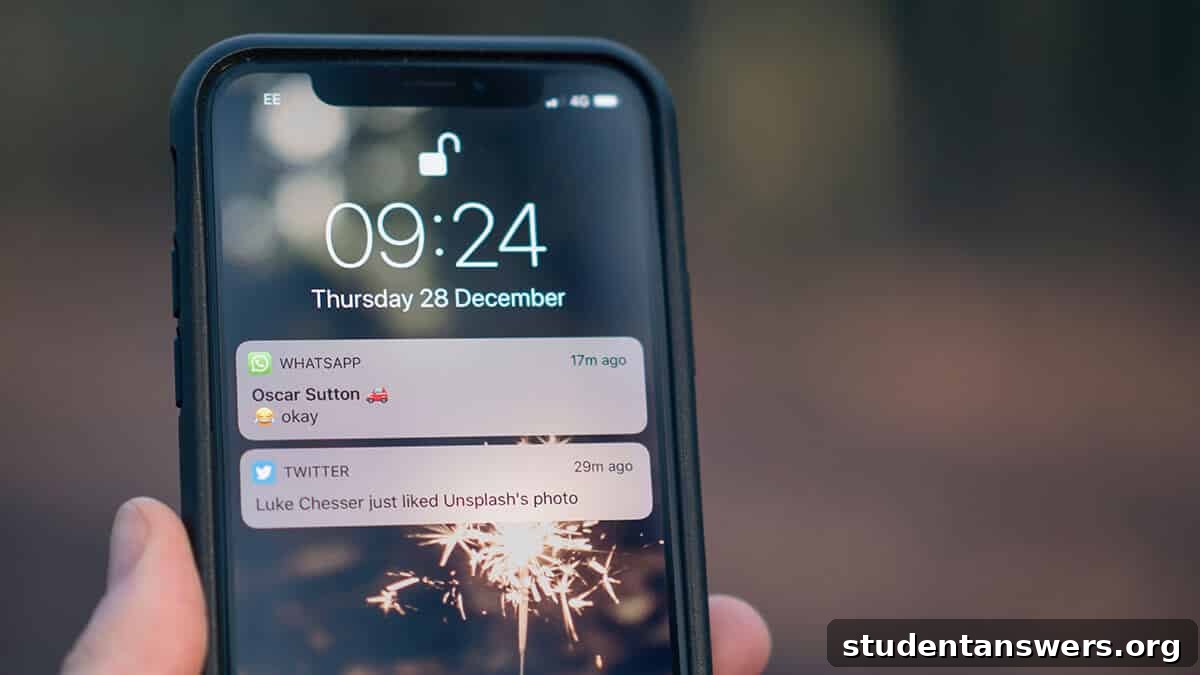
Notifications are the single greatest source of distraction on your phone. Each buzz or ping is a demand for your immediate attention, fragmenting your focus and pulling you out of deep thought. For this reason, you must be ruthless in managing them. By default, every app asks for permission to send you notifications. Your default answer should be “No.”
Go into your phone’s settings and disable notifications for every single app that is not absolutely critical. Be honest about what is critical. Does a “like” on social media require your immediate attention? Does a breaking news alert? Does a promotional email? The answer is almost always no. The only notifications that should remain are likely from real people trying to contact you directly, such as text messages and phone calls, and perhaps calendar alerts.
Beyond disabling notifications, make liberal use of the Do Not Disturb mode. Schedule it to turn on automatically at least an hour before you go to sleep and remain on until at least an hour after you wake up. This creates a protective buffer for your sleep and prevents your first act of the day from being a reactive dive into a sea of notifications. Use it manually whenever you need to focus on a task, whether you’re working, studying, or having a conversation.
Reduce Temptation by Creating Physical Distance
The most effective way to prevent your phone from distracting you is also the simplest: put it away. The principle of “out of sight, out of mind” is incredibly powerful. Your phone’s mere presence, even if it’s turned over and on silent, can reduce your available cognitive capacity.
Start by removing your phone from your immediate workspace. Instead of keeping it on your desk, leave it charging in another room. You’ll be amazed at how much your focus improves when you aren’t subconsciously tempted to check it every few minutes.
Next, banish your phone from the bedroom. This is a game-changer for sleep quality. The blue light from screens disrupts melatonin production, and the potential for late-night scrolling can keep you awake for hours. Buy a cheap, dedicated alarm clock and make your bedroom a phone-free sanctuary for rest and relaxation.
Finally, change your habits when you’re out. Instead of carrying your phone in your pocket where it’s easily accessible, keep it in a backpack, purse, or glove compartment. This introduces a small amount of friction, making you more intentional about when you pull it out. You’ll find yourself more present and engaged with the world around you.
Gamify Your Focus with an App Like Forest
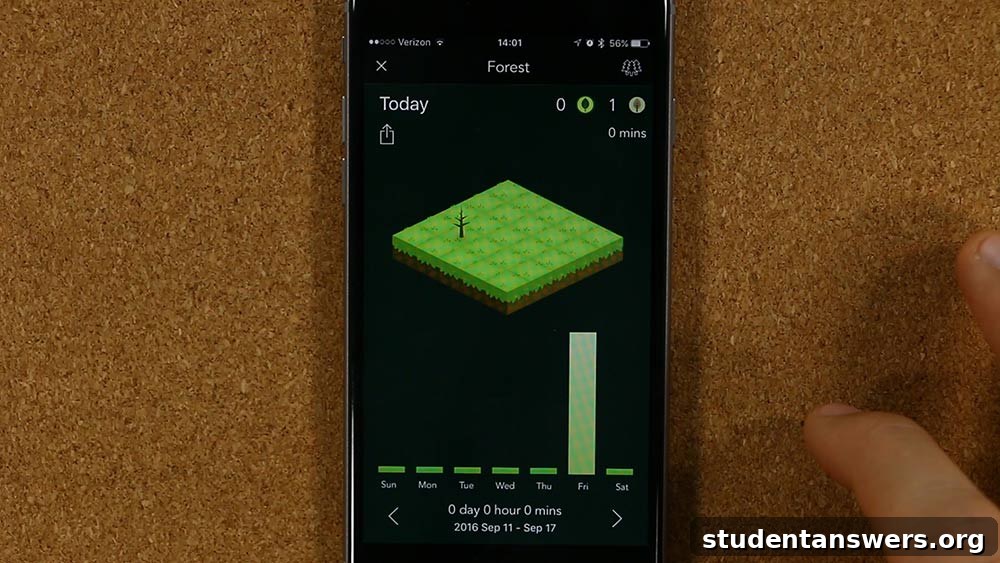
If you still find yourself compulsively picking up your phone even after implementing the steps above, you may need an extra incentive to leave it alone. The Forest app provides exactly that. The concept is simple: when you want to start a focus session, you plant a virtual tree in the app. The tree will continue to grow as long as you leave your phone untouched. If you exit the app to do something else, your tree withers and dies.
This may sound trivial, but it uses the psychological principles of commitment and loss aversion to your advantage. Over time, you build a beautiful virtual forest, a visual representation of all the focused time you’ve reclaimed. It’s a powerful and positive way to reinforce the habit of single-tasking.
Rule Your Phone, or It Will Rule You
It’s easy to forget that your smartphone is a tool that should exist to serve your interests, not the other way around. The default settings and app designs are often built to maximize their claim on your attention, not to improve your life. By being deliberate and intentional, you can reverse this dynamic.
Through a combination of mindful app curation, setting firm boundaries, silencing notifications, and creating physical distance, you can break free from the distracting pull of your device. You can take back control, protect your focus, and start using your phone as the powerful, purpose-driven tool it was meant to be. The result is more time and mental energy for the things that truly matter.
Image Credits: hand holding iPhone