

The Ultimate Guide to the Best Project Management Apps in 2024
When you’re managing a large-scale project, simple to-do lists quickly become inadequate. The sheer volume of tasks, deadlines, and team members involved can create chaos without a proper system. This is where dedicated project management software becomes not just a luxury, but a necessity. These powerful tools provide the structure, clarity, and collaborative features needed to steer complex projects from conception to completion.
But with a crowded market full of options, how do you select the right project management app for your needs? The best choice depends on several factors, including the size of your team, your preferred workflow methodology (like Agile or Kanban), and the specific goals you aim to achieve. To help you navigate this decision, we’ve compiled an in-depth review of the best project management apps available today, highlighting their strengths, features, and ideal use cases.
1. Trello: The Ultimate Visual Kanban Tool
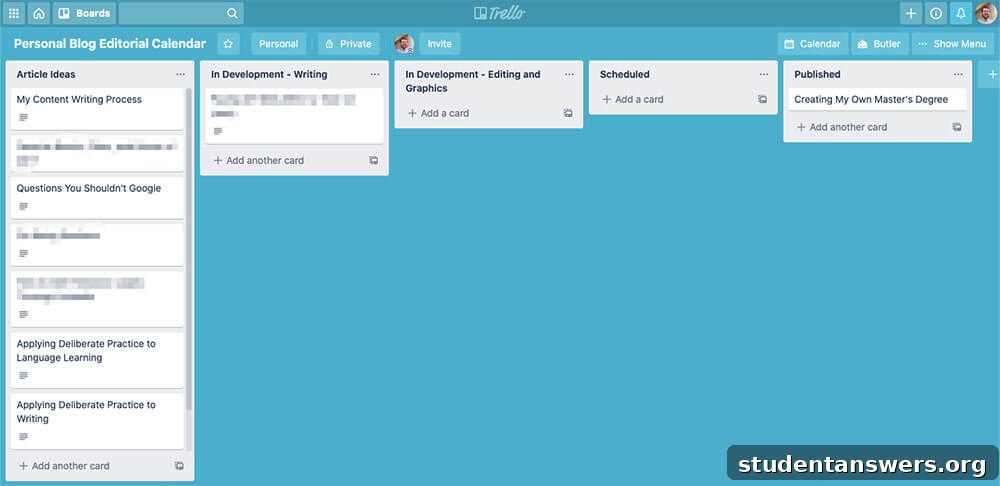
Overview: Trello is one of the most recognizable names in project management, renowned for popularizing the Kanban board system. It offers a highly intuitive and visual way to organize tasks and track progress, making it a favorite for individuals and teams who value simplicity and clarity.
At its core, Trello operates on a simple but powerful metaphor: a board represents your project, lists represent stages of your workflow, and cards represent individual tasks. Typically, lists are organized into columns like “To-Do,” “In Progress,” and “Done.” As a task progresses, you simply drag its card from one list to the next. This visual feedback loop provides an immediate, at-a-glance understanding of the project’s status.
Each Trello card is more than just a sticky note. You can add detailed descriptions, checklists, assign tasks to specific team members, set due dates, attach files from your computer or cloud services, and foster collaboration through a comments section. This makes each card a central hub for all information related to that specific task.
To extend its functionality, Trello offers Power-Ups, which are integrations and add-ons that connect your boards with other apps or add new features. For example, the Calendar Power-Up lets you see all your due dates in a calendar view, while the Card Aging Power-Up visually fades cards that have been inactive for a long time, helping you identify bottlenecks. Trello’s versatility makes it suitable for a wide range of applications, from managing a content editorial calendar to planning marketing campaigns and even tracking simple software development sprints.
Pricing
- Free: Offers unlimited cards, up to 10 boards per workspace, and unlimited storage (10MB/file). Perfect for individuals and small teams.
- Standard: Starts at $5 per user/month, offering unlimited boards, advanced checklists, and custom fields.
- Premium: Starts at $10 per user/month, adding different project views (Calendar, Timeline, Dashboard), and advanced automation features.
Platforms
Web, Windows, Mac, iOS, Android
2. Asana: The Flexible Powerhouse for Growing Teams
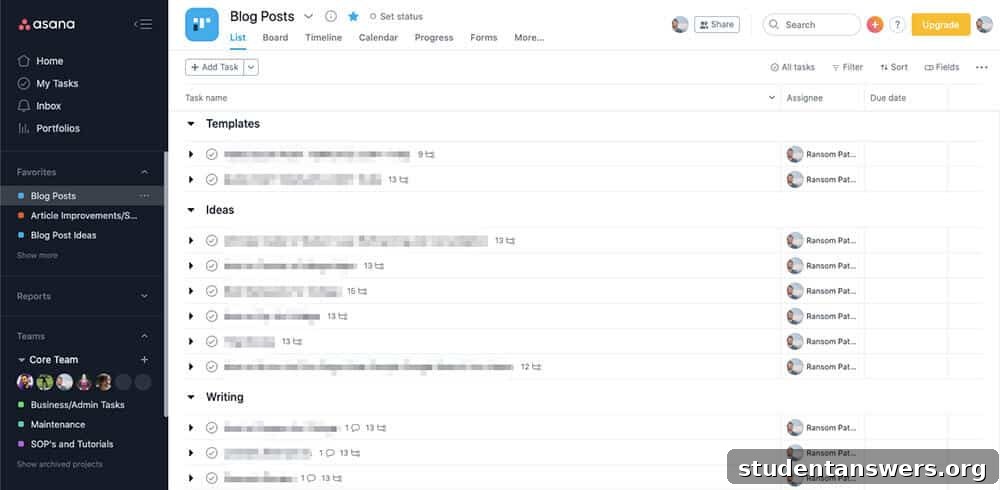
Overview: If Trello’s simplicity feels too restrictive, Asana is the logical next step. It’s a highly flexible and feature-rich project management tool designed to accommodate various work styles and complex projects. Asana empowers teams to visualize their work in multiple formats, ensuring everyone can work in the way that suits them best.
The standout feature of Asana is its variety of project views. You can switch between different layouts with a single click:
- List View: A classic, straightforward to-do list format where you can group tasks into sections. It’s ideal for projects that follow a linear sequence of steps.
- Board View: A Kanban-style view, similar to Trello, for visualizing workflow stages and moving tasks through a process.
- Timeline View: A Gantt chart-style layout that shows how tasks connect and overlap over time. This is crucial for managing dependencies, where one task cannot start until another is finished.
- Calendar View: A traditional calendar layout that displays tasks by their due dates, perfect for planning content schedules or event timelines.
Beyond its versatile views, Asana excels at detailed task management. You can break down large tasks into smaller, more manageable subtasks, assign owners, set priorities, and attach relevant files. The platform’s powerful automation features allow you to create rules that streamline routine work, such as automatically assigning tasks or updating their status based on triggers. With robust reporting dashboards and goal-tracking features, Asana provides managers with a clear overview of team progress and alignment with company objectives.
Pricing
- Basic: Free for teams of up to 15 people, including unlimited tasks, projects, and the List, Board, and Calendar views.
- Premium: Starts at $10.99 per user/month, unlocking the Timeline view, workflow builder, advanced reporting, and unlimited dashboards.
- Business: Starts at $24.99 per user/month, adding portfolios, goals, workload management, and advanced integrations.
Platforms
Web, iOS, Android
3. Notion: The All-in-One Customizable Workspace
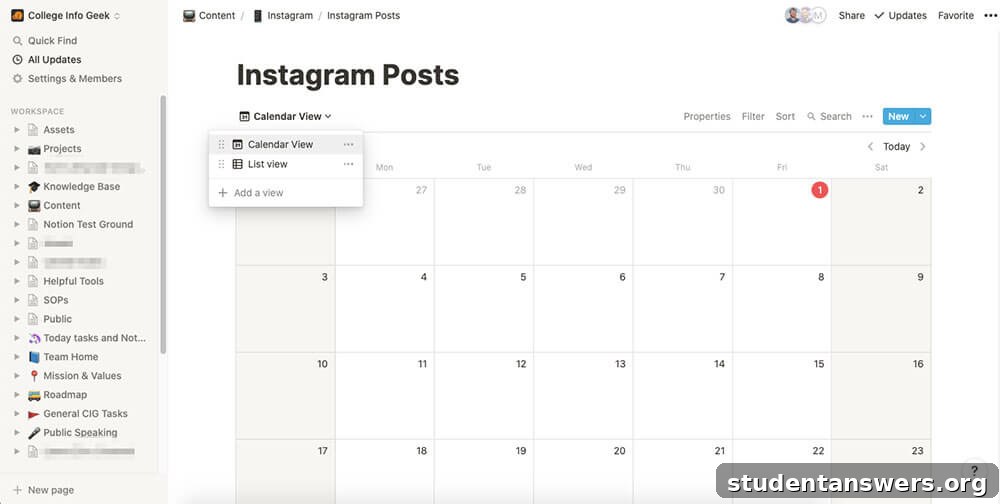
Overview: Notion is more than just a project management app; it’s a unified workspace designed to replace a multitude of other tools. It seamlessly combines notes, documents, wikis, spreadsheets, and project management into a single, highly customizable platform. If you dream of building a bespoke system tailored perfectly to your workflow, Notion is the ultimate sandbox.
The foundation of Notion is built on pages and databases. A page can hold any type of content, from simple text and images to embedded videos and code snippets. The real power, however, is unlocked with databases. You can create different types of databases—like tables, Kanban boards, lists, calendars, and galleries—and link them together. Each entry in a database is its own Notion page, allowing you to nest information in a deeply granular way.
For project management, this means you can create a master task database and then create different filtered views of it across your workspace. You could have a Kanban board for your engineering team, a calendar view for your marketing team, and a simple list view for your personal dashboard, all pulling from the same source of truth. You can add custom properties to your tasks, such as priority level, status, project owner, or anything else you can imagine. This unparalleled flexibility allows you to build a project management system that is as simple or as complex as you need it to be.
Notion also excels at collaboration, with real-time editing, commenting, and @mentions to keep team members in sync. It’s an excellent choice for teams that need a central knowledge base alongside their project management tools.
Pricing
- Personal: Free for individuals, with a 5 guest limit for collaboration.
- Personal Pro: $4/month (billed annually) for unlimited file uploads and guests. Free for students and educators.
- Team: $8 per user/month (billed annually) for unlimited team members, collaborative workspaces, and advanced permissions.
Platforms
Web, Windows, Mac, iOS, Android
4. ClickUp: The “One App to Replace Them All”
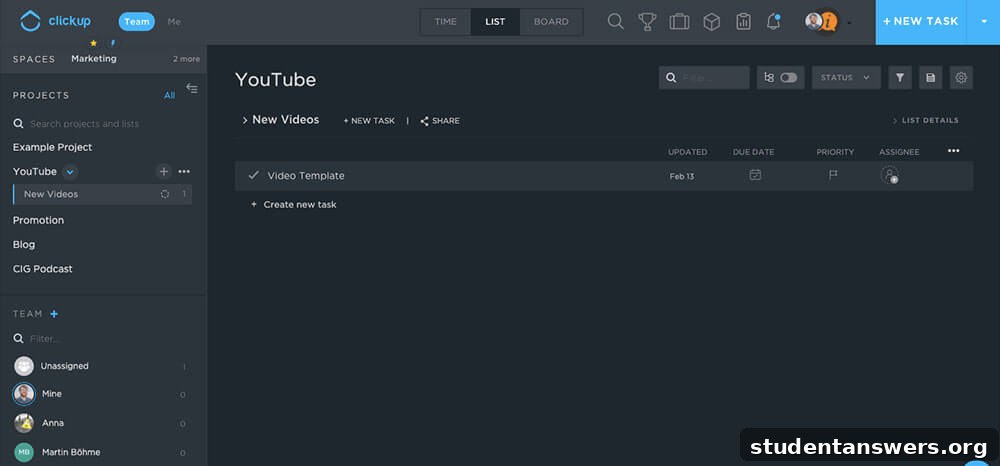
Overview: ClickUp markets itself as the one app to replace them all, and it makes a compelling case. It aims to unify tasks, documents, chat, goals, and more into a single, cohesive platform. While its sheer number of features can present a learning curve, it offers incredible power and customizability for teams that want everything in one place.
Similar to Asana, ClickUp offers multiple ways to visualize your work, including List, Board, Calendar, and Gantt views. However, it goes even further by offering a unique Box view, which shows you the workload of each team member, helping you balance assignments and prevent burnout. The platform’s hierarchy is also highly flexible, allowing you to organize work into Spaces, Folders, and Lists to mirror your company’s structure.
One of ClickUp’s standout features is its approach to Goals. You can set high-level objectives and break them down into measurable Targets, such as numerical goals or tasks to complete. As your team completes the linked tasks, ClickUp automatically updates the progress of the overarching goal, providing a clear line of sight from daily work to strategic priorities. With built-in features like Docs, Whiteboards, and real-time chat, ClickUp significantly reduces the need to switch between different applications, creating a truly unified work hub.
Pricing
- Free Forever: Generous free plan with unlimited tasks, unlimited members, and 100MB of storage.
- Unlimited: Starts at $5 per user/month, offering unlimited storage, integrations, and advanced reporting features.
- Business: Starts at $12 per user/month, adding advanced automations, time tracking, and goal setting.
Platforms
Web, Windows, Mac, Linux, iOS, Android, Amazon Fire
5. nTask: Efficient Management with Built-in Time Tracking
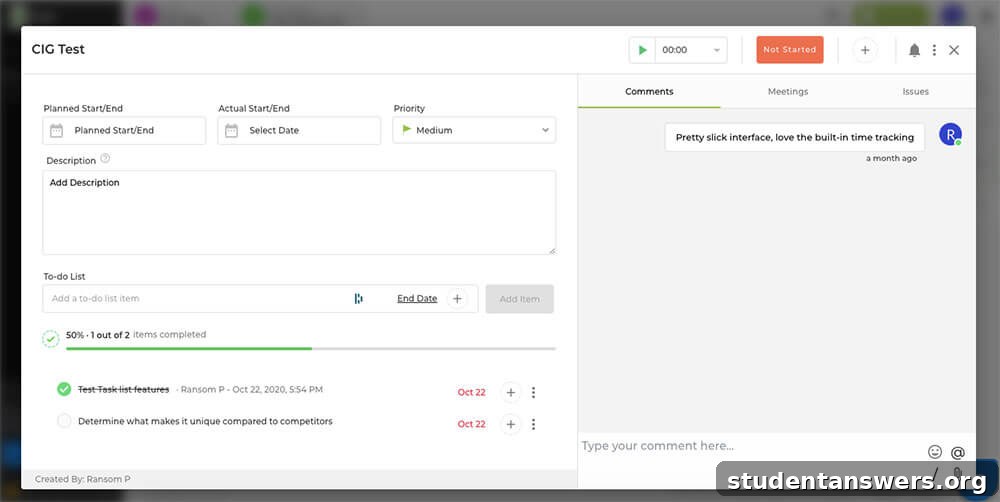
Overview: nTask is a powerful and well-rounded project management app that stands out by integrating key features that other platforms often charge extra for or require third-party integrations to achieve. Its built-in time tracking and meeting management capabilities make it a cost-effective solution for teams looking to consolidate their tools.
The core of nTask is organized around workspaces that contain projects and tasks. Each task can be enriched with checklists, file attachments, comments, and planned versus actual start and end dates. Where nTask truly shines is with its native time tracking. Any team member can start a timer associated with a specific task directly within the app. This data is then automatically collated into a Timesheet module, providing valuable insights into project budgets and team productivity without the need for a separate time tracking subscription.
Furthermore, nTask includes a dedicated module for scheduling and managing meetings. You can create meeting agendas, discuss key points, and assign follow-up action items, all linked back to the relevant project. This tight integration ensures that decisions made in meetings are immediately translated into actionable tasks within the project plan. All these features are wrapped in a clean, aesthetically pleasing interface that is easy to navigate, making nTask a strong contender for teams that need robust functionality without overwhelming complexity.
Pricing
- Basic: Free for up to 5 team members, including 100MB of storage and unlimited tasks.
- Premium: Starts at $3 per user/month, offering 5GB of storage, Gantt charts, and advanced project management features.
Platforms
Web, iOS, Android
6. Basecamp: The Pioneer of Calm, Asynchronous Work
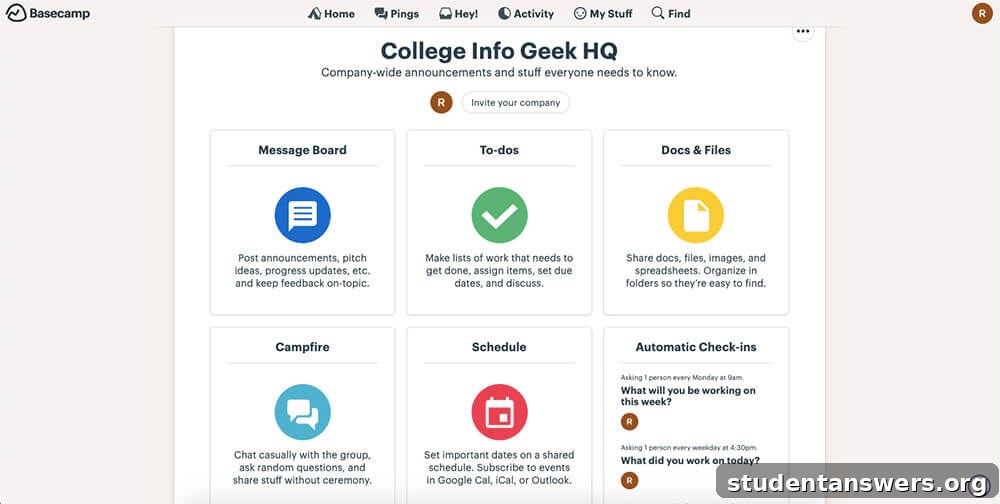
Overview: Basecamp is one of the original project management tools and has a strong philosophy centered on promoting calm, organized, and asynchronous work. It aims to reduce the noise of constant notifications and unnecessary meetings, making it a refreshing alternative to more complex and demanding platforms.
Basecamp organizes everything into self-contained projects. Each project includes a standard set of tools: a to-do list for tasks, a message board for announcements and discussions, a schedule for key dates and deadlines, a docs & files section for shared assets, and a group chat (Campfire) for quick, informal communication. This all-in-one structure keeps all project-related communication and assets in one central, easy-to-find place.
Two features make Basecamp unique. The first is Automatic Check-ins, which prompts team members with recurring questions (e.g., “What did you work on today?”) on a set schedule. The answers are collected and shared with the team, providing transparency and eliminating the need for many status update meetings. The second is the innovative Hill Chart, a visual tool for tracking progress on a more abstract level. It helps you see whether a task is in the “uphill” phase (figuring things out) or the “downhill” phase (execution). This gives managers a high-level view of where projects might be stuck, allowing them to intervene only when necessary. Basecamp’s flat-rate pricing also makes it an incredibly affordable option for large teams.
Pricing
- Basecamp Personal: A free but limited version for personal projects, students, and freelancers.
- Basecamp Business: A flat fee of $99/month for unlimited users, projects, and 500GB of storage. A 30-day free trial is available.
Platforms
Web, Windows, Mac, iOS, Android
7. Jira: The Gold Standard for Agile Software Development
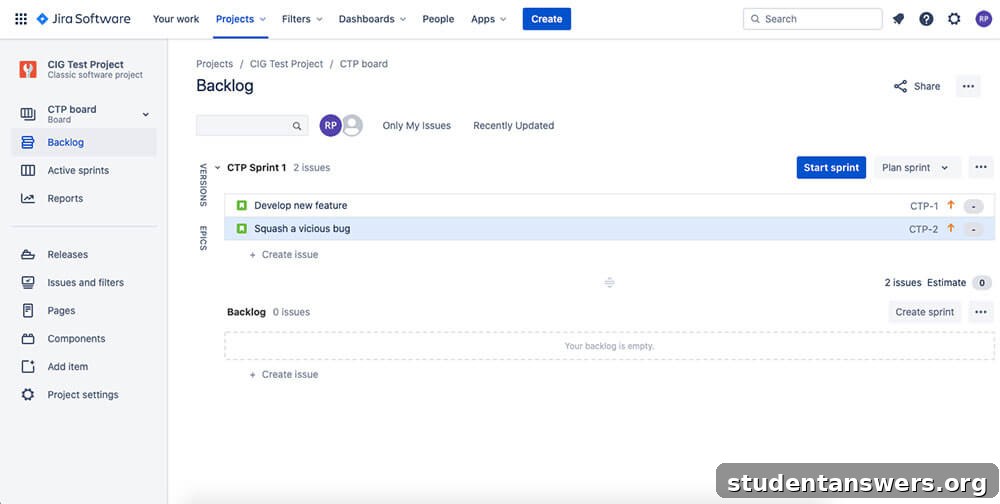
Overview: Jira, developed by Atlassian, is the industry-standard project management tool for software development teams that follow the Agile methodology. Its entire feature set is purpose-built to support the unique workflows of developing, testing, and releasing software in iterative cycles.
Jira’s workflow is centered around issues, which can represent anything from a new feature and a user story to a bug fix or a general task. These issues are organized in a backlog, which serves as a prioritized list of everything the team needs to work on. From there, teams can plan their work in sprints—short, time-boxed periods (usually two weeks) during which a specific set of work is completed.
Jira offers two primary ways to manage this work:
- Scrum Boards: Designed for teams working in sprints. This view shows the project backlog, the tasks in the active sprint, and detailed reports like burndown charts that track progress toward the sprint goal.
- Kanban Boards: Suited for teams that focus on a continuous flow of work, such as IT support or operations teams. This board visualizes the workflow and helps teams manage work-in-progress limits to maximize efficiency.
With deep integration into the developer ecosystem, including tools like Bitbucket and Confluence, and powerful reporting capabilities tailored for software metrics, Jira is the undisputed leader for any team serious about implementing Agile development practices.
Pricing
- Free: For up to 10 users, with core Agile features and 2GB of storage.
- Standard: Starts at $7.50 per user/month, for up to 20,000 users with advanced permissions and 250GB of storage.
Platforms
Web, Windows, Mac, Linux, iOS, Android
8. Monday.com: The Visual and Automated Work OS
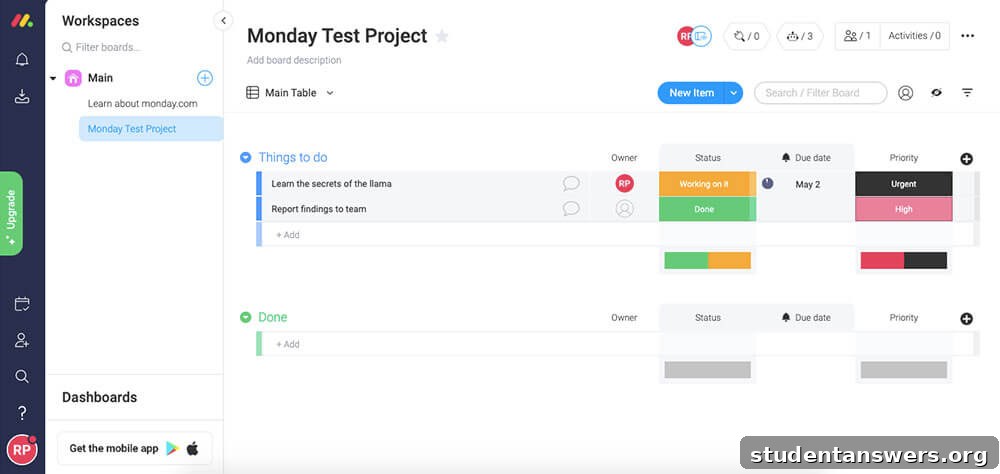
Overview: Monday.com bills itself as a “Work OS,” a highly visual and flexible platform that can be configured to manage almost any type of work. Its strength lies in its intuitive, spreadsheet-like interface, extensive customization options, and powerful workflow automation.
The core building block of Monday.com is the board. A board is composed of groups (high-level categories), items (tasks or records), and columns. The columns are what make Monday.com so versatile; you can add columns for status, people, dates, numbers, text, and dozens of other data types. This allows you to build a board that perfectly captures all the information you need for a project, a CRM, a marketing campaign tracker, or an inventory management system.
Where Monday.com truly excels is in its no-code automations. Using simple “if this, then that” recipes, you can automate countless routine tasks. For example, you can set up an automation that says: “When a task’s status changes to ‘Done’, notify the project manager via Slack and move the item to the ‘Completed’ group.” These automations save time, reduce manual errors, and keep projects moving forward smoothly. With a vast library of templates and integrations, Monday.com is an excellent choice for teams that want a visually engaging tool with powerful automation capabilities.
Pricing
- Basic: Starts at $8 per user/month.
- Standard: Starts at $10 per user/month, adding Timeline & Gantt views, automations, and integrations.
- A free version is available for students and educators.
Platforms
Web, iOS, Android
Streamline Your Workflow and Achieve Your Goals
Choosing the right project management app can transform your team’s productivity, providing clarity, accountability, and a single source of truth for all your work. By understanding your team’s specific needs—whether it’s the visual simplicity of Trello, the all-in-one power of ClickUp, or the developer-focused tools of Jira—you can select a platform that reduces stress and makes your workflow more efficient. Committing to a project management system is an investment that pays dividends in successfully completed projects and a more organized, collaborative team.
Looking for more tools to stay organized? Check out these other helpful guides:
- The Best To-Do List App: Our Top 12 Picks
- 8 Best Calendar Apps to Stay Organized
- The Best Time Tracking Apps: Toggl, Clockify, and More