
The Best Password Managers of 2024: Your Ultimate Guide to Digital Security
In our modern digital lives, passwords are the keys to our kingdoms. From social media and email to banking and work accounts, we rely on these secret strings of characters to protect our most sensitive information. However, the sheer volume of passwords we need to manage has become a significant challenge. The human brain simply isn’t designed to memorize dozens of unique, complex passwords.
Many people resort to insecure habits. Some use dangerously simple passwords like “12345678” or “password,” which can be cracked by automated software in milliseconds. Others, slightly more security-conscious, reuse the same strong password across multiple websites. While this feels safer, it’s a house of cards. If a single one of those websites suffers a data breach, cybercriminals can use that leaked password to access all your other accounts in a tactic known as “credential stuffing.”
So, what is the best practice? Security experts agree: every online account should have its own unique, long, and randomly generated password. But how can anyone possibly remember them all? The answer is simple and effective: you need a password manager.
This comprehensive guide will explain what a password manager is, why it’s an essential tool for online safety, and review the best password managers available today to help you find the perfect one for your needs.
What Is a Password Manager and Why Do You Need One?
A password manager is a software application designed to securely store and manage all your login credentials in a single, encrypted digital vault. Think of it as a Fort Knox for your digital identity. To access this vault, you only need to remember one thing: a single, strong “master password.”
Once you’ve unlocked your vault, the password manager can handle the rest. Its core functions dramatically enhance both your security and convenience:
- Secure Storage: It stores all your usernames, passwords, and other sensitive information (like credit card numbers or secure notes) in a highly encrypted format.
- Password Generation: It can create long, random, and incredibly strong passwords for new accounts with a single click, eliminating the need for you to think of them yourself.
- Auto-Fill Functionality: When you visit a login page, the password manager can automatically fill in your username and password, saving you time and effort. This also protects you from phishing websites, as the auto-fill feature often won’t work on fake or fraudulent sites.
- Cross-Platform Syncing: Your encrypted vault is synchronized across all your devices—computers, phones, and tablets—so you always have your passwords when you need them.
Modern password managers go even further, offering advanced features like security audits that flag weak or reused passwords, dark web monitoring that alerts you if your credentials appear in a data breach, and secure sharing options for granting access to family members or colleagues.
Dashlane
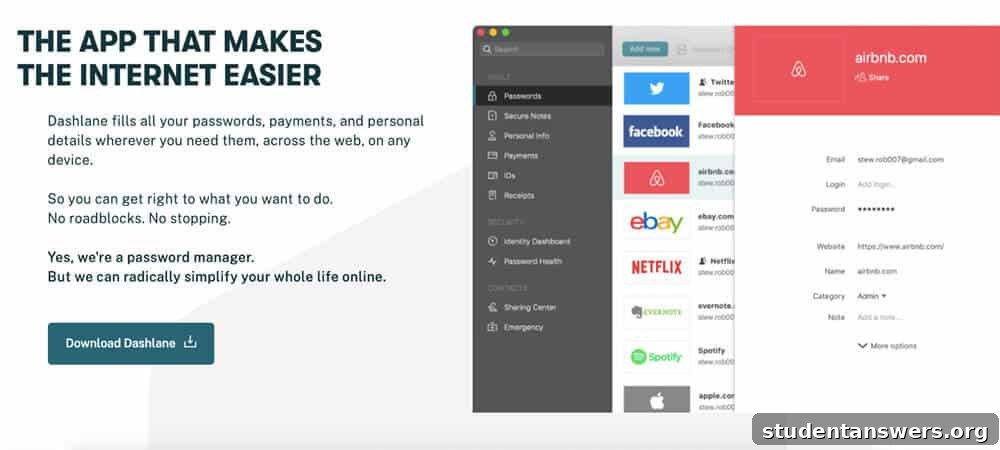
Overview: Dashlane is a top-tier, premium password manager that excels with its seamless user experience, powerful features, and robust security architecture. It’s an all-in-one solution for those who want the best in class.
Dashlane consistently ranks as a favorite because it just works, operating quietly in the background to make your digital life easier and safer. At its core, it provides an encrypted cloud-based vault protected by your master password. But its suite of features is what truly sets it apart.
When you create a new account online, Dashlane’s browser extension prompts you to generate a strong password and save the new login instantly. Its auto-fill capability is one of the most reliable in the industry, seamlessly handling even complex login forms. The app also features a comprehensive “Password Health” dashboard, which analyzes all your saved passwords and flags any that are weak, reused, or compromised, allowing you to update them with its one-click password changer.
For those seeking comprehensive digital protection, Dashlane’s premium plan includes a built-in Virtual Private Network (VPN) for secure browsing on public Wi-Fi and Dark Web Monitoring to alert you if your personal information is found in data breaches. Secure password sharing and emergency access controls round out its impressive feature set.
Price: A free plan is available but limited to 50 passwords on a single device. The Premium plan, which unlocks unlimited passwords, device syncing, the VPN, and dark web monitoring, costs $59.99 per year.
Platforms: Android, iOS, macOS, Windows, and all major web browsers.
LastPass
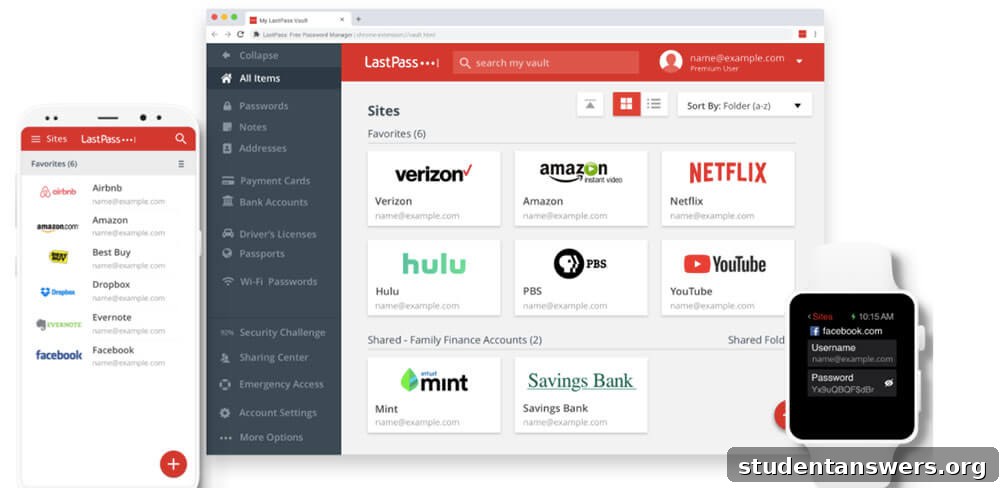
Overview: For years, LastPass was the go-to recommendation for a free, full-featured password manager. While its free plan has become more restrictive, it remains a powerful and user-friendly option.
LastPass offers a solid set of core features, including a robust password generator, reliable auto-fill, and storage for secure notes and credit card details. Its Security Dashboard helps you identify and upgrade weak passwords to strengthen your overall security posture. You can also securely share individual passwords with another user, which is useful for shared accounts.
The main drawback is the recent change to its free plan, which now limits you to syncing across only one device type: either computers (desktops, laptops) or mobile devices (phones, tablets). To sync across both, you must upgrade to a premium plan. However, for users who primarily access their accounts on a single type of device, the free version remains a very capable tool.
The premium subscription unlocks cross-device syncing, one-to-many sharing (for families), advanced multi-factor authentication options, emergency access, and 1GB of encrypted file storage.
Price: Free with device-type limitations. The Premium plan costs $36 per year, offering a good balance of features and affordability.
Platforms: Android, iOS, macOS, Windows, Linux, and all major web browsers.
1Password
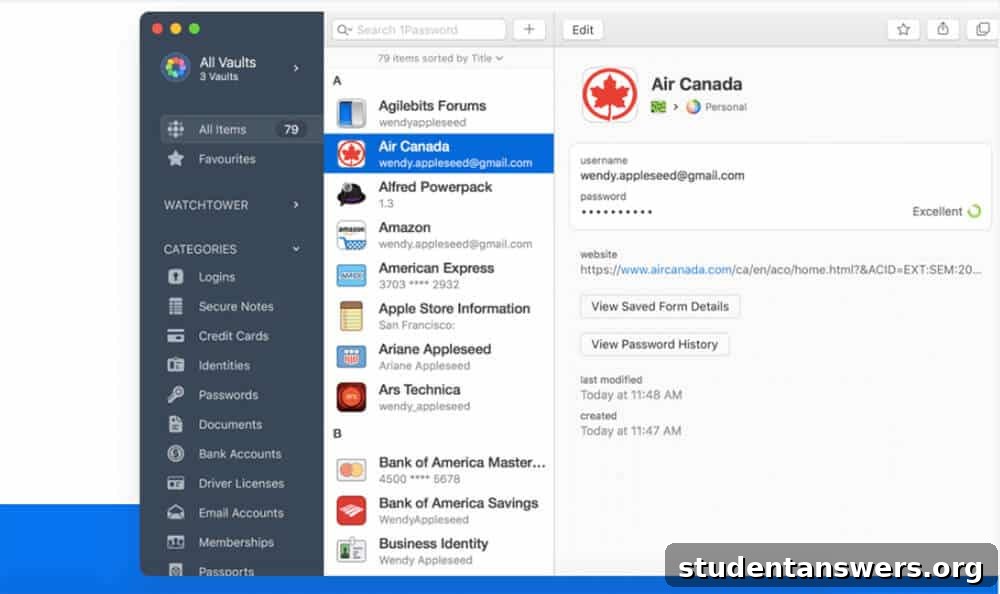
Overview: 1Password is celebrated for its beautiful design, intuitive user experience, and exceptional security features, making it a favorite for individuals, families, and businesses.
1Password provides all the essential features you’d expect: strong password generation, excellent auto-fill capabilities, and secure storage for documents and personal data. A unique security feature is its “Secret Key,” a 34-character code that works alongside your master password to encrypt your data. This means that even if your master password were stolen, your vault would remain secure without this second key.
Where 1Password truly shines is in its thoughtful additional features. “Travel Mode” allows you to temporarily remove sensitive vaults from your devices when crossing borders, protecting your data from unwarranted searches. Its family plans are also best-in-class, allowing for easy and secure sharing of passwords and offering a simple account recovery process for family members who forget their master password.
Unlike some competitors, 1Password does not offer a free tier, but its polished interface and unique security features make the subscription well worth the cost for many users.
Price: A personal plan is available for $35.88 per year after a 14-day free trial. Family plans, which cover up to five members, start at $59.88 per year.
Platforms: Android, iOS, macOS, Windows, Linux, and all major web browsers.
Bitwarden
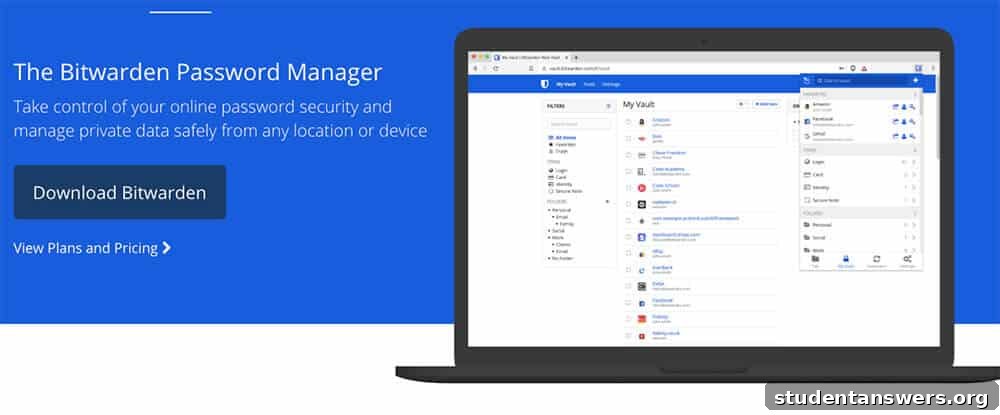
Overview: Bitwarden is an open-source password manager that prioritizes security, transparency, and affordability, making it the best value on the market.
Trust is paramount when choosing a password manager. Because Bitwarden is open-source, its code is publicly available for anyone to scrutinize and audit for security vulnerabilities. This transparency, combined with regular third-party security audits, provides exceptional peace of mind that your data is safe.
Bitwarden’s free plan is remarkably generous, offering unlimited password storage and syncing across unlimited devices—features that most competitors charge for. It includes all the essential functions, such as a password generator, auto-fill, and two-factor authentication support. For users who want complete control, Bitwarden can even be self-hosted on a personal server.
Upgrading to its premium plan is incredibly affordable and unlocks advanced features like a password health report, emergency access, and 1GB of encrypted file storage. While its interface may not be as sleek as 1Password or Dashlane, its functionality, security, and unbeatable price make it a fantastic choice.
Price: Free for all core features. The Premium plan costs just $10 per year.
Platforms: Android, iOS, macOS, Windows, Linux, and all major web browsers.
KeePass
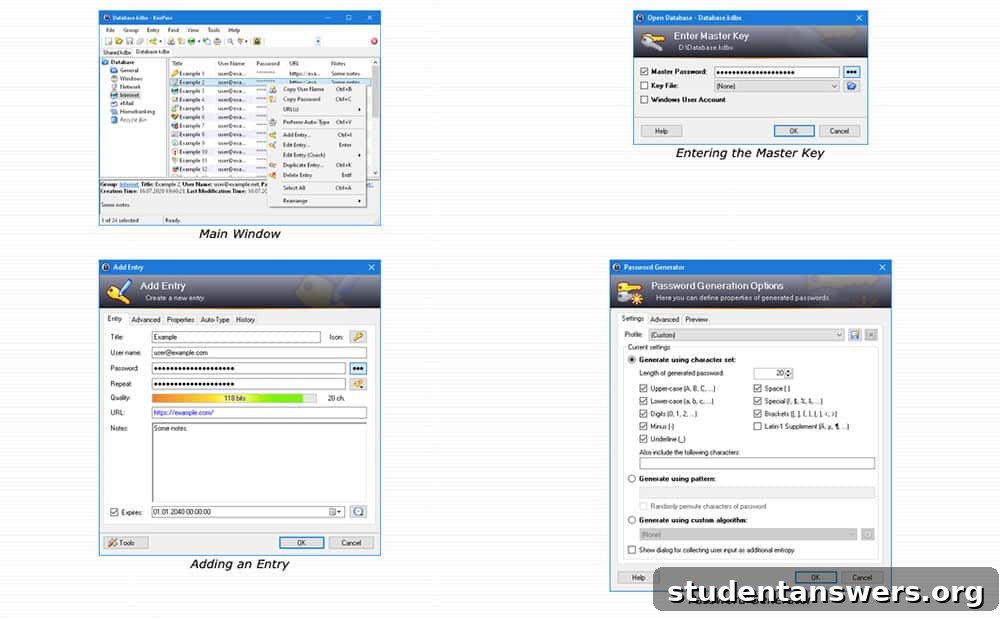
Overview: KeePass is a free, open-source, and highly customizable password manager for users who want complete control over their data.
Unlike the other cloud-based services on this list, KeePass is an offline password manager. It stores your encrypted password database as a single file on your local device. This approach appeals to privacy-conscious users who prefer not to store their data on a third-party server. To sync your passwords across devices, you must manually place the database file in a cloud storage service like Dropbox or Google Drive.
KeePass is incredibly powerful and flexible, with a vast ecosystem of community-developed plugins that can extend its functionality in countless ways. However, this flexibility comes at the cost of user-friendliness. The setup process is more complex, and its interface feels dated compared to modern alternatives. KeePass is an excellent tool for technically inclined users who value customization and control above all else, but it’s not the best starting point for beginners.
Price: Completely free.
Platforms: The official version is for Windows only. However, numerous unofficial, community-maintained ports are available for nearly every other platform, including macOS, Linux, Android, and iOS.
What About Built-In Browser Password Managers?
You might be wondering, “Why should I use a separate app when Chrome, Firefox, or Safari already saves my passwords?” It’s a valid question. Browser-based password managers and tools like Apple’s iCloud Keychain are convenient and certainly better than using no manager at all.
However, dedicated password managers offer several crucial advantages:
- Superior Security: Your browser’s password vault is typically protected only by your device login. If someone gains access to your unlocked computer, they can easily view all your saved passwords. A dedicated manager protects your vault with a separate, strong master password, providing an essential extra layer of security.
- Cross-Platform and Cross-Browser Functionality: Browser managers lock you into a specific ecosystem. iCloud Keychain works great between Apple devices but is cumbersome on Windows. A dedicated app works seamlessly everywhere, on any device and any browser you choose.
- Advanced Features: Built-in managers lack the robust features of dedicated apps, such as security audits, dark web monitoring, secure document storage, and emergency access protocols.
While a browser manager is a decent first step, a dedicated password manager is the superior choice for anyone serious about their online security.
Take Control of Your Digital Security Today
In an era of constant data breaches and sophisticated cyber threats, strong, unique passwords are no longer optional—they are essential. Password managers eliminate the impossible task of remembering dozens of complex credentials, bridging the gap between security and convenience. With powerful free options like Bitwarden and feature-rich premium services like Dashlane and 1Password, there is a perfect solution for everyone. Choose one today and take the single most effective step you can to protect your digital life.