
How to Start a Successful Tech Support Business: A Comprehensive Guide
In today’s technology-driven world, the demand for skilled computer repair and IT support professionals is higher than ever. For those with a knack for troubleshooting and a passion for technology, starting a tech support business can be a highly rewarding and profitable venture. However, transitioning from a hobbyist to a professional business owner requires more than just technical know-how. It demands a strategic approach encompassing certifications, customer service, legal protection, and smart marketing.
While the idea of being your own boss and fixing tech problems is appealing, the reality involves navigating customer expectations, managing business logistics, and protecting yourself from liability. This comprehensive guide will walk you through the essential steps to launch and grow a successful tech support business, turning your technical skills into a thriving enterprise.
1. Build Your Foundation: Essential Certifications and Skills
Before you even think about printing business cards, you need to establish your credibility. In the IT world, certifications are the gold standard for demonstrating your expertise. They assure potential clients that you have a verified and standardized level of knowledge.
Secure Your CompTIA A+ Certification
This is non-negotiable. The CompTIA A+ certification is the industry-standard credential for IT support technicians. It validates your understanding of a wide range of foundational topics, including:
- Hardware identification, installation, and troubleshooting (CPUs, RAM, motherboards, storage).
- Operating systems (Windows, macOS, Linux, Android, iOS).
- Software troubleshooting and support.
- Networking fundamentals.
- Security best practices.
- Operational procedures and professionalism.
Studying for and passing the A+ exams will not only provide you with a crucial credential but will also fill in any gaps in your knowledge. It ensures you have a comprehensive understanding of the problems you’ll face daily. Having this certification on your website and marketing materials instantly builds trust with customers.
Expand Your Expertise with Network+
Once you have your A+ certification, the logical next step is the CompTIA Network+. This certification dives deeper into networking concepts, covering everything from configuring routers and switches to understanding network protocols and security. As many computer problems are network-related, this knowledge will empower you to solve a wider range of issues, particularly for small business clients. It’s another powerful badge of credibility that sets you apart from amateur technicians.
2. Define Your Service Model: Stand Out from the Competition
The tech support market includes large competitors like Best Buy’s Geek Squad. To succeed, you can’t just compete on price; you must compete on service. Your business model should be designed around providing superior value and convenience for your target customers.
Embrace On-Site and Remote Support
One of the best ways to differentiate your business is by offering house calls. Many customers, especially older individuals or busy professionals, find it inconvenient to unplug their entire setup and haul it to a store. By going directly to their home or office, you offer a premium, convenient service they can’t get from a big-box retailer. This personal touch builds strong customer relationships and generates positive word-of-mouth referrals.
A quick safety note: When making house calls, always trust your instincts. If a situation feels unsafe or unprofessional for any reason, prioritize your safety and politely reschedule or decline the service. Your well-being comes first.
Master the Art of Customer Service
Your technical skills will get you in the door, but your customer service skills will keep you in business. Be professional, punctual, and an excellent communicator. Explain complex technical issues in simple, understandable terms. Provide clear estimates before starting work and keep the client updated on your progress. A follow-up call or email after a service is completed can go a long way in ensuring customer satisfaction and securing repeat business.
3. Master Core Services: Virus and Malware Removal
One of the most common and lucrative services you will offer is virus and malware removal. Malicious software is a pervasive problem, and many users don’t know how to handle it. Becoming an expert in this area can become a cornerstone of your business.
Many repair shops charge exorbitant fees and hold a customer’s computer for several days to perform a task that a skilled technician can often complete in under an hour. By offering a fast, effective, and reasonably priced solution, you can build a stellar reputation. These are the steps to effective removal:
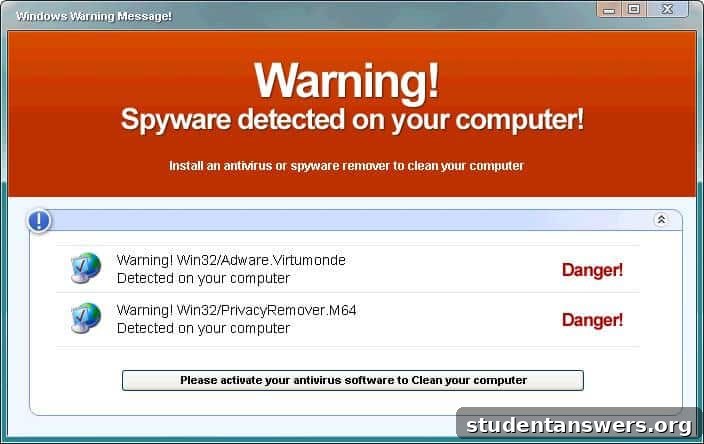
- Identify the Threat: Learn to recognize the symptoms of different types of malware, from fake antivirus pop-ups to ransomware encryption.
- Isolate and Scan: Disconnect the infected machine from the internet to prevent further spread. Use a suite of powerful, reputable tools like Malwarebytes, SUPERAntiSpyware, and AdwCleaner to scan and remove threats.
- Manual Cleanup: Learn to manually remove persistent malware by cleaning the system registry, startup items, and temporary files. Resources like Bleeping Computer are invaluable for learning advanced removal techniques.
- Educate the Client: Once the computer is clean, take a few minutes to educate your client on safe browsing habits, the importance of a good antivirus program, and how to avoid future infections. This adds immense value and positions you as a trusted advisor.
4. Protect Your Business: Legal and Financial Essentials
When you work on someone’s computer, you are handling not just expensive hardware but also their priceless data—family photos, critical business documents, and personal information. A single mistake could have devastating consequences for your client and, by extension, your business. Protecting yourself legally is absolutely critical.
Draft a Rock-Solid Service Contract
Never perform work without a signed service agreement. This contract is your primary line of defense. It should be drafted or reviewed by a qualified lawyer to ensure it is legally binding in your area. Key clauses to include are:
- Scope of Work: Clearly defines the services you will perform.
- Payment Terms: Outlines your rates and when payment is due.
- Data Backup Policy: A statement making it clear that the client is solely responsible for backing up their data before service begins.
- Limitation of Liability / Indemnification Clause: This is the most important part. This clause aims to protect you from being held financially responsible for data loss or hardware failure that may occur during a repair.
Yes, hiring a lawyer costs money, but it is a small investment compared to the potential cost of a lawsuit. Do not skip this step.
5. Develop a Smart Pricing Strategy
How you price your services will directly impact your profitability and market position. You need to find the sweet spot between being affordable enough to attract clients and charging enough to reflect your expertise and build a sustainable business.
Research the Market and Offer Value
Investigate what other local tech support services and national chains like Geek Squad are charging. You don’t have to be the cheapest option. In fact, being too cheap can make customers question the quality of your work. Instead, focus on offering better value. Your pricing can be structured in several ways:
- Flat-Fee Services: Offer fixed prices for common jobs like virus removal, OS installation, or a new PC setup. Customers appreciate the predictability of a flat fee.
- Hourly Rates: Use an hourly rate for diagnostic work or complex issues where the time required is uncertain.
- Service Packages: Bundle services like a tune-up, security check, and data backup for a discounted package price.
Be transparent about your pricing on your website and in your service contract. No one likes hidden fees. By being upfront and fair, you build trust and encourage repeat business. For more ideas on structuring your new venture, a great resource is Entrepreneur.com’s business guides.