

Rocketbook Everlast An Honest and Thorough Breakdown
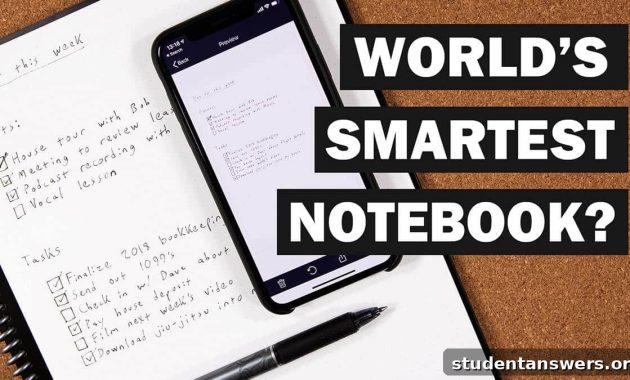
Rocketbook Everlast Review: The Ultimate Smart Notebook for Students?
In today’s fast-paced world, the debate between digital and analog tools is more relevant than ever. Digital tools, from the best habit tracking apps to the top-rated apps for taking notes, offer unparalleled organization, accessibility, and convenience. All your information is just a click away, synced across every device you own.
However, the timeless appeal of physical tools cannot be ignored. When it comes to taking notes, the simple act of writing by hand has been scientifically shown to significantly improve memory and retention compared to typing on a keyboard. The connection between hand and brain is powerful.
This leaves many of us in a difficult position. Traditional paper notebooks lack the searchability and cloud-based organization of their digital counterparts. If you misplace your notebook or simply forget it at home, your vital notes are inaccessible. Furthermore, once you fill a notebook, it becomes another item to store, and you have to purchase a new one, contributing to both clutter and waste.
What if there was a way to get the best of both worlds? A tool that offers the tactile, brain-boosting benefits of handwriting with the efficiency and power of digital organization. Fortunately, such a tool exists. It’s called the Rocketbook Everlast (now known as the Rocketbook Core), and it allows you to write in a physical notebook, instantly digitize your notes to the cloud, and then simply wipe the page clean to start all over again.
It might sound like science fiction, but it’s very real. Read on for our comprehensive review of the Rocketbook Everlast and discover if it’s the note-taking solution you’ve been searching for.
What is the Rocketbook Everlast?
The Rocketbook Everlast isn’t just a notebook; it’s a complete, reusable note-taking ecosystem. It has become a go-to daily driver for countless students and professionals for its clever integration of physical and digital workflows. It stands out from a crowded market of smart notebooks thanks to a few core, game-changing features.
The Rocketbook system is built on three essential pillars that make it a uniquely powerful tool:
- It is an endlessly reusable, erasable notebook.
- It offers seamless and intelligent digitization of your notes.
- It provides a high-quality, comfortable writing experience.
Let’s dive deeper into each of these features to understand what makes the Rocketbook so effective.
The Magic of Infinite Pages: How the Rocketbook is Erasable
The most headline-grabbing feature of the Rocketbook Everlast is its reusability. After you fill a page with lecture notes, meeting minutes, or brilliant ideas, you don’t have to tear it out or archive the notebook. Instead, you simply take a damp cloth, wipe the page, and it becomes a perfectly blank slate, ready for your next session.
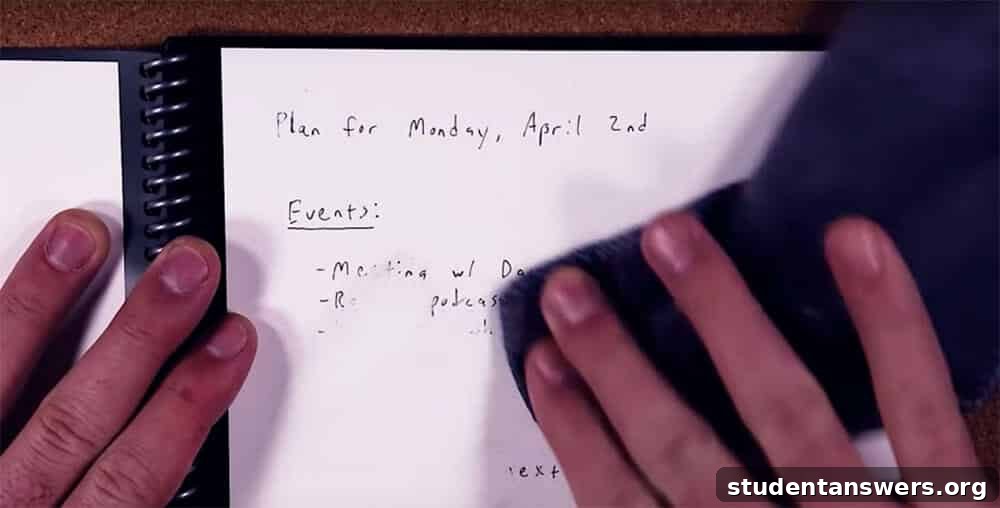
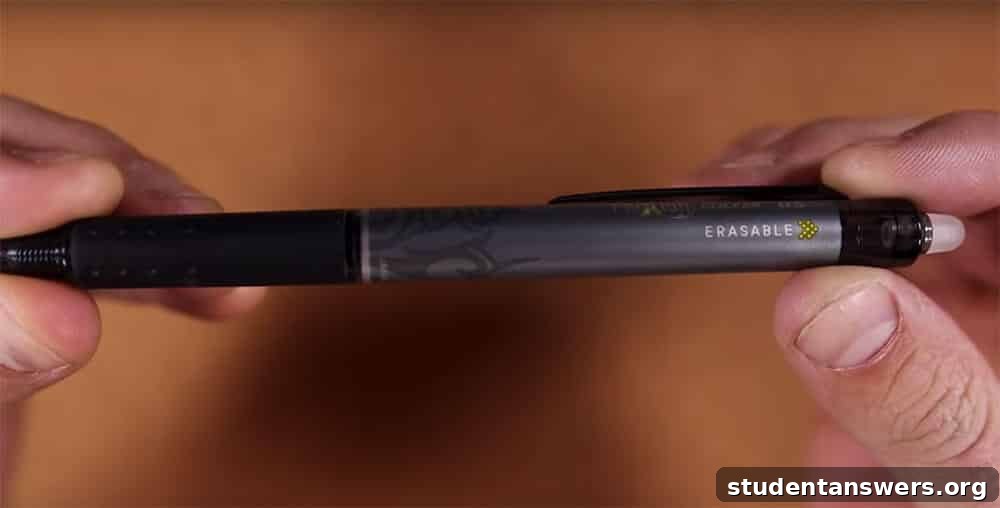
This “magic” is made possible by a combination of two things: the notebook’s pages, which are made from a specialized polyester composite, and the required use of a specific type of pen, the Pilot FriXion pen. The thermal-sensitive ink from the FriXion pen sits on top of the waterproof page rather than being absorbed. When you introduce a little bit of water, the ink bond is broken, allowing it to be wiped away without a trace.
It’s crucial to distinguish the Rocketbook Everlast (Core) from its predecessor, the Rocketbook Wave. While the Wave was also erasable, its method was far more dramatic and limited: you had to place the entire notebook in the microwave to erase the notes. While novel, this process could only be repeated about five times before the notebook wore out. The Everlast’s wipe-clean method is not only simpler but allows for virtually infinite reuse, making it the far superior and more sustainable choice. From here on, any mention of “Rocketbook” refers to the superior Everlast/Core model.
How to Digitize Rocketbook Notes with Ease
While an erasable notebook is a fantastic concept, its true power is unlocked by how easily it bridges the gap to the digital world. You could, of course, use a generic scanning app on your phone to digitize pages from any notebook, but the process is often clunky, requiring multiple steps to crop, enhance, and send the file to the right place. The Rocketbook system automates and perfects this entire workflow.
At the bottom of each Rocketbook page, you’ll find a unique QR code and seven distinct icons. These small symbols are the key to the notebook’s intelligent scanning capabilities.
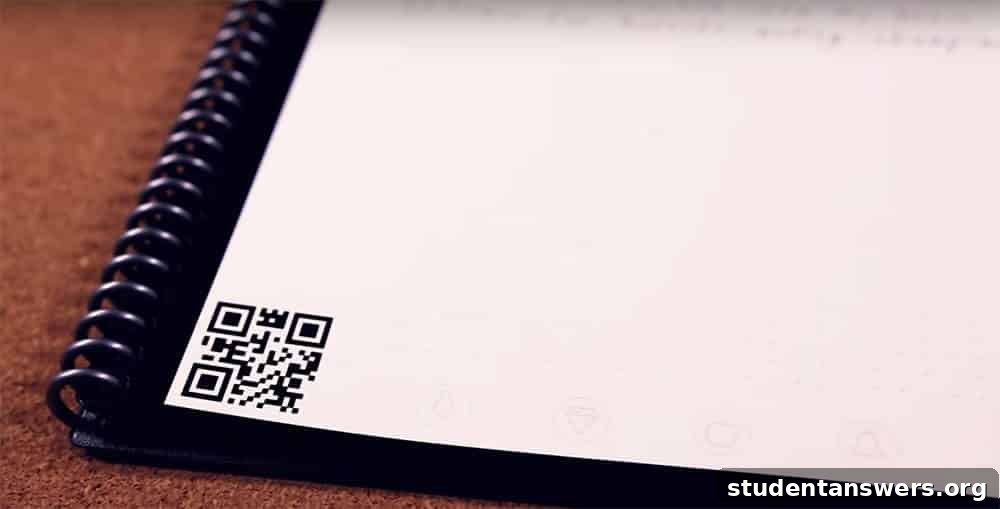
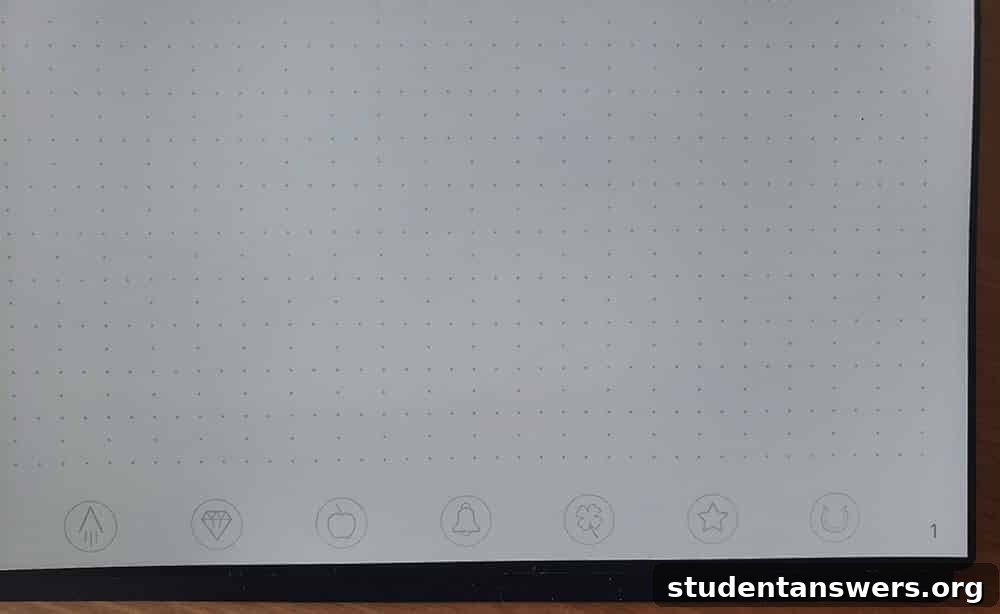
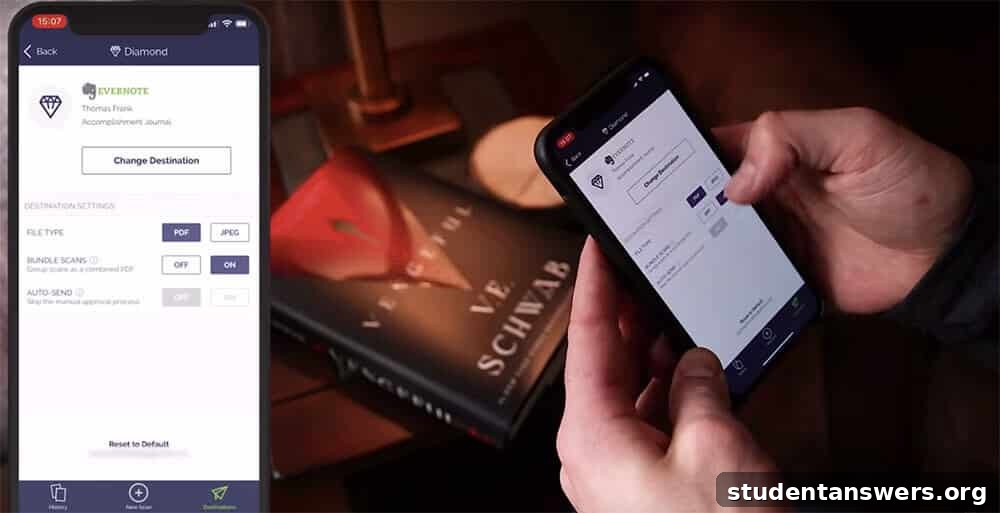
Within the free Rocketbook app, you can configure each of these seven icons to correspond to a specific destination in your favorite cloud service. The list of integrations is extensive, including Google Drive, Evernote, Dropbox, OneNote, Slack, email, and more.
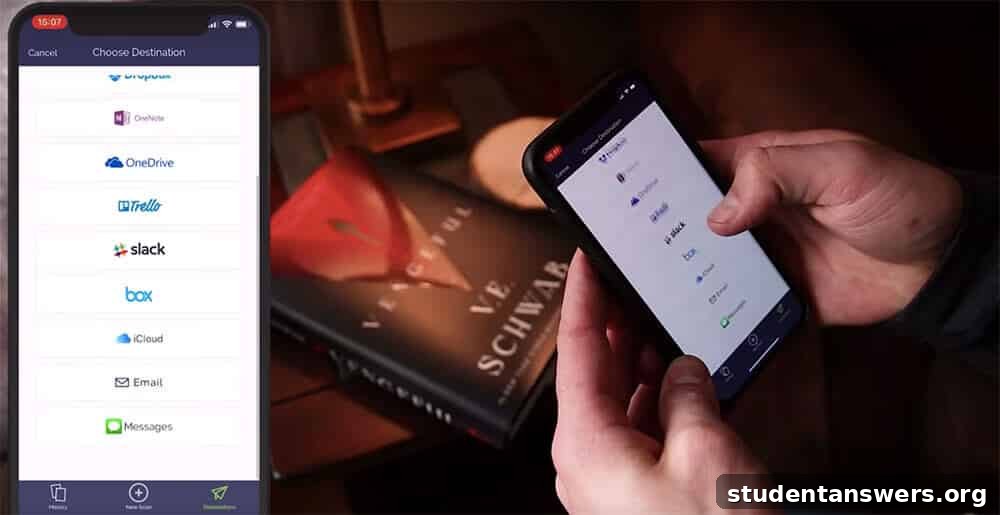
You can get incredibly specific with your organization. For example, you could set the diamond icon to send scans to your “Chemistry 101” folder in Google Drive, the apple icon to a shared “Project Team” notebook in Evernote, and the star icon to your personal email address. This pre-configuration eliminates all the post-scan sorting and filing.
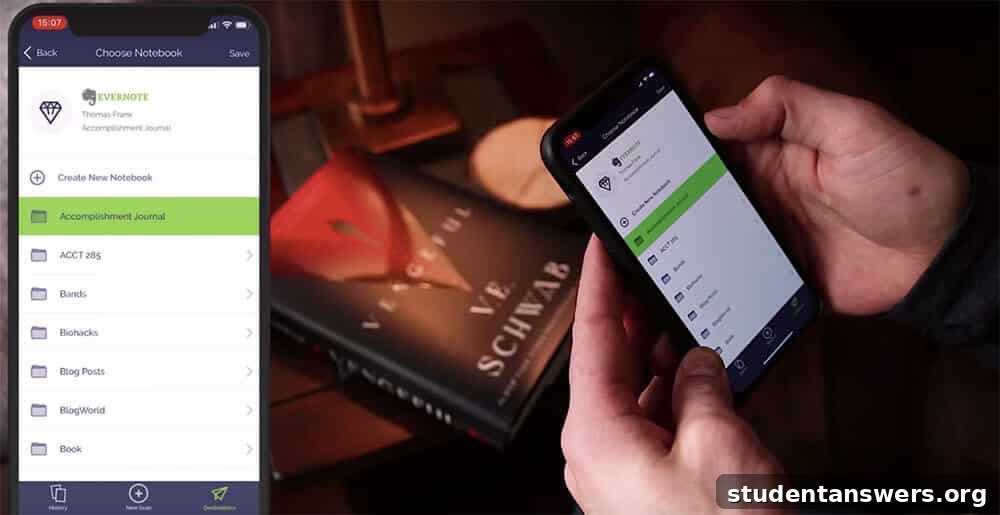
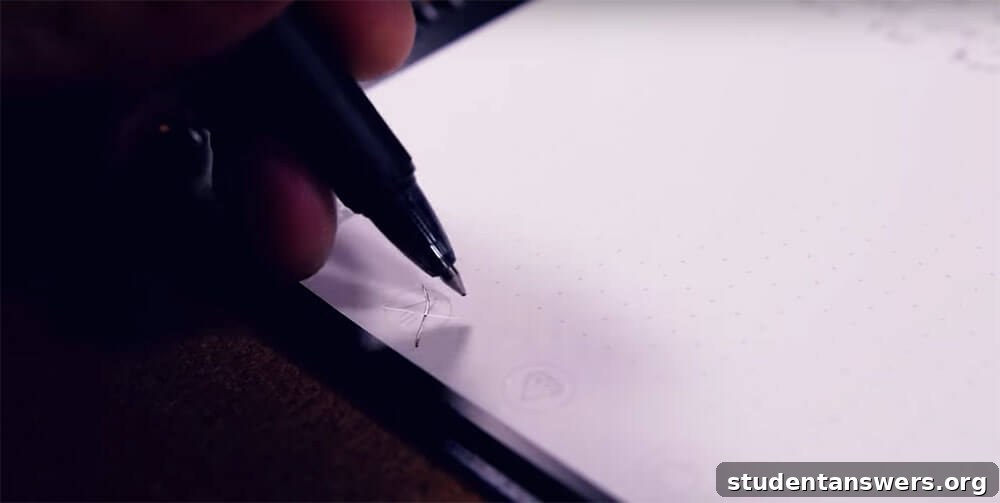
When you’re ready to digitize a page, you simply mark the corresponding icon for your desired destination. Then, open the Rocketbook app and point your phone’s camera at the page. The app automatically detects the page borders, captures a high-contrast and perfectly flat scan, and instantly sends it to the location you chose.
The app also offers powerful features to enhance your notes. You can choose to save your scans as either a PDF or a JPEG. For multi-page lecture notes or meeting minutes, you can easily scan consecutive pages and bundle them into a single, organized PDF document. Furthermore, the app includes Optical Character Recognition (OCR), which can transcribe your handwriting into searchable text, making it incredibly easy to find specific notes later.
The Rocketbook Everlast Writing Experience
A notebook can have all the smart features in the world, but if it’s not enjoyable to write in, it won’t get used. So, how does the Rocketbook Everlast feel? The writing experience is surprisingly good, though it’s important to set the right expectations.
Overall, we rate the experience as about 90% as good as writing on high-quality paper. It is significantly better and more natural-feeling than writing with a stylus on a glass tablet screen, such as an iPad with an Apple Pencil. The pen glides smoothly across the page, providing a fluid writing motion.

However, there are a few key differences from traditional paper that users should be aware of:
- The surface of the page is smooth and slightly glossy. This is necessary for the ink to be erasable, but it means there is less “tooth” or friction than you’d feel with regular paper. This can take a little getting used to for those who prefer more feedback when writing.
- The ink from the FriXion pen takes about 10-15 seconds to fully dry and bond to the page. This is rarely an issue, but it does create a risk of smudging, especially for left-handed writers who may drag their hand across freshly written text.
- While the Pilot FriXion pen writes clearly, it may not produce the same consistently dark, rich line as a premium gel or fountain pen on fibrous paper. The line is perfectly legible but can sometimes appear slightly lighter.

It’s also worth noting that FriXion pens tend to run out of ink faster than standard ballpoint pens. However, they are widely available and inexpensive to replace, with a 3-pack of refills typically costing just a few dollars.
Rocketbook Everlast Specs and Options
The Rocketbook Everlast is designed to fit a variety of needs and comes in three standard sizes:
- Letter — 8.5 in x 11 in (21.6 cm x 27.9 cm), with 32 pages. This is the standard US letter size, perfect for students taking extensive class notes or anyone who needs ample space.
- Executive — 6 in x 8.8 in (15.2 cm x 22.3 cm), with 36 pages. This A5-equivalent size is great for portability, ideal for meeting notes and daily journaling.
- Mini — 3.5 in x 5.5 in (8.9 cm x 12.7 cm), with 48 pages. This pocket-sized version is perfect for to-do lists and capturing ideas on the go.
For most students, the Letter size is the most practical choice, as it provides enough room for detailed notes and diagrams. In addition to size, you can also choose between two page patterns: a traditional lined format or a versatile dot grid. We highly recommend the dot grid, as the dots provide guidance for writing and drawing without being intrusive, offering maximum flexibility for both text and sketches.
The Investment: Is the Rocketbook Worth the Price?
The final consideration for any potential purchase is the price. The Rocketbook costs more upfront than a disposable spiral notebook from a big-box store. If you’re accustomed to spending a dollar or two on a notebook, the price tag might seem steep at first glance.
The pricing for the Rocketbook Everlast (Core) is generally as follows:
- Mini — Approximately $16
- Executive and Letter — Approximately $30 – $35
While this is more than a basic notebook, the price is quite competitive when compared to other premium notebooks like a Moleskine or Leuchtturm1917. The crucial difference is that the Rocketbook is a one-time purchase. When you consider that you can reuse it infinitely, it quickly becomes a more economical and environmentally friendly choice than continuously buying new paper notebooks. The investment pays for itself over time.
Final Verdict: Should You Buy the Rocketbook Everlast?
After extensive use, the Rocketbook Everlast receives our highest recommendation for anyone looking to merge the benefits of handwritten notes with the power of digital organization. It is an elegant and effective solution to a common problem for students, professionals, and lifelong learners.
While the writing experience requires a minor adjustment period compared to traditional paper, this small trade-off is more than compensated for by the incredible convenience of its scanning system and the long-term value of its endless reusability. The ability to replace a stack of different notebooks for every class or project with a single, lightweight, and endlessly useful notebook is truly revolutionary.
If you love the feeling of pen on paper but crave the searchability, security, and accessibility of the cloud, the Rocketbook Everlast is a worthwhile investment that will transform your note-taking workflow. To get the most out of your new smart notebook, be sure to explore our guide to the most effective note-taking systems.