

Ranking the 7 Best Email Clients of 2023
The 7 Best Email Clients for Ultimate Productivity in 2024
Despite the constant predictions of its demise with every new chat app release, email remains a cornerstone of our digital lives. In the professional world, in particular, email isn’t just surviving; it’s thriving. However, this also means that the age-old challenge of managing an overflowing inbox persists. The right email client can transform this daily struggle into a streamlined, efficient process, but with so many options available, choosing the perfect one can be daunting.
To simplify your search, we have meticulously researched and compiled a definitive list of the best email clients available today. Whether you’re a student managing class communications, a professional collaborating with a team, or a privacy-conscious individual seeking security, you’ll find an app on this list tailored to your specific needs. Let’s dive in and find the perfect tool to help you conquer your inbox.
Gmail: The Universal Powerhouse
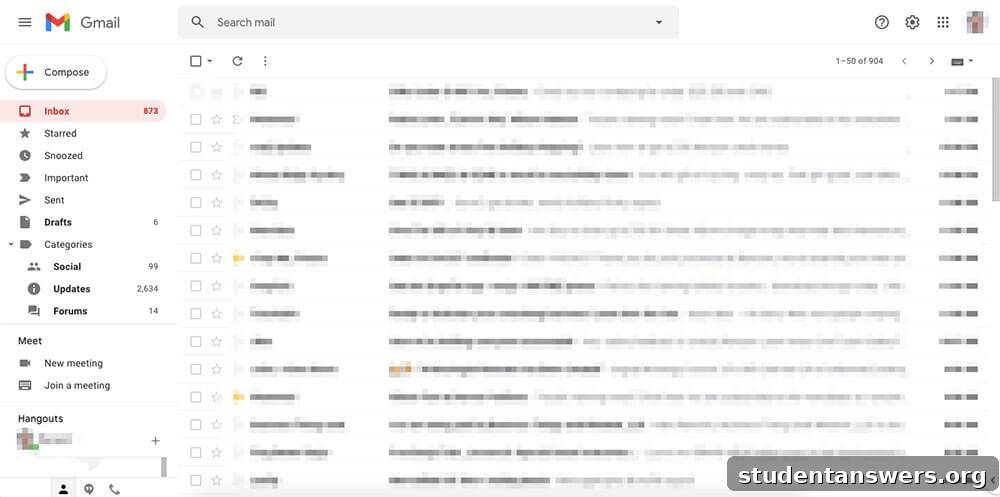
Overview: As one of the most widely used email services on the planet, Gmail continues to set the standard for what a modern, web-based email client should be.
When Google launched Gmail in 2004, it revolutionized the industry with a staggering 1 GB of free storage and a powerful search-centric interface. Over the years, it has evolved from a simple email service into a comprehensive communication hub. Today, Gmail offers a sophisticated experience packed with intelligent features. You can effortlessly organize messages using a flexible system of labels and filters, manage multiple email accounts from a single dashboard, and set up complex forwarding rules with ease. Its spam filter is legendary, effectively shielding your inbox from junk and malicious content.
The true strength of Gmail lies in its seamless integration with the broader Google Workspace ecosystem. It works in perfect harmony with Google Calendar, Drive, Docs, Sheets, and Meet. You can save attachments directly to Drive, create calendar events from an email, or start a video call with a single click. Powered by Google’s unparalleled search technology, finding any email, no matter how old, is instantaneous. Features like Smart Compose and Smart Reply use AI to help you write emails faster, making it an incredibly efficient choice for almost any user.
Price: Free (with targeted ads and 15 GB of shared Google storage). Paid plans are available through Google Workspace for more storage and features.
Platforms: Web, Android, iOS.
Microsoft Outlook: The Professional’s Choice
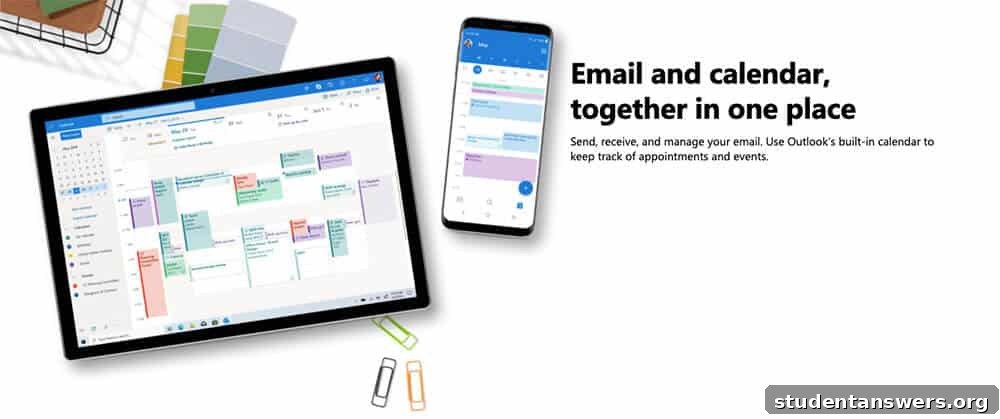
Overview: A long-standing favorite in corporate and academic environments, Microsoft Outlook has evolved into a powerful and versatile client for both professional and personal use.
For decades, Outlook has been synonymous with business communication. The modern version of Outlook, available as a desktop app, mobile app, and web client, is a robust platform designed for productivity. Its signature “Focused Inbox” feature intelligently sorts your important messages from other, less critical emails, helping you concentrate on what truly matters. The calendar functionality is second to none, making it simple to schedule meetings, share availability, and manage your day effectively.
As a flagship Microsoft product, Outlook’s integration with the Microsoft 365 suite is its killer feature. You can edit Word, Excel, and PowerPoint documents directly within your inbox, save files to OneDrive effortlessly, and collaborate with colleagues using an integrated suite of tools. The free personal version is quite capable, offering robust spam filtering, ample storage, and a clean interface. However, subscribing to Microsoft 365 unlocks the full potential, providing an ad-free experience, advanced security features like attachment scanning and link checking, custom domain names, and significantly more cloud storage.
Price: Free (with ads and 15 GB of storage). A Microsoft 365 subscription removes ads and unlocks premium features and more storage.
Platforms: Windows, Mac, Android, iOS, Web.
Thunderbird: The Open-Source Champion of Privacy
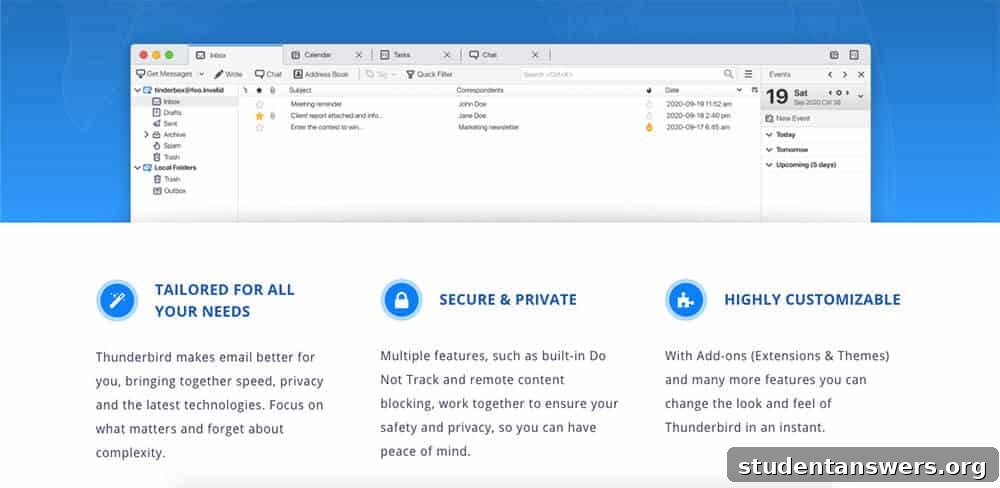
Overview: From the creators of Firefox, Thunderbird is a free, open-source, and highly customizable email client that puts user control and privacy first.
If you prefer to steer clear of big tech ecosystems and value your privacy, Thunderbird is an exceptional choice. Developed by a subsidiary of the Mozilla Foundation, this desktop client is built on a philosophy of security and user empowerment. It includes all the essential features you’d expect, such as powerful search, message filtering, and archiving. It also offers unique advantages, like a tabbed interface that lets you keep multiple emails or folders open at once, and a unified inbox that aggregates all your accounts into a single view.
Where Thunderbird truly shines is in its commitment to security and customization. It provides robust protection against phishing scams and warns you before you click on potentially malicious links. Crucially, it does not track your activity or monetize your data. Being open-source, its code is transparent and can be audited by anyone. Furthermore, a vast library of add-ons allows you to extend its functionality in countless ways, from adding calendar features to changing the entire look and feel of the application. The main trade-off is the lack of an official mobile app, but for a powerful and private desktop experience, Thunderbird is hard to beat.
Price: Free.
Platforms: Windows, Mac, Linux.
Edison Mail: The Smart and Speedy Mobile Assistant
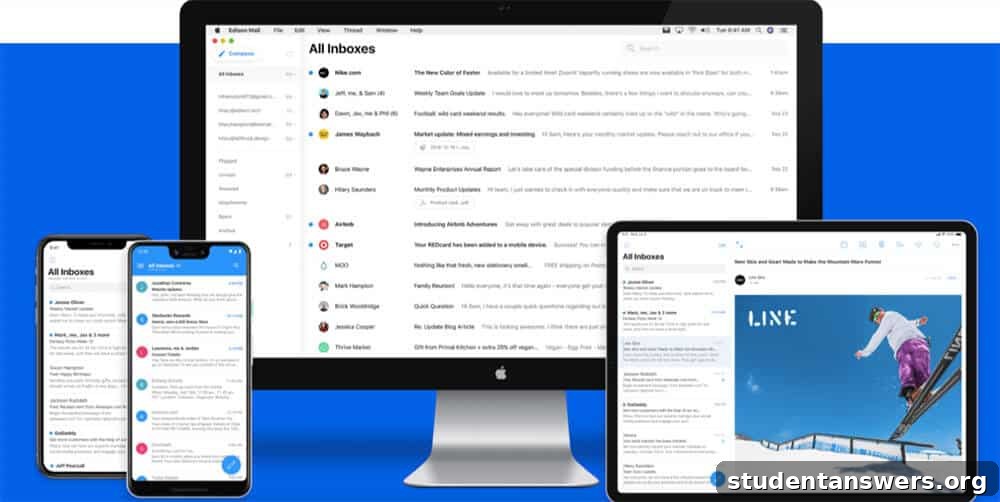
Overview: A mobile-first email client designed for speed and convenience, featuring a built-in assistant to automatically organize your inbox.
Edison Mail was built from the ground up to provide a faster, smarter email experience on your smartphone. It offers a clean, ad-free interface and supports virtually any email account, including Gmail, Outlook, Yahoo!, and IMAP accounts, allowing you to manage everything in one unified inbox. The app is engineered for performance, with near-instantaneous message loading and searching.
The standout feature is its intelligent assistant, which automatically sorts your emails into smart categories like Subscriptions, Travel, Packages, and Bills & Receipts. This makes it incredibly easy to find important information without digging through clutter. It also provides useful, at-a-glance information cards for things like flight details, package tracking, and upcoming bill due dates. Other powerful features include a one-tap unsubscribe button to declutter your inbox and the ability to easily block unwanted senders. To fund its free service, Edison aggregates anonymized e-commerce data to create market research reports, a model that provides a better user experience than ads, though it may be a consideration for privacy-focused users.
Price: Free.
Platforms: Android, iOS, Mac. (A Windows version is in development).
Spike: The Conversational Email Revolution
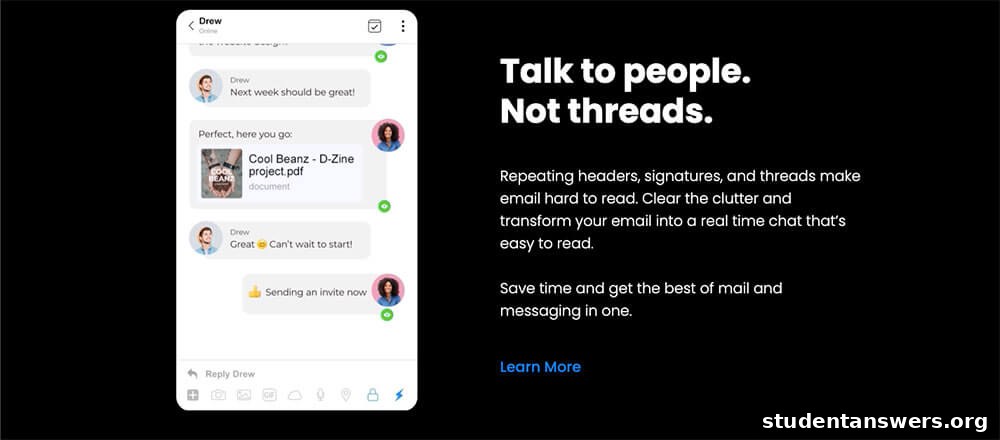
Overview: Spike re-imagines your inbox as a real-time chat, merging the power of email with the simplicity of a messenger app.
If you find traditional email threads cumbersome and slow, Spike offers a radical and refreshing alternative. It strips away the repetitive headers, signatures, and formalities, presenting your email exchanges as clean, simple chat bubbles, just like in WhatsApp or iMessage. This conversational format makes communication feel more natural and immediate. It also intelligently prioritizes your inbox, separating messages from real people into a “Priority” feed and relegating newsletters and automated emails to an “Other” feed.
Spike is more than just an email client; it’s a complete workspace. It integrates collaborative Notes and Tasks directly into the app, allowing you and your team to create documents and manage to-do lists without ever leaving your inbox. This makes it a compelling alternative to juggling multiple apps like Slack, email, and a project management tool. For teams looking to streamline their internal and external communications, Spike offers a unique and powerful solution that can significantly boost efficiency.
Price: Free for personal use with limited search history. Paid plans for professionals and teams unlock unlimited history, more storage, and advanced features.
Platforms: Windows, Mac, Android, iOS, Web.
ProtonMail: Uncompromising Security and Privacy
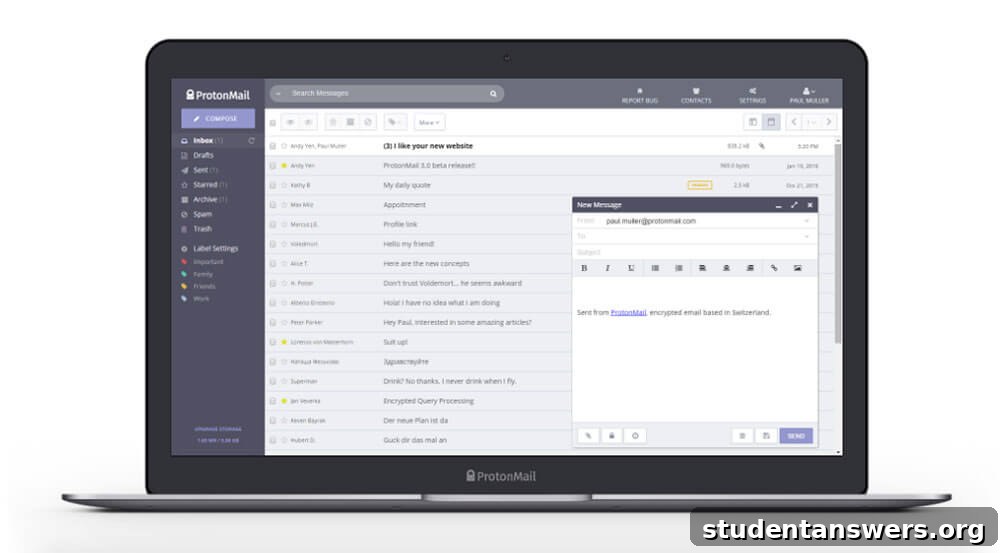
Overview: A highly secure, privacy-centric email service based in Switzerland that offers end-to-end encryption by default.
In an era of data breaches and surveillance, ProtonMail provides a sanctuary for your private communications. Created by scientists who met at CERN, its core mission is to make online privacy accessible to everyone. All emails sent between ProtonMail users are automatically protected with end-to-end encryption, meaning no one—not even ProtonMail itself—can read your messages. For communicating with non-ProtonMail users, you can send password-protected, encrypted messages that self-destruct after a set time.
ProtonMail’s security extends beyond its technology. The company is headquartered in Switzerland, which has some of the world’s strictest privacy laws. They practice zero-access encryption, so even the data stored on their servers is unreadable to them. Account creation is anonymous and doesn’t require any personal information. While the free plan is limited in terms of storage and daily message count, it’s a fantastic starting point for securing your most sensitive conversations. Upgrading to a paid plan provides more storage, custom domain support, and access to the full Proton privacy ecosystem, including Proton Calendar, Proton Drive, and Proton VPN.
Price: Free plan with 500 MB of storage and a 150-message daily limit. Paid plans offer more storage, features, and higher limits.
Platforms: Web, Android, iOS.
Front: The Ultimate Collaborative Team Inbox
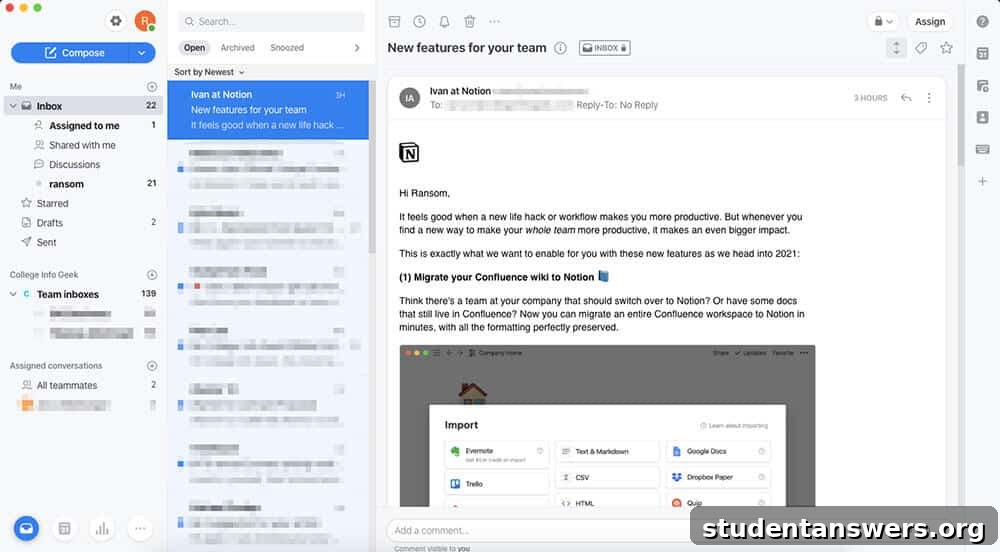
Overview: A powerful customer communication platform designed for teams to manage shared inboxes like support@ or sales@ with efficiency and transparency.
Front is not an email client for the average individual; it’s a sophisticated command center for businesses that handle a high volume of external communication. It allows teams to manage shared email addresses, social media messages, and live chats all from a single, unified platform. This eliminates the confusion of forwarding emails and wondering who has responded to a customer inquiry.
Its collaboration features are what set it apart. You can assign messages to specific teammates, discuss an email with colleagues in an internal comment thread right next to the message itself, and use canned responses to answer common questions instantly. Front also provides powerful automation rules to triage incoming messages, tag them appropriately, and route them to the right person or team. With extensive integrations for CRMs, project management tools, and other business software, Front acts as the central hub for all your team’s communications, ensuring every message is handled quickly and effectively.
Price: Starts at $19 per user/month (billed annually). More expensive plans unlock advanced features, integrations, and analytics.
Platforms: Windows, Mac, Android, iOS, Web.
Don’t Just Manage Your Email, Master Your Workflow
Choosing the right email client is a critical step towards achieving inbox zero and boosting your productivity. We hope this guide has illuminated the distinct strengths of each application, helping you find the one that best fits your workflow. Whether you prioritize the seamless integration of Gmail, the professional power of Outlook, or the uncompromising privacy of ProtonMail, the perfect tool is out there.
However, remember that an app is only part of the solution. The most significant gains in productivity often come from adopting better habits and using tools that reduce the need for email in the first place. Consider complementing your new email client with project management or team chat apps to streamline collaboration and keep your inbox reserved for what truly matters.