

Equip Your Home Office for Maximum Productivity
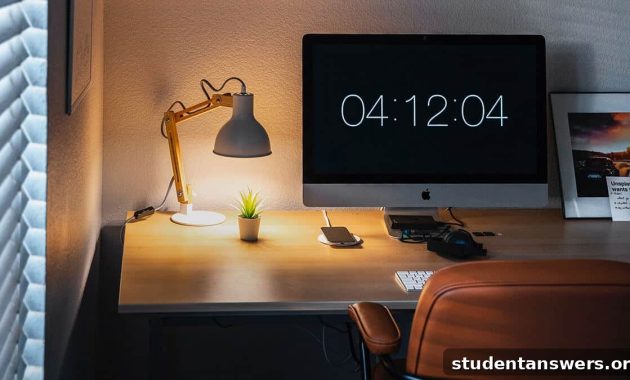
Transitioning to working from home can be a significant shift. The clear lines that once separated your professional and personal life can start to fade, leading to a feeling of being constantly on the clock. Simple office interactions, like asking a colleague a quick question, now involve a cascade of messages and video calls. And that’s before we even mention the endless distractions lurking in every corner of your house.
One of the most common hurdles is the absence of a dedicated office. While skipping the daily commute is a definite perk, it’s tough to get into a professional mindset when your kitchen, family, or roommates are just a few feet away. The solution is to create a well-designed home office, a space dedicated to focus and productivity. But with a sea of potential products, where do you even begin? How do you choose the right home office essentials for your specific needs?
As a team that has embraced remote work from day one, we’ve learned what truly makes a difference. This guide contains our top recommendations for the essential gear you need to build the ultimate home office setup, tailored for productivity, comfort, and well-being.
How Much Office Do You Really Need?
Before we dive into the specific gear, let’s establish a crucial point: an elaborate, expensive setup isn’t a prerequisite for productivity. While multiple monitors, a motorized standing desk, and a high-end ergonomic chair are fantastic additions, they are often “nice-to-haves” rather than absolute essentials. The core purpose of a home office is simple: to provide a dedicated space where you can concentrate and work effectively without interruptions.
Many successful professionals have started with nothing more than a laptop and a reliable pair of headphones at a coffee shop or a kitchen table. The goal is to create an environment that signals to your brain that it’s time to work. Some of the items on this list, like noise-canceling headphones, are specifically chosen to help you create that bubble of focus.
Don’t feel pressured to purchase everything at once. Start with what you have, identify your biggest pain points, and upgrade strategically. Avoid the trap of “procrastin-shopping” for the perfect setup instead of doing your actual work. Also, remember to check with your employer about reimbursement policies; many companies offer stipends or will provide necessary equipment to help you create an effective remote workspace.
The Foundation: Your Desk and Chair
The desk and chair are the cornerstones of your home office. They form the physical foundation for your entire workday, and getting them right is crucial for both comfort and long-term health. Skimping here can lead to back pain, neck strain, and a significant drop in productivity.
Choosing the Right Desk
Your work surface needs to be sturdy, spacious, and at the correct height. You might already have a solution at home.
- DIY Desks: Don’t underestimate the power of what you already own. A dining table, a sturdy countertop, or even a dresser can serve as a temporary standing desk in a pinch. The key is to find a surface that allows you to work without hunching over.
- Folding Table (Budget & Flexible): For those in small apartments or who need a non-permanent solution, a simple folding table is an excellent, affordable choice. You can set it up for the workday and easily store it away in the evening, helping to maintain that crucial work-life separation.
- IKEA Skarsta Sit/Stand Desk (Mid-Range): If you’re ready to invest in your health, a sit/stand desk is a game-changer. The IKEA Skarsta is a fantastic entry-level option that uses a manual hand crank to adjust its height. This allows you to easily alternate between sitting and standing, which is proven to boost energy levels and reduce the health risks of a sedentary job.
- Jarvis Standing Desk (Premium): For the ultimate in convenience and customization, the fully motorized Jarvis Standing Desk is a top-tier choice. With the press of a button, you can move between sitting and standing heights. These desks come in various sizes and finishes and can be customized with accessories like cable management trays and programmable height controls, making them a centerpiece of a professional-grade home office.
The Ergonomic Throne: Your Office Chair
You’ll be spending hours in this chair, so it needs to be more than just a place to sit; it needs to support you properly. Ergonomics is paramount. A good ergonomic chair promotes good posture, reduces stress on your spine, and prevents long-term injury.
- Affordable & Functional: You don’t need to spend a fortune to get a decent chair. Look for models with essential adjustments like seat height and tilt control. A mesh back is also a great feature to improve airflow and keep you comfortable throughout the day.
- Upgraded Ergonomic Pick: For a more significant investment in your comfort, look for a chair with more advanced adjustability. The Modway Articulate Ergonomic Mesh Office Chair, for example, offers adjustable armrests in addition to height and tilt, which is crucial for positioning your arms correctly to prevent shoulder and wrist strain. A cushier seat also enhances long-term comfort.
- The Gold Standard (Herman Miller Aeron): If your budget allows, the Herman Miller Aeron is widely considered one of the best office chairs ever made. It’s an investment in your health. Its pioneering design offers zoned pressure support, fully adjustable arms, and advanced mechanisms that move with your body, providing unparalleled comfort and ergonomic support for a full day of work.
The Tech Essentials: Powering Your Workflow
With your physical workspace established, it’s time to equip it with the technology that drives your productivity. Reliable connectivity and efficient peripherals are non-negotiable for a seamless remote work experience.
External Monitors and Laptop Stands
Working exclusively on a small laptop screen can be inefficient and ergonomically disastrous, forcing you to crane your neck downwards for hours.
- Expand Your View (Samsung CF390 Monitor): Adding an external monitor is one of the biggest productivity boosts you can give yourself. It reduces the need to constantly switch between windows and provides more screen real estate for your tasks. A budget-friendly 27-inch monitor like the Samsung CF390 offers ample space and easy connectivity.
- For the Creatives (Dell Ultrasharp 4K Monitor): If your work involves video editing, graphic design, or photography, color accuracy and resolution are critical. A 4K monitor like the Dell Ultrasharp U2718Q delivers stunning detail and precise color representation, making it a favorite among creative professionals.
- Elevate Your Laptop (Roost Laptop Stand): If a full external monitor isn’t an option, a laptop stand is an essential ergonomic tool. The Roost Stand is a portable, stable, and highly adjustable option that lifts your laptop screen to eye level. This simple change drastically improves your posture and reduces neck strain. When using a stand, you will need an external keyboard and mouse.
Keyboards and Mice
An external keyboard and mouse offer a more comfortable and precise experience than any built-in laptop trackpad and keyboard.
- Portable & Versatile (Logitech K480): This wireless keyboard can switch between multiple devices (like a laptop, tablet, and phone) with the turn of a dial, making it incredibly versatile for a modern workflow. Its compact size is perfect for flexible workspaces.
- Ergonomic Comfort (Microsoft Sculpt): For those who type all day, an ergonomic keyboard like the Microsoft Sculpt is a worthy investment. Its split, curved design places your wrists and forearms in a more natural, relaxed position, helping to prevent repetitive strain injuries (RSI).
- The Reliable Workhorse (Logitech M510 Mouse): A good wireless mouse should be comfortable, reliable, and have a long battery life. The Logitech M510 checks all these boxes, making it an excellent all-around choice for general office work.
Reliable Wi-Fi Routers
Slow, unreliable internet is a remote worker’s worst nightmare. Before you upgrade your internet plan, make sure your router isn’t the bottleneck.
- For Apartments & Small Homes (TP-Link AC1750): For most standard-sized homes, a powerful router like the TP-Link AC1750 will provide excellent coverage and speed, eliminating dead zones and ensuring a stable connection for video calls and large file transfers.
- For Large Homes (Google Nest WiFi): If you live in a large or multi-story house, a single router often won’t cut it. A mesh WiFi system, like Google Nest WiFi, uses multiple satellite points to blanket your entire home in a strong, seamless signal, ensuring you can work from any room without interruption.
Creating Focus: Essential Accessories
Your home is full of potential distractions. The right accessories can help you tune them out and create a productive sanctuary.
Noise-Canceling Headphones
A great pair of headphones is arguably the most important productivity tool for a remote worker. They block out distracting household noises and signal to others that you are in deep work mode.
- Budget Pick (Audio-Technica ATH-M20x): These over-ear studio headphones provide excellent sound quality and significant passive noise isolation. By physically covering your ears, they block out a substantial amount of ambient sound, making it much easier to focus.
- Upgrade Pick (Wireless Noise-Canceling): For the ultimate in focus, active noise-canceling (ANC) headphones are unmatched. They use microphones to detect external sounds and generate an opposite signal to “cancel” them out. This technology can silence everything from a humming air conditioner to nearby conversations, allowing you to work productively almost anywhere.
Printers and Scanners
While most work is digital, the need to print or scan a document still arises. A simple all-in-one device like the HP OfficeJet Pro 8025 can handle printing, scanning, and copying without taking up too much space. For scanning on the go, smartphone apps like ScanPro offer a powerful and convenient alternative, letting you create high-quality PDFs with your phone’s camera.
Beyond the Desk: Staying Active and Healthy
Working from home can easily lead to a sedentary lifestyle. It’s vital to incorporate movement into your day to stay healthy, energized, and focused.
- Door Pull-Up Bar: A simple pull-up bar installed in a doorway is a fantastic tool for building upper body and grip strength during quick breaks.
- Jump Rope: Jumping rope is an incredibly efficient cardiovascular workout you can do in a small space. A few minutes during a break can get your heart rate up and fight off the afternoon slump.
- Yoga Mat: Stretching and mobility are crucial to counteract the effects of sitting. A yoga mat provides a dedicated space for a quick stretching routine or a full yoga session to de-stress and improve flexibility.
Build Your Ideal Home Office Today
You are now equipped with the knowledge to build a home office that fosters productivity and well-being. Remember, the perfect setup is personal and evolves over time. Start with the essentials that address your biggest challenges—whether that’s an ergonomic chair to soothe an aching back or noise-canceling headphones to block out distractions. Get the gear you need, create your space, and unlock a new level of success in your remote work career.