

The 10 Best Team Chat Apps for Seamless Collaboration in 2024
Are you still relying on email for your team’s internal communication? The endless, confusing threads, forgotten CCs, and dreaded “Reply All” mishaps can slow down productivity and create unnecessary clutter. Fortunately, the era of email-centric internal comms is fading. A new generation of team chat applications has emerged, designed to streamline conversations, boost collaboration, and bring clarity to your workday.
These powerful tools offer real-time messaging, organized conversation channels, and seamless file sharing, effectively eliminating the chaos of a cluttered inbox. However, with dozens of options available, each with its unique strengths, choosing the right one can be a challenge. In this comprehensive guide, we’ll explore the top 10 team communication apps, breaking down their features, pricing, and ideal use cases to help you find the perfect fit for your team’s needs.
1. Slack
Best for: Overall team collaboration, extensive integrations, and companies that want a feature-rich, polished experience.
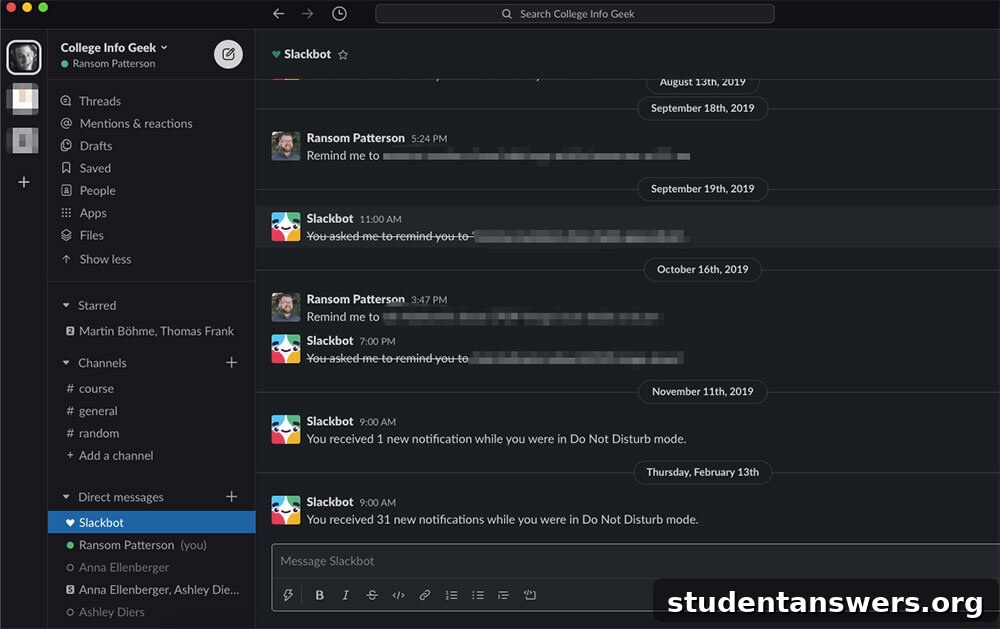
Slack is often considered the gold standard in team communication, and for good reason. It pioneered the channel-based chat model that many others have adopted. Conversations are neatly organized into public or private “Channels” based on projects, departments, or topics. This structure ensures discussions remain focused and easily searchable, preventing important information from getting lost.
Beyond basic channels, Slack excels with features like threaded conversations, which keep replies tidy and contained within the original message. One-on-one and group direct messages allow for private discussions, while Huddles offer a quick and spontaneous way to start an audio or video call. Its search functionality is exceptionally powerful, allowing you to find messages, files, and links from years past. However, Slack’s true strength lies in its massive App Directory, which boasts over 2,400 integrations with tools like Google Drive, Asana, Trello, and Salesforce, turning it into a central command center for your entire workflow.
Pricing
- Free: Limited to a 90-day message history and 10 app integrations.
- Pro Plan: Starts at $7.25 per user/month, offering unlimited message history, unlimited integrations, and group huddles.
- Business+ Plan: Starts at $12.50 per user/month, adding advanced identity management and 99.99% guaranteed uptime.
Platforms
Available on Android, iOS, Mac, Windows, Linux, and Web.
2. Microsoft Teams
Best for: Organizations deeply integrated into the Microsoft 365 ecosystem.
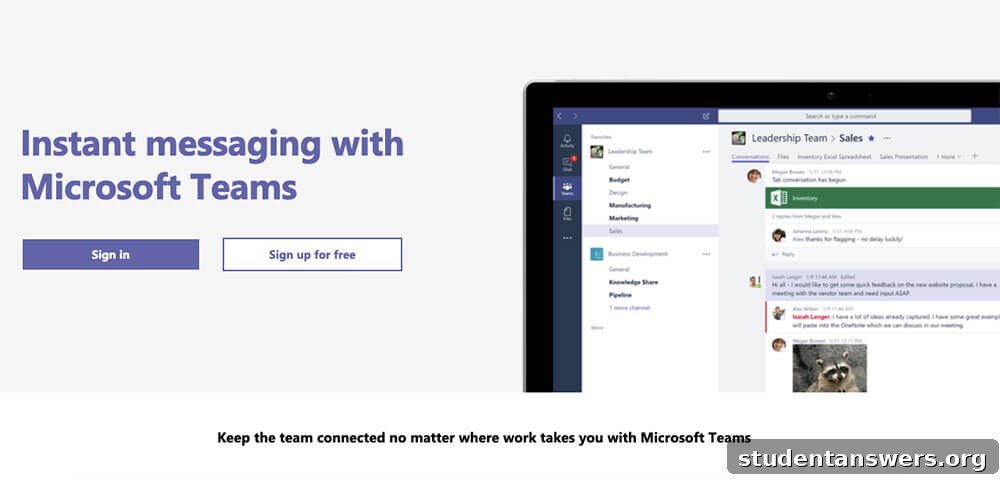
For businesses, enterprises, and educational institutions already leveraging Microsoft Office, Microsoft Teams is the most logical and powerful choice. It’s more than just a chat app; it’s a complete collaboration hub. Teams offers robust messaging features, including channels, threaded conversations, and direct messaging, complete with GIFs, stickers, and rich text formatting.
Where Teams truly shines is its native integration with the rest of the Microsoft 365 suite. You can co-author Word documents, collaborate on Excel spreadsheets, and present PowerPoint slides directly within the app, without ever needing to switch windows. It seamlessly integrates with SharePoint for file storage and Outlook for calendar management. This deep-seated connectivity makes it an unparalleled tool for real-time project collaboration within a Microsoft-centric environment. While it can function as a standalone app, its full potential is unlocked when used as part of the broader Office suite.
Pricing
- Free Version: Available with limited features and file storage.
- Microsoft 365 Business Basic: Starts at $6 per user/month and includes the full version of Teams, plus web and mobile versions of Office apps and 1 TB of cloud storage.
Platforms
Available on Android, iOS, Mac, Windows, Linux, and Web.
3. Twist
Best for: Remote teams, global organizations, and anyone who wants to promote deep work and asynchronous communication.
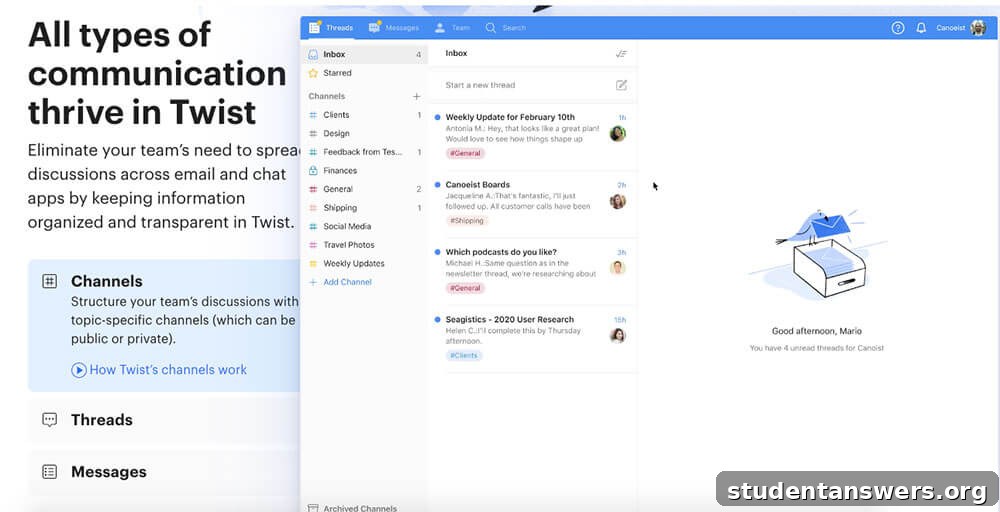
In a world of constant notifications, Twist positions itself as the “calm” alternative to real-time chat apps like Slack. Developed by the team behind Todoist, Twist is built around the principle of asynchronous communication. It actively discourages the sense of urgency that other platforms create, allowing team members to disconnect, focus on deep work, and respond to messages on their own schedule.
Its interface feels more like a hybrid of email and a forum than a typical chat app. Conversations are organized into clear, topic-based threads within channels, ensuring that discussions on different subjects never get mixed up. When you log in, you see an “Inbox” view that neatly summarizes everything that’s new, so you can catch up methodically. This structure makes conversations easy to follow and reference weeks or months later. The main drawback is a more limited number of native integrations compared to its competitors, though it does connect with key apps and Zapier.
Pricing
- Free: Limited to one month of message history and 5 integrations.
- Unlimited Plan: $6 per user/month, offering unlimited message history, file storage, and integrations.
Platforms
Available on Android, iOS, Mac, Windows, Linux, and Web.
4. Ryver
Best for: Small to mid-sized businesses looking for an all-in-one communication and project management tool at an affordable price.
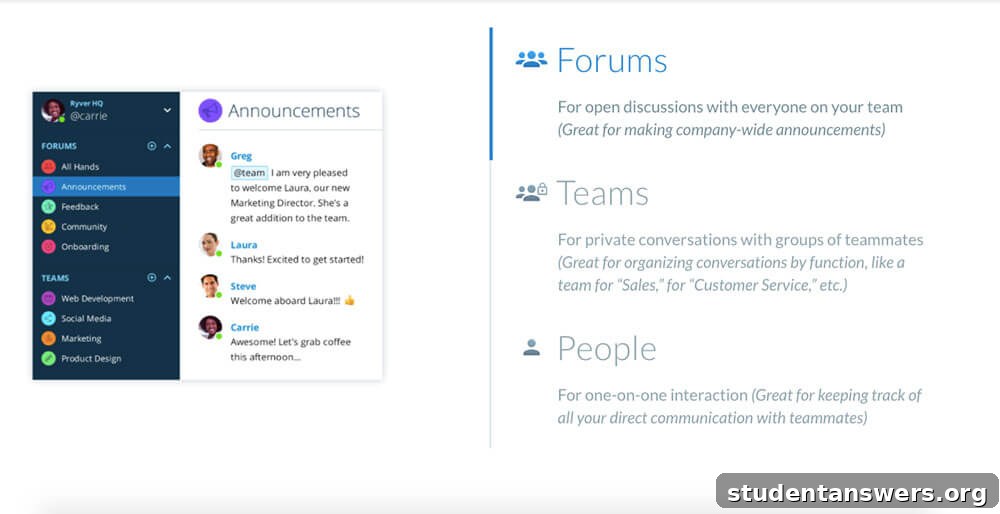
Ryver challenges the notion that you need separate tools for communication and task management. It ambitiously combines both into a single, unified platform. On the communication side, its interface will feel familiar to Slack users, with conversations organized into “Forums” (public channels), “Teams” (private channels), and direct messages. You can have threaded discussions called “Topics” to keep conversations organized.
The standout feature is the integrated task management system. Within any Team, you can switch to a “Tasks” tab to view a Kanban-style board. Here, you can create tasks, assign them to team members, add checklists, set due dates, and move them through different stages of completion. This integration means you can seamlessly turn a conversation into an actionable task without leaving the app. For small businesses, Ryver’s flat-rate pricing can be significantly more cost-effective than paying for both a chat app and a separate project management tool on a per-user basis.
Pricing
- Starter Plan: $49/month for up to 12 users.
- Unlimited Plan: $99/month for unlimited users.
- Enterprise Plan: Custom pricing with advanced features.
Platforms
Available on Android, iOS, Mac, and Windows.
5. Discord
Best for: Building communities, study groups, creative teams, and informal collaboration where high-quality voice and video chat are essential.
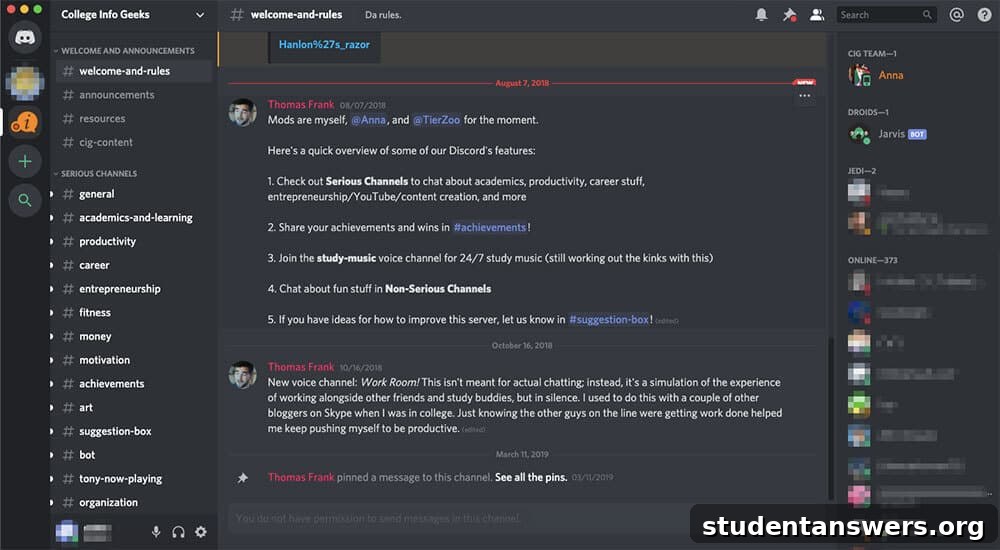
While Discord built its reputation in the gaming world, its powerful and flexible platform has found a home with a much wider audience. Unlike most business-focused apps, Discord is organized around “Servers,” which can be customized with various text and voice channels. This structure makes it ideal for managing large communities or multiple ongoing projects.
Discord’s biggest differentiator is its best-in-class voice and video technology. Voice channels are always-on, allowing users to drop in and out of conversations effortlessly, simulating the experience of being in a shared office space. Its video streaming and screen sharing capabilities are also robust and reliable. With features like user roles and granular permissions, server owners have complete control over who can see and do what. While it may lack the professional polish and deep business integrations of Slack or Teams, it’s an unbeatable free option for school projects, online communities, or teams that prioritize voice communication.
Pricing
- Free: The core features, including text, voice, and video chat, are completely free.
- Nitro: Optional paid subscriptions (starting at $2.99/month) unlock perks like custom emojis, larger file uploads, and higher-quality streaming.
Platforms
Available on Android, iOS, Mac, Windows, Linux, and Web.
6. Google Chat
Best for: Teams that are fully committed to the Google Workspace ecosystem.
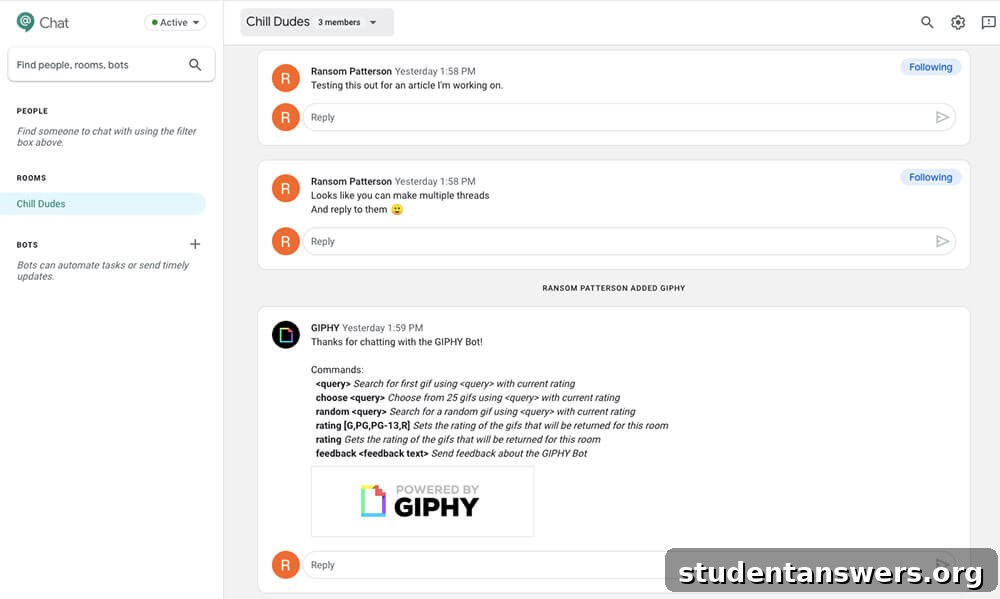
Formerly known as Hangouts Chat, Google Chat is the communication component of Google Workspace. On its own, the app is fairly straightforward, offering “Spaces” (equivalent to channels) where teams can collaborate on specific topics. Within these Spaces, you can have in-line threaded conversations, share files, and assign tasks.
The real power of Google Chat is unlocked through its deep integration with other Google apps. You can share and collaborate on Google Docs, Sheets, and Slides with one click, and permissions are automatically managed. The app is powered by Google’s formidable search technology, making it easy to find past conversations and files across your entire Workspace. You can also launch a Google Meet video call directly from a chat. For any team that lives and breathes Gmail, Google Drive, and Google Calendar, using Google Chat is a natural and efficient choice that keeps everything connected in one place.
Pricing
- Included as part of Google Workspace, with plans starting at $6 per user/month.
Platforms
Available on Android, iOS, Mac, Windows, and Web.
7. Chanty
Best for: Small teams and startups looking for a simple, affordable, and effective Slack alternative.
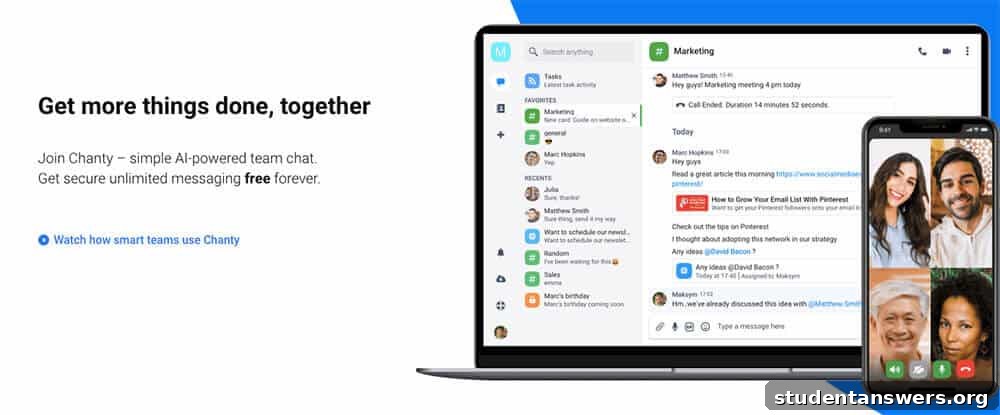
Chanty aims to provide a user-friendly and intuitive team chat experience without the complexity or high cost of some larger platforms. Its interface is clean and straightforward, focusing on core communication features like public and private “Conversations” and direct messages. A central “Teambook” hub keeps all your messages, tasks, and shared content organized and accessible.
Two key things set Chanty apart: its built-in task management and its generous pricing structure. You can turn any message into a task and assign it to a team member with a due date, helping to keep workflows moving. While not as advanced as a dedicated project management tool, it’s perfect for simple to-do lists. Chanty’s free plan is particularly compelling, offering unlimited searchable message history for up to 10 users—a feature most competitors place behind a paywall. For small, budget-conscious teams, Chanty offers incredible value.
Pricing
- Free Plan: Up to 10 users with unlimited message history and one integration.
- Business Plan: Starts at $3 per user/month, adding unlimited users, unlimited integrations, group audio/video calls, and priority support.
Platforms
Available on Android, iOS, Mac, Windows, and Linux.
8. Rocket.Chat
Best for: Companies that require high security, data privacy, and full customization of their communication platform.
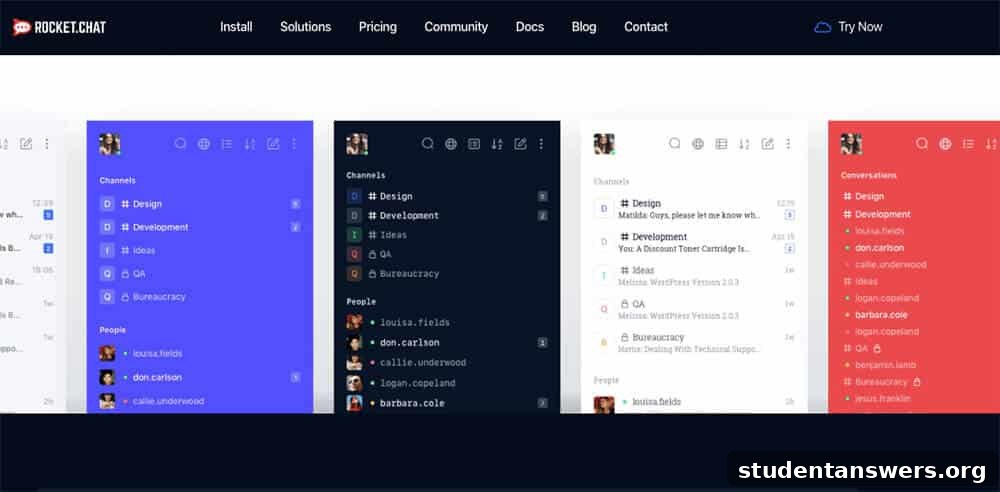
Rocket.Chat is the leading open-source team communication platform, offering a level of control and customization that is unmatched by its proprietary competitors. On the surface, it provides all the standard features you’d expect: public and private channels, direct messaging, file sharing, and video calls. However, its true power lies “under the hood.”
Because it’s open-source, you can deploy Rocket.Chat on your own servers (self-managed), giving you complete ownership and control over your data—a critical requirement for industries with strict compliance regulations like healthcare and finance. Developers can modify the source code to build custom features, integrations, and workflows tailored to their organization’s exact needs. A standout feature in its paid plans is real-time message translation powered by the Google Translation API, breaking down language barriers for global teams. If you value data sovereignty and limitless customization, Rocket.Chat is the ultimate choice.
Pricing
- Self-Managed (Community): Free with core features for up to 1,000 users.
- SaaS (Hosted): Starts at $7 per user/month, with tiered plans offering more storage, integrations, and support.
Platforms
Available on Android, iOS, Mac, Windows, Linux, and Web.
9. RingCentral Video
Best for: Teams that need a unified platform for messaging, high-quality video meetings, and phone service.
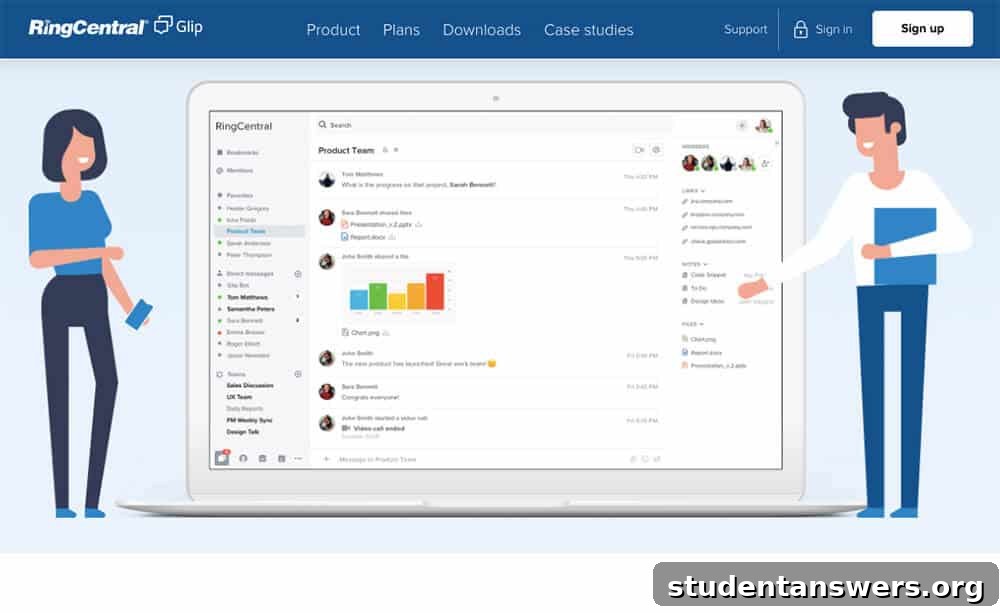
RingCentral Video is an all-in-one collaboration application that combines team messaging with powerful video conferencing and task management. The chat interface is modern and intuitive, allowing you to organize conversations by teams or projects, send direct messages, and easily share files. You can launch a high-definition audio or video call directly from any chat with a single click.
The app includes a surprisingly robust task manager, where you can create tasks from messages, assign them to colleagues, and view them on a shared team calendar. However, the platform’s core strength is its video meeting capability, which includes screen sharing, cloud recording, and annotation tools. Its free plan is one of the most generous on the market, offering unlimited meetings for up to 100 participants. For teams that need a single solution for chat, video, and phone, RingCentral provides a compelling and cohesive package.
Pricing
- RingCentral Video Pro: Free, with unlimited meetings, task management, and up to 100 participants.
- RingCentral Video Pro+: $11.99 per user/month, increasing participant limits to 200 and adding more cloud recording storage and advanced analytics.
Platforms
Available on Android, iOS, Mac, Windows, and Web.
10. Flock
Best for: Teams looking for a simple communication hub with useful built-in productivity tools.
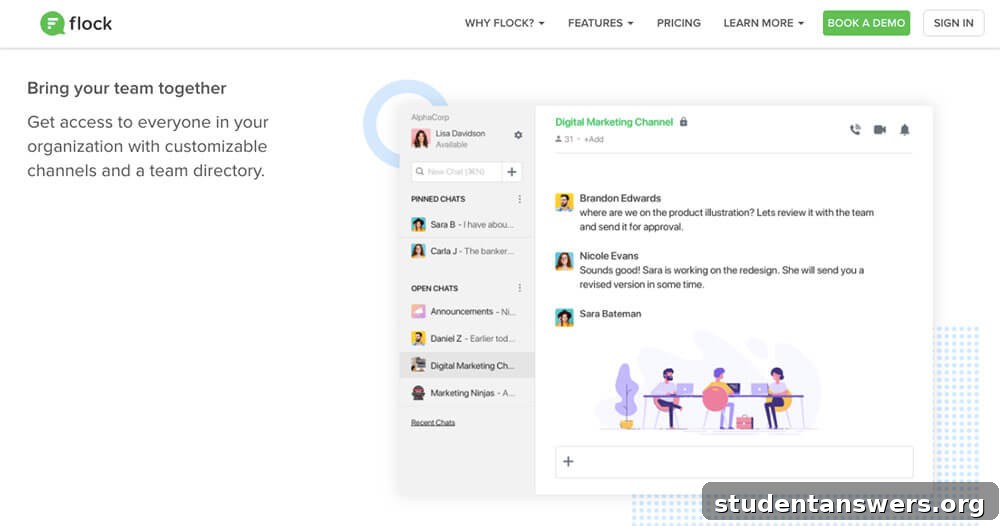
Flock aims to be the central hub for your team’s work, providing core messaging features alongside a suite of handy built-in apps. It offers the standard channels and direct messages you find in every chat tool, but it enhances the experience with some unique additions. For example, you can create polls directly within a channel, which is great for making quick team decisions, from choosing a project direction to deciding on a lunch spot.
Flock also includes a built-in note-taking app, allowing you to create and share formatted documents with your team without leaving the application. This is perfect for meeting agendas, project briefs, or brainstorming sessions. Additionally, you can set shared to-dos and reminders for the entire channel to see. These integrated productivity tools make Flock an excellent option for teams that want more than just chat but don’t need a full-blown project management suite.
Pricing
- Free: Limited to 10,000 searchable messages, 10 public channels, and 5GB of storage.
- Pro: Starts at $4.50 per user/month, offering unlimited message history, unlimited channels, group video calls, and increased storage.
Platforms
Available on Android, iOS, Mac, Windows, Linux, and Web.
Find the Best Chat App for Your Team
Choosing the right team communication tool can transform your team’s productivity, culture, and overall effectiveness. By moving away from the inefficiencies of email, you can foster a more collaborative, organized, and responsive work environment. Whether you need the all-encompassing power of Slack, the deep ecosystem integration of Microsoft Teams, or the calm, asynchronous approach of Twist, there is a perfect solution waiting for you.
Evaluate your team’s specific needs, budget, and existing workflows to make an informed decision. The best app is not just a piece of software; it’s a foundational tool that will help your team connect, collaborate, and achieve its goals more effectively than ever before.