

The Ultimate Guide: How to Use Notion for Unbeatable Student Productivity
As a college student, life is a constant juggling act. You’re balancing classes, assignments, extracurriculars, maybe a part-time job, and trying to squeeze in a healthy meal or a workout. With so much on your plate, staying organized isn’t just a good idea—it’s essential for survival and success. While countless apps promise to simplify your life, one tool stands out for its sheer power and flexibility: Notion.
Think of Notion as your all-in-one digital command center. It seamlessly blends the functionality of a to-do list, a project manager, and a sophisticated note-taking app into a single, clean workspace. But its true magic lies in its adaptability. Notion can be anything you need it to be, from a simple class schedule to a complex life planner. This article will explore five powerful ways you can leverage Notion to transform your student life, boost your productivity, and stay on top of your goals.
Special Note for Students: Did you know that students and educators can get Notion’s Personal Pro plan completely free? This unlocks powerful features, so be sure to take advantage of this offer to get the most out of the platform.
5 Game-Changing Ways to Use Notion as a Student
The beauty of Notion is its limitless customization. It would be impossible to cover every single use case, so we’ve focused on five core areas where Notion can have the most significant impact on your academic and personal life. Use these ideas as a launchpad for building your own perfect system.
1. Revolutionize Your Note-Taking
At its core, Notion is a powerful writing tool. It has all the standard formatting options you’d expect, like bold text, headings, and bullet points. However, it’s the advanced features that set it apart and make it an indispensable tool for academic work.
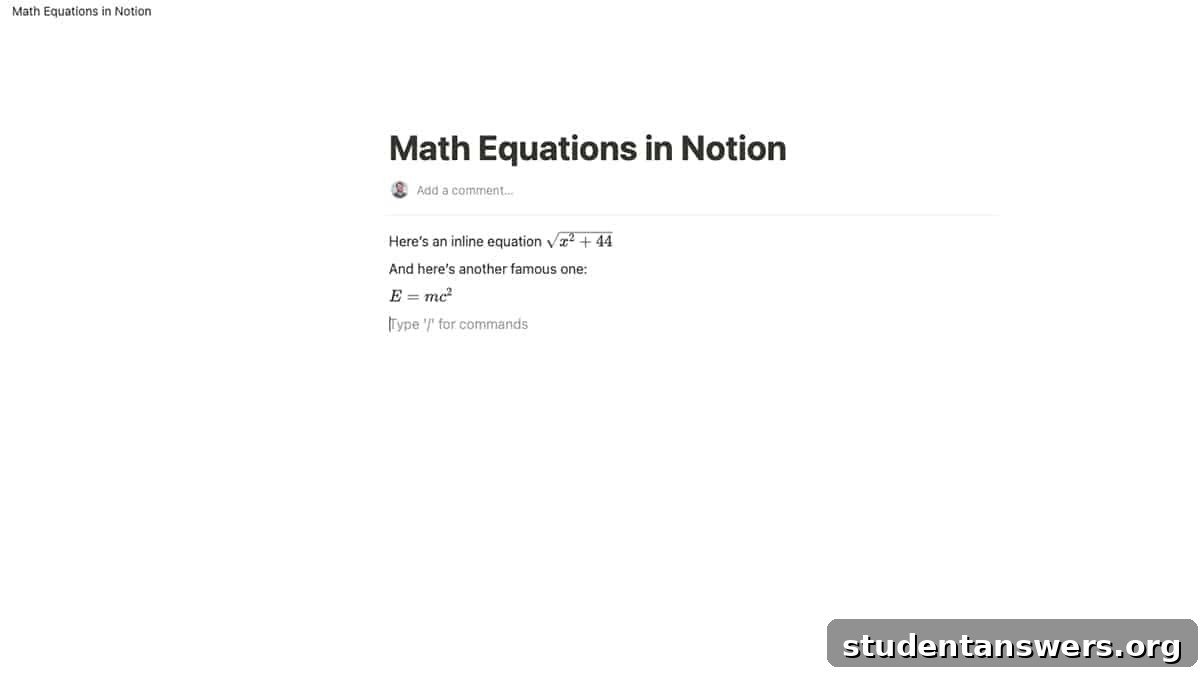
For students in STEM fields, Notion is a game-changer. It supports complex mathematical equations and symbols using LaTeX syntax. This means you can type out everything from simple fractions to intricate differential equations directly within your notes. This capability is invaluable for creating detailed lecture notes, study guides, and formula sheets.
Furthermore, Notion excels at integrating multimedia content. Found a fantastic YouTube video that clarifies a difficult concept? Embed it directly into your notes for easy reference. Studying art history? Create a beautiful gallery of images right on the page. You can also use the Notion Web Clipper extension to save entire web pages—including text, images, and links—with a single click, preserving them perfectly for offline reading or research.
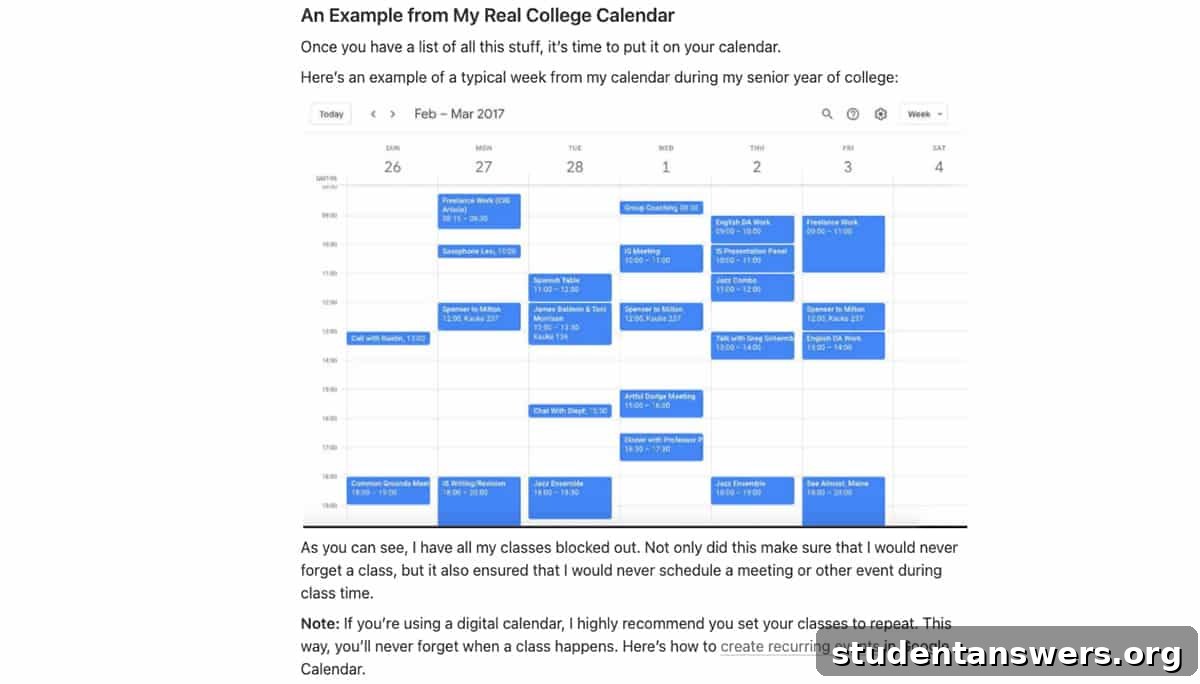
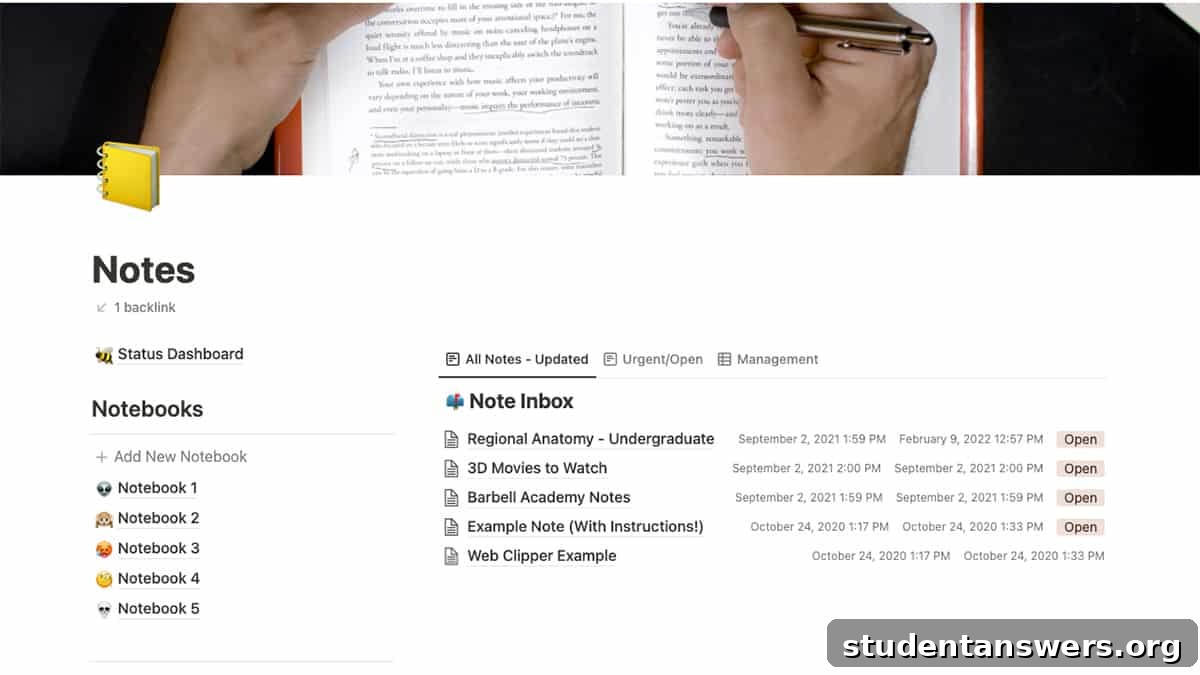
The real power of Notion’s note-taking system lies in its organization. You can create a master page for each course and then nest sub-pages for lectures, readings, and assignments. This creates a clean, hierarchical structure that’s easy to navigate. Use toggles to hide answers for active recall practice, or arrange your notes in multi-column layouts to compare concepts side-by-side. The possibilities for creating dynamic and effective study materials are endless.
2. Master Your Assignments and Schedule
Beyond organizing course materials, Notion is a powerhouse for managing your time and tasks. Forget scattered sticky notes and confusing planners; Notion allows you to build a comprehensive system to track every assignment, deadline, and commitment.
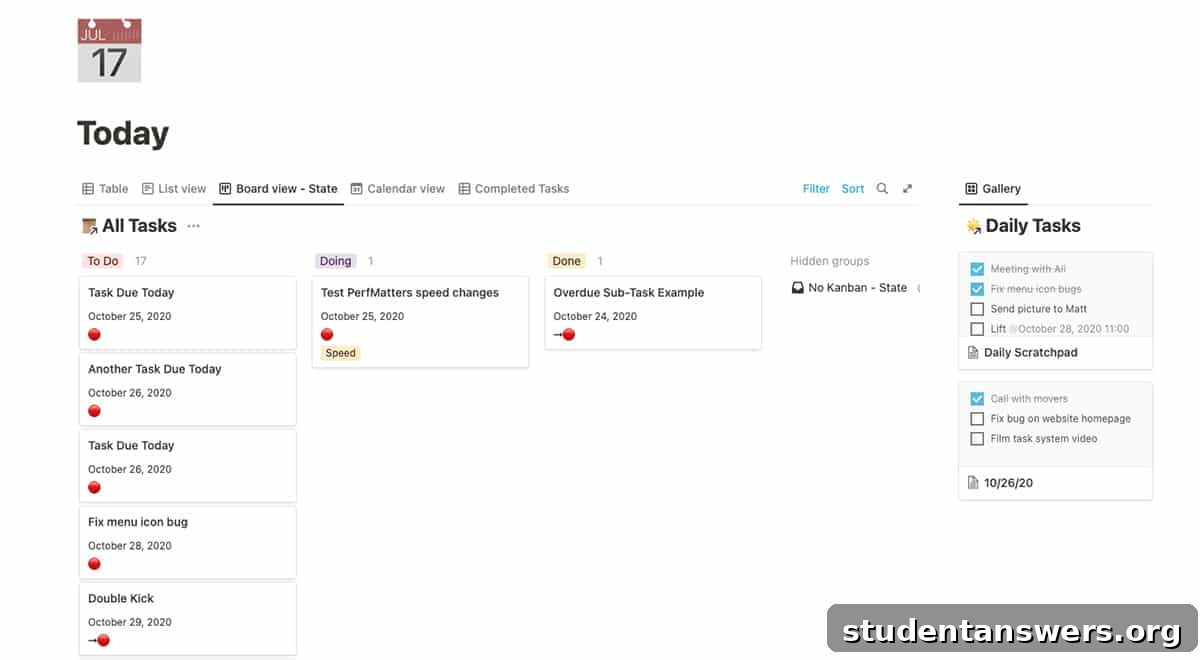
At its simplest, you can create checklists on any page. But to truly unlock its potential, you’ll want to use Notion’s databases. A database is like a spreadsheet on steroids. You can create a master task list for all your courses and add properties like due dates, priority levels, course names, and status (e.g., “Not Started,” “In Progress,” “Completed”). This ensures no assignment ever slips through the cracks.
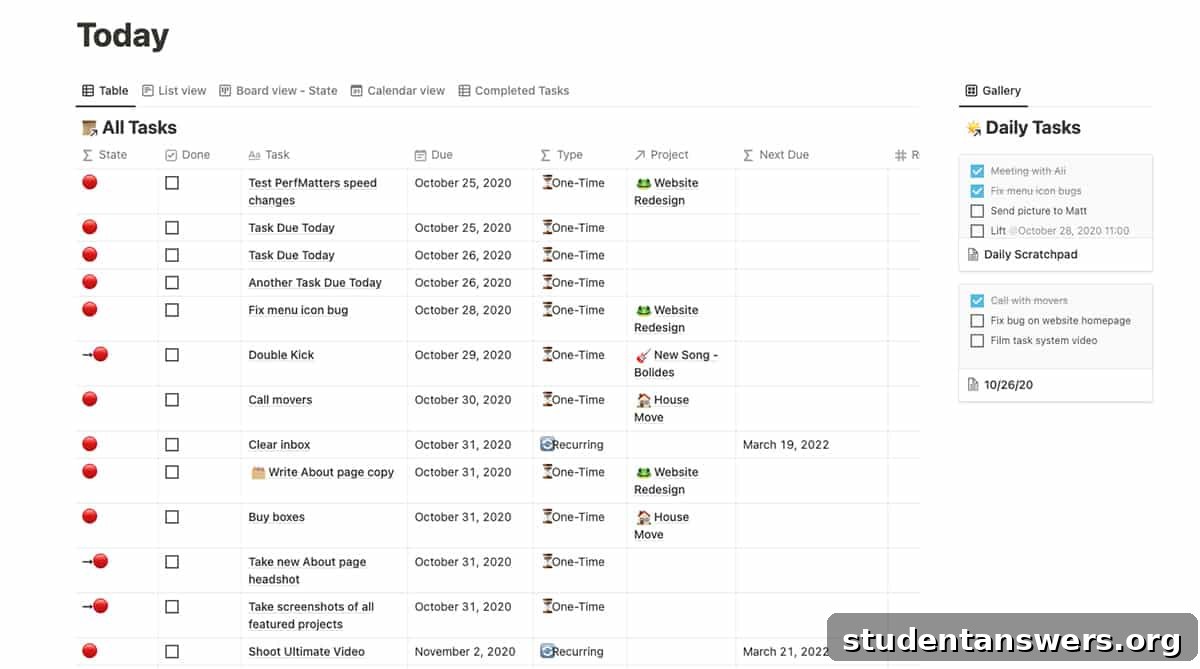
The best part is how you can visualize this information. If you’re a visual planner, switch to the Calendar view to see all your deadlines laid out for the month. To manage your workflow, the Kanban board view is perfect. You can create columns for each stage of a project and drag-and-drop tasks as you make progress. This visual approach to project management is incredibly motivating and helps you break down large assignments into manageable steps.
3. Collaborate Seamlessly on Group Projects
Group projects can be a source of major stress, often due to poor communication and coordination. Notion can act as the central command center for your team, eliminating confusion and ensuring everyone is on the same page.
It offers all the real-time collaborative features you’d find in tools like Google Docs. Multiple people can edit a page simultaneously, and you can leave in-line comments to discuss specific points or ask questions. You can also @-mention team members to assign them tasks or draw their attention to an update. This keeps all project-related communication in one place, instead of being lost in endless email chains or group chats.
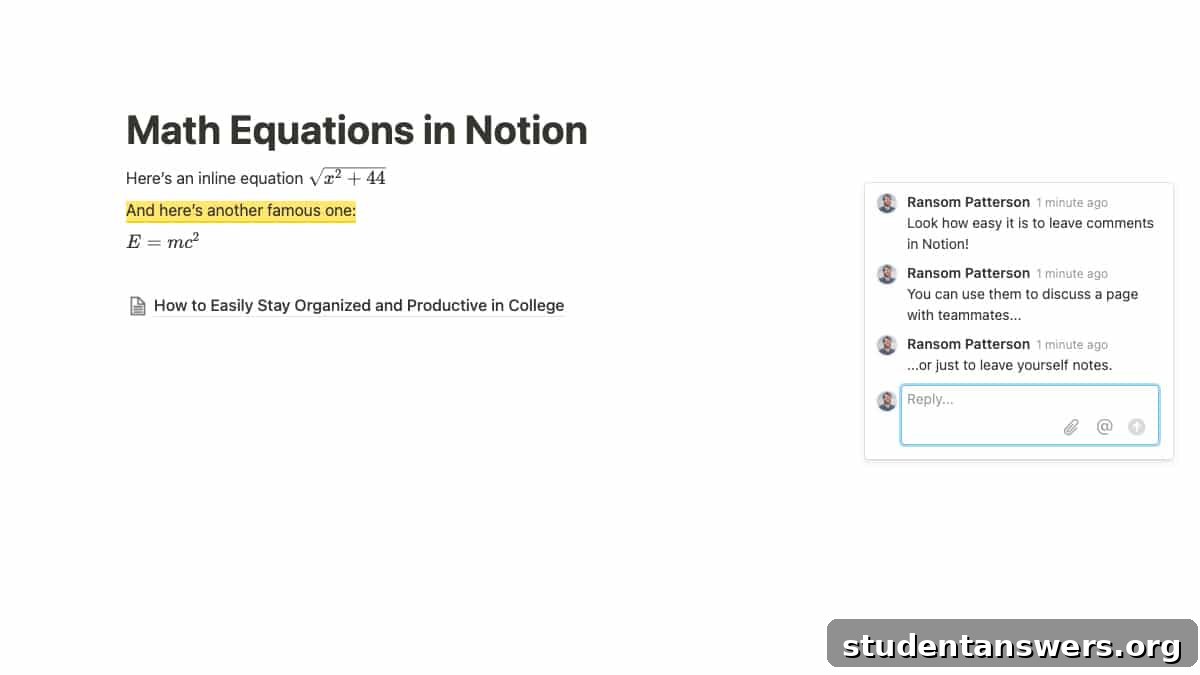
Where Notion surpasses other tools is its ability to create a comprehensive project hub. You can build a single dashboard that includes a task list with assigned members and deadlines, a section for shared research and notes, embedded files like PDFs or Google Drive documents, and a dedicated area for meeting minutes. With a 30-day version history, you can also easily restore previous versions of a page if something is accidentally deleted, providing a crucial safety net.
4. Build Your Professional Network with a Personal CRM
College is not just about academics; it’s also a critical time to start building your professional network. The connections you make with professors, guest speakers, and peers can open doors to internships and job opportunities after graduation. Effective networking, however, requires careful organization.
Instead of a static spreadsheet, you can build a dynamic personal Customer Relationship Management (CRM) system in Notion. Create a database to track every person you meet. You can add properties for their name, company or major, where you met them, and the date of your last contact. Crucially, you can add a “Follow-up By” date property and set a reminder, ensuring you never forget to nurture a new connection.
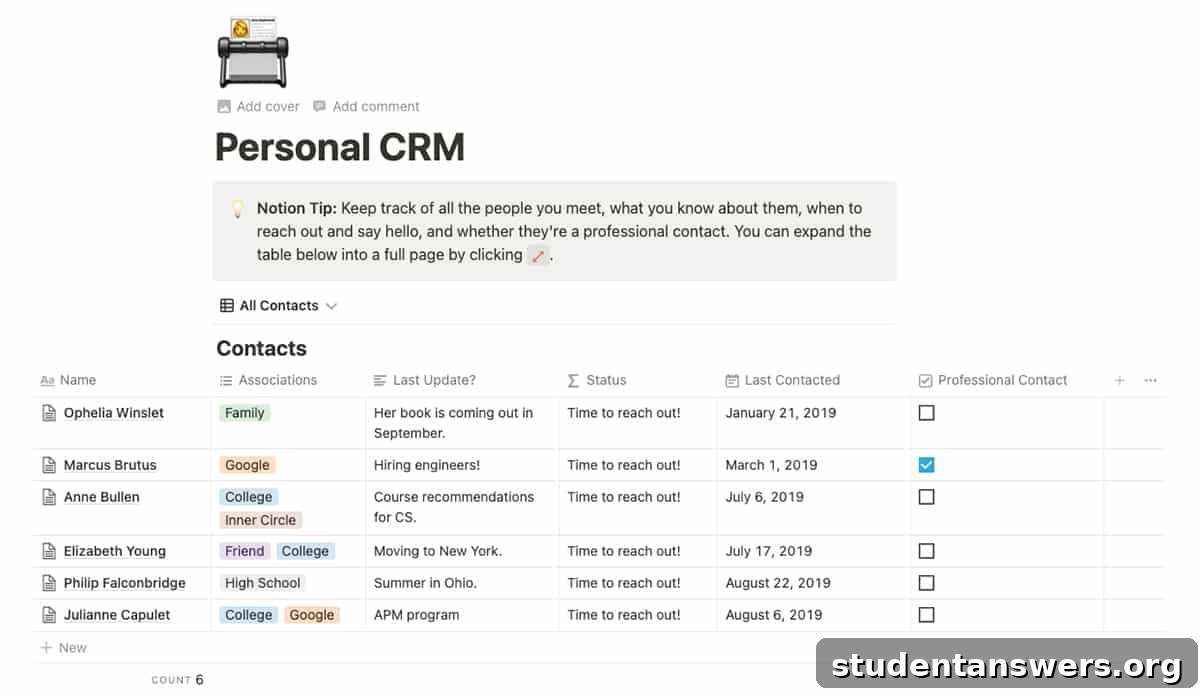
Each entry in your CRM database is also a full Notion page. This means you can click on a person’s name and add detailed notes about your conversations, their interests, or any important details you want to remember for your next interaction. This level of detail transforms networking from a random activity into a strategic process for building meaningful professional relationships.
5. Cultivate Success with a Powerful Habit Tracker
The pressures of college can make it easy to let healthy habits slide. Yet, consistency in areas like exercise, sleep, and nutrition is fundamental to your academic performance and overall well-being. Notion can be an excellent tool for building and maintaining the habits that lead to success.
You can create a simple yet effective habit tracker using a Notion database. Set up a table where each row represents a day. Then, create a column with a checkbox property for each habit you want to track—for example, “Workout,” “Read for 30 mins,” “Meditate,” or “Drink 8 glasses of water.”
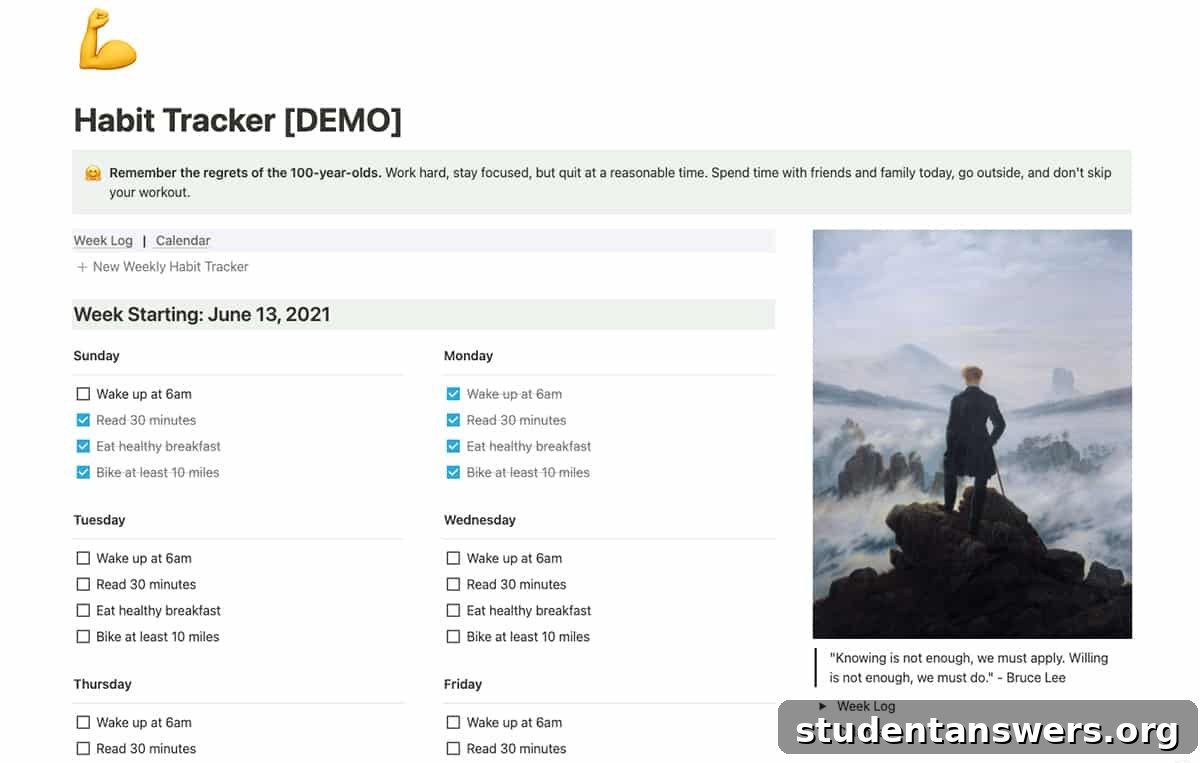
At the end of each day, you can simply check off the habits you completed. The visual satisfaction of seeing a row of checkmarks is highly motivating. For an extra boost, you can use Notion’s formula property to calculate your daily or weekly completion percentage. This system of tracking provides the accountability and feedback you need to turn desired behaviors into automatic, positive habits.
Start Building Your Ultimate Student Workspace Today
This article has only scratched the surface of what’s possible with Notion. From planning your semester to tracking your job applications, its flexibility allows you to build a system that is perfectly tailored to your unique needs. As you become more comfortable with the basics, you can explore advanced features, integrations, and thousands of community-made templates.
The best way to learn is by doing. Start small by creating a simple to-do list or a notes page for one of your classes. Experiment with different blocks and database views. Before you know it, you’ll have built a powerful and personalized system that helps you not just survive college, but thrive in it.