

The Definitive Ranking of 2023s Top 5 Website Builders

The 5 Best Website Builders in 2024: Create Your Perfect Site Today
In the not-so-distant past, creating a website was a complex endeavor, reserved for those who could navigate the intricate worlds of HTML, CSS, and JavaScript. It required significant time, technical expertise, and often, a hefty budget. Today, the landscape has completely transformed. Thanks to a new generation of powerful and intuitive website builders, anyone can launch a professional, beautiful, and functional website in just a few hours—no coding knowledge required.
However, this explosion of options brings its own challenge: with so many platforms vying for your attention, how do you choose the right one? Not all website builders are created equal. Some excel at creating stunning visual portfolios, others are powerhouses for e-commerce, and some offer unparalleled customization for those who like to tinker. The perfect tool for a freelance photographer might be a poor fit for a growing online store.
To help you navigate this crowded market and find the ideal platform for your vision, we’ve compiled this comprehensive guide to the best website builders of 2024. Whether you’re an artist looking to showcase your work, a writer starting a blog, an entrepreneur launching an online business, or simply someone who needs a personal page, you’ll find a solution on this list that fits your goals and your budget.
1. Squarespace: The All-in-One Design Powerhouse
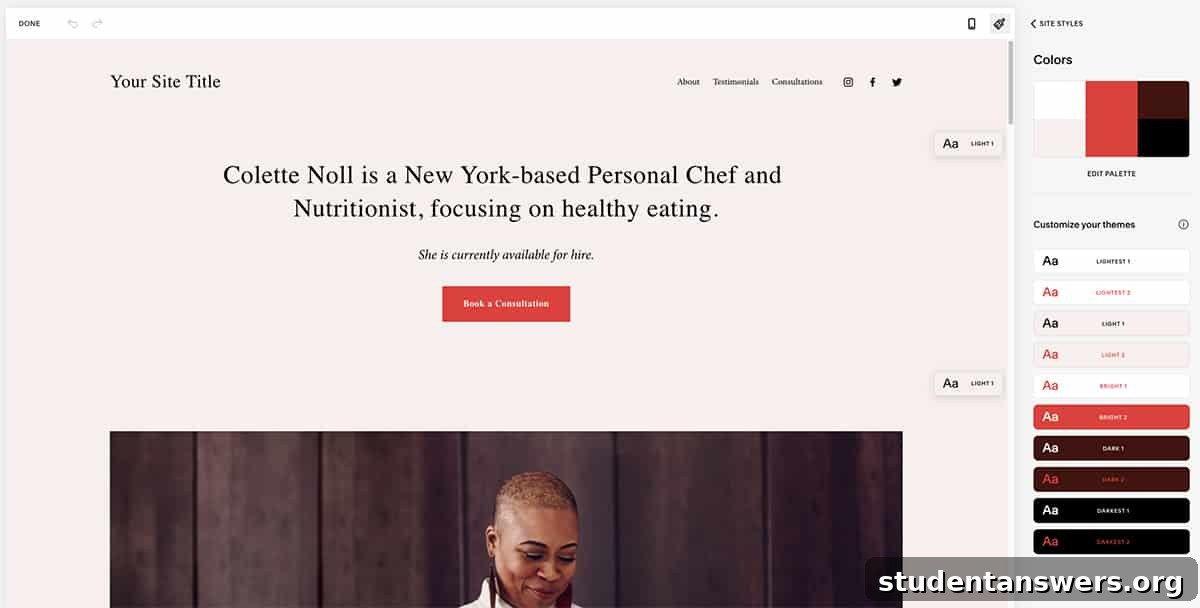
Overview: As one of the most recognizable names in the industry, Squarespace has built a reputation for its award-winning templates and sophisticated, all-in-one platform. It’s the ideal choice for creatives, small businesses, and anyone who prioritizes aesthetics and ease of use.
Pricing: Plans begin at $16 per month when billed annually.
You’ve likely seen the ads, but Squarespace’s popularity is well-earned. It aims to be a complete solution for building and managing an online presence, and it largely succeeds. From the moment you sign up, the platform provides a guided, seamless experience. You’ll answer a few questions about your site’s purpose, and Squarespace will intelligently recommend a selection of stunning, mobile-responsive templates to get you started.
Where Squarespace truly shines is in its curated approach to design. While its editor may not offer the pixel-perfect freedom of some competitors, this is a deliberate feature, not a flaw. The platform’s guardrails prevent you from making design missteps, ensuring your site looks polished, professional, and functions flawlessly on any device, from a desktop monitor to a smartphone. This focus on a high-quality user experience is a significant advantage.
Beyond beautiful websites, Squarespace is packed with integrated tools. Need a blog? It has robust blogging features. Want clients to book appointments? The Acuity Scheduling integration is best-in-class. Venturing into e-commerce? Squarespace provides everything you need to build and manage a full-featured online store, from product listings and inventory management to secure payments and shipping integrations.
Pros and Cons of Squarespace
- Pros: Stunning, professionally designed templates. An intuitive, all-in-one platform with marketing and e-commerce tools built-in. Excellent 24/7 customer support.
- Cons: The editor offers less granular control than competitors like Webflow. There is no free plan, only a 14-day free trial.
2. Elementor: Ultimate Customization for WordPress
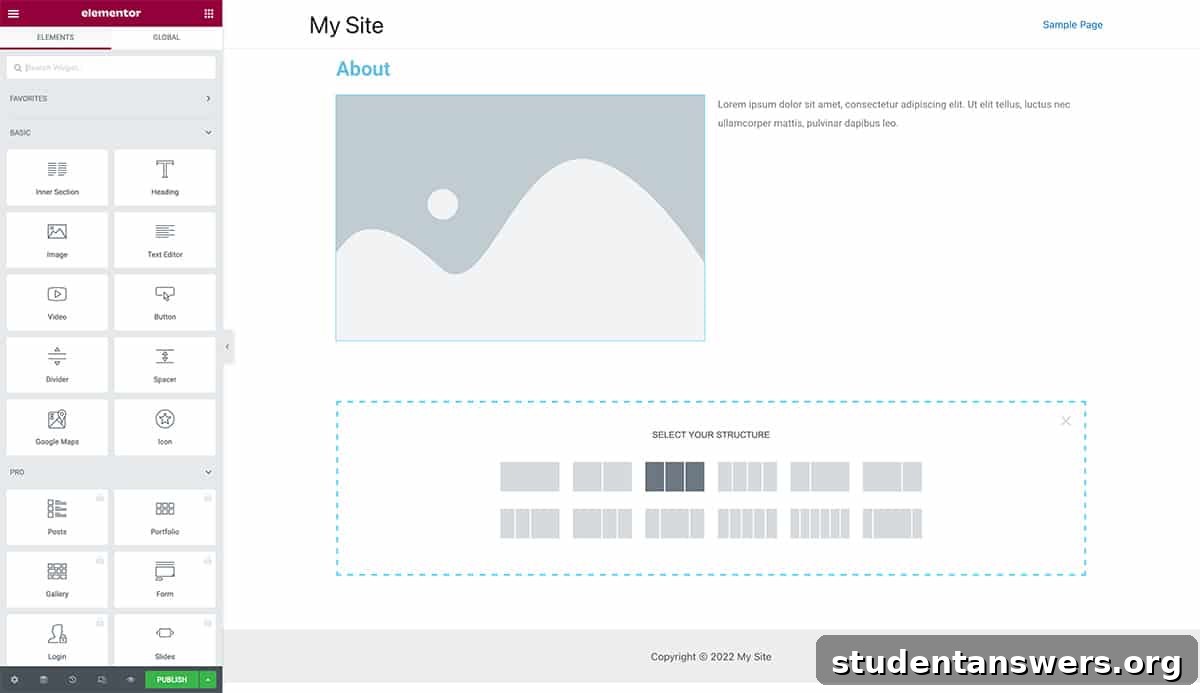
Overview: For those who use the world’s most popular content management system, WordPress, Elementor is the gold standard for website building. It’s a plugin that transforms the standard WordPress experience into a powerful, visual, drag-and-drop design playground.
Pricing: A robust free version is available. Elementor Pro starts at $59 per year for a single website, unlocking advanced widgets, templates, and features.
WordPress is undeniably brilliant for managing content, especially for blogs and large websites. However, its default design capabilities, even with the modern Block Editor, can feel restrictive for those wanting to create truly custom layouts. This is where Elementor comes in. It’s not a standalone platform but a plugin that works on top of a self-hosted WordPress site, giving you complete design freedom.
At its heart, Elementor is a live visual editor. You can drag widgets onto your page, resize columns, adjust fonts and colors, and see your changes happen in real-time—no more saving and refreshing to preview your work. This intuitive workflow empowers you to build complex, professional layouts without ever writing a single line of code. From custom headers and footers to dynamic content templates, you control every aspect of your site’s appearance.
While you can start with a blank canvas, Elementor also provides a vast library of professionally designed templates and pre-built content blocks to accelerate your workflow. The Pro version expands this with even more powerful tools, including a theme builder, a form builder, a popup builder, and seamless integration with marketing and e-commerce plugins like WooCommerce.
Pros and Cons of Elementor
- Pros: Unparalleled design flexibility within the WordPress ecosystem. A powerful and feature-rich free version. A massive community and third-party add-on market.
- Cons: Requires you to manage your own WordPress installation and hosting. The sheer number of options can be overwhelming for absolute beginners.
3. Adobe Portfolio: The Creative’s Effortless Showcase
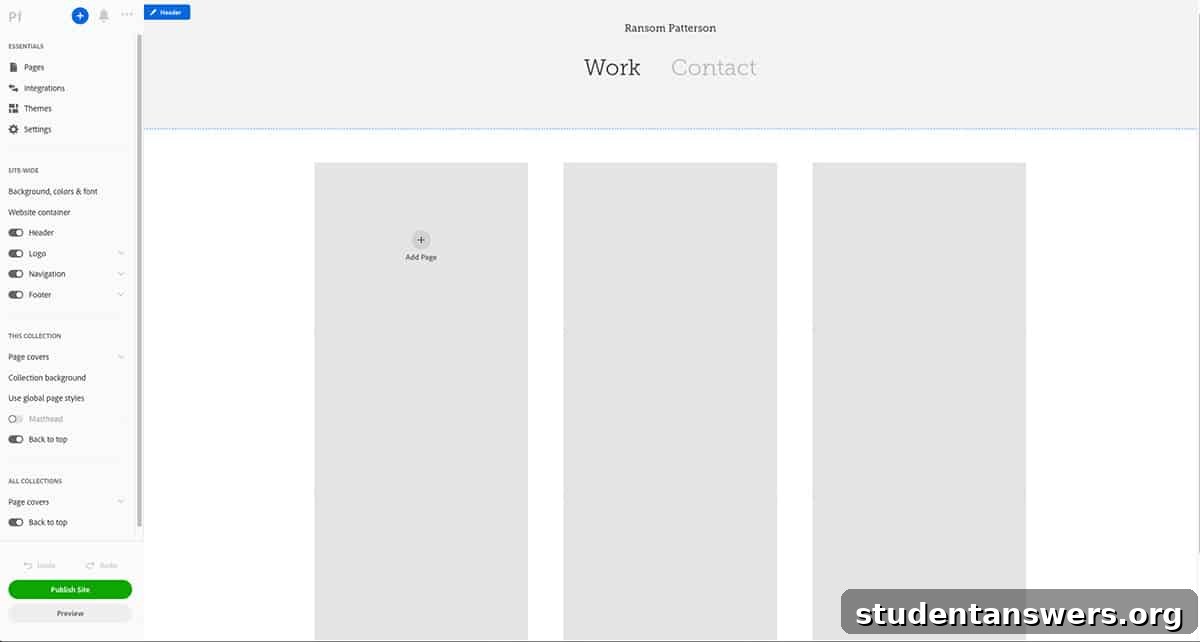
Overview: If you’re a photographer, designer, illustrator, or any other creative professional, a portfolio is non-negotiable. Adobe Portfolio is designed for one thing and one thing only: creating a beautiful, minimalist portfolio website with maximum simplicity.
Pricing: Included for free with any Adobe Creative Cloud subscription (which starts at $9.99 per month for the Photography Plan).
Adobe Portfolio cuts through the noise. You won’t find complex blogging systems, e-commerce features, or elaborate marketing tools here. Instead, you’ll find a streamlined, focused tool dedicated to making your work look its best online. The entire platform is built around speed and simplicity, allowing you to go from zero to a published portfolio in a remarkably short time.
Its killer feature is the seamless integration with the Adobe ecosystem. You can sync your projects directly from Behance or import entire photo albums from Adobe Lightroom with just a few clicks. This workflow is a massive time-saver for any creative already using Adobe’s tools. The platform offers a selection of clean, elegant themes that serve as a perfect backdrop for your work. Customization is straightforward, focusing on layouts, fonts, and colors, ensuring your brand and style are well-represented without a steep learning curve.
If you already subscribe to Adobe Creative Cloud for apps like Photoshop, Illustrator, or Lightroom, then you already have access to Adobe Portfolio at no extra cost. This makes it an incredibly compelling and cost-effective option for creatives looking for a no-fuss way to establish a professional online presence.
Pros and Cons of Adobe Portfolio
- Pros: Incredibly easy to use. Free with a Creative Cloud subscription. Seamless integration with Behance and Lightroom.
- Cons: Extremely limited in scope—it’s only for portfolios. Not suitable for blogs, online stores, or complex websites.
4. Webflow: For Ultimate Control and Professional Design
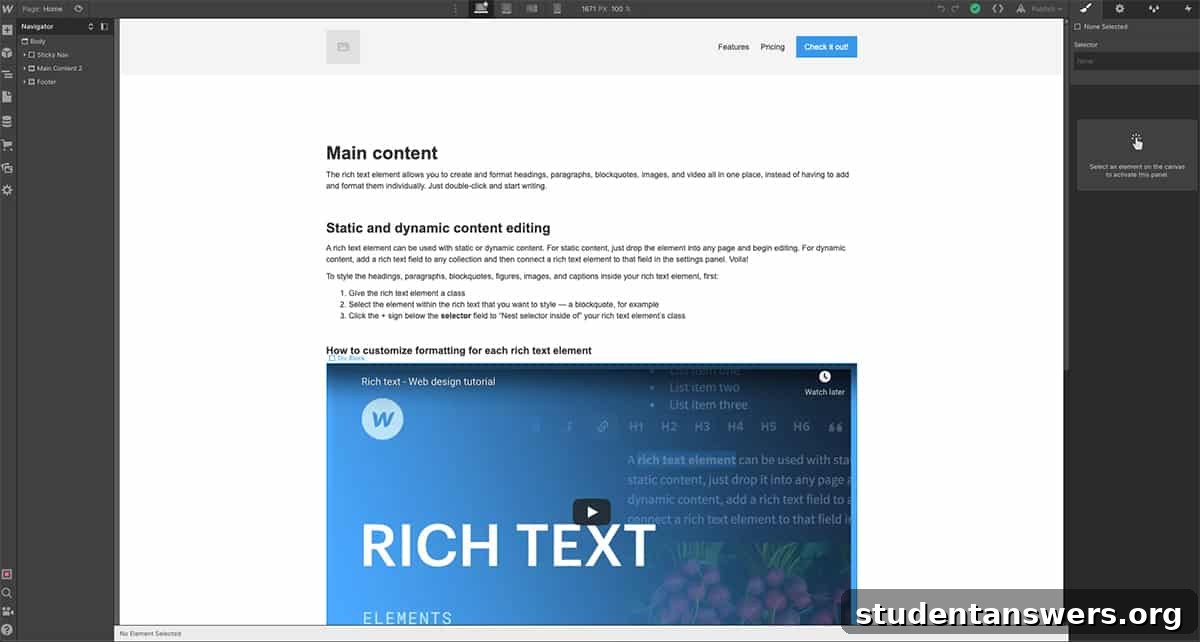
Overview: Webflow bridges the gap between traditional website builders and custom coding. It’s a visual design tool that writes clean, semantic code for you, offering professional-level control without the need to be a developer.
Pricing: A free plan is available for learning and small projects. Paid site plans start at $14 per month when billed annually.
If you’ve found other builders too restrictive and want complete, granular control over every element on your page, Webflow is your answer. It operates on the principles of web design, allowing you to manipulate positioning, create complex interactions, and build sophisticated responsive layouts with a visual interface. As you design, Webflow generates high-quality HTML, CSS, and JavaScript in the background, which you can even export if needed.
This power comes with a steeper learning curve. The interface is more akin to a professional design tool like Figma or Photoshop than a simple website builder. However, for those willing to invest the time, the payoff is immense. Webflow’s “CMS Collections” allow you to build truly dynamic websites—think directories, blogs, or portfolios—where the design is separate from the content. It also has a powerful e-commerce platform and tools for team collaboration, making it a favorite among design agencies and freelance web designers.
Pros and Cons of Webflow
- Pros: Total design freedom and pixel-perfect control. Produces clean, production-ready code. Powerful CMS and animation capabilities.
- Cons: Has the steepest learning curve on this list. Can become more expensive than other options as your needs grow.
5. Notion: The Unconventional, Free Website Builder
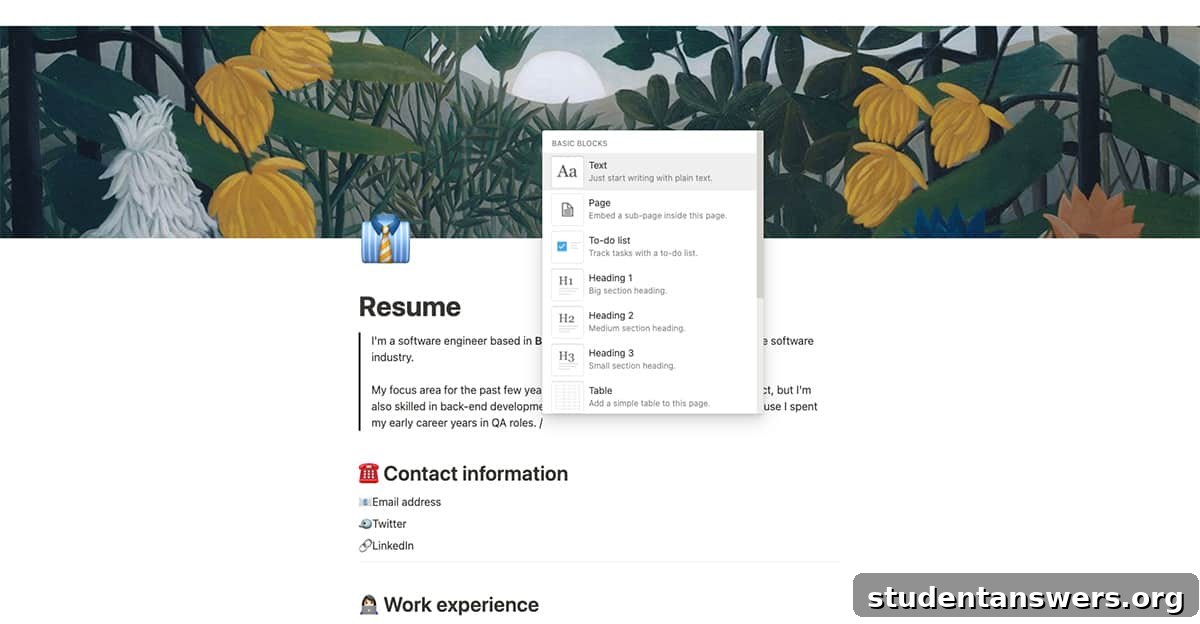
Overview: Our final entry isn’t a website builder at all—at least not in the traditional sense. Notion is an all-in-one productivity and workspace app that, with a simple click, can turn any of its pages into a live website, making it a fantastic free option for simple needs.
Pricing: The core features are available for free. Upgrading to the Personal Pro plan for $4 per month (billed annually) removes the 5 MB file upload limit.
Notion is a versatile tool for note-taking, project management, and building personal wikis. One of its most powerful and often-overlooked features is the ability to share any page publicly on the web. With a single toggle, your Notion page gets a unique URL and becomes a live, accessible website. While you won’t get the design flexibility of a dedicated builder, you gain unparalleled ease of use.
Creating your “website” is as simple as writing a document. You can drag and drop text blocks, embed images and videos, create tables, and link between pages to create basic navigation. This makes it a perfect solution for a simple online resume, a personal “link-in-bio” page, a class syllabus, or a quick project landing page. The free plan has all the features you need to get started, with the only significant limitation being a 5 MB limit on individual file uploads. For a mere $48 per year, you can remove that limit, still making Notion one of the most affordable options available.
Pros and Cons of Notion
- Pros: Can be used to create a simple site completely for free. Incredibly easy to create and update content. The minimalist design is clean and distraction-free.
- Cons: Very limited design customization. Lacks advanced SEO features. It’s not a true website builder, so it lacks features like custom domains (without third-party tools) and analytics.
Find Your Ideal Website Builder Today
Choosing a website builder is a personal decision, and there is no single “best” option for everyone. The right platform is the one that aligns with your specific goals, technical comfort level, design preferences, and budget. For the design-conscious beginner, Squarespace is a fantastic starting point. If you love WordPress and crave customization, Elementor is unmatched. For the creative professional in the Adobe ecosystem, Adobe Portfolio is a simple and elegant solution.
If you’re a designer who wants no-compromise control, it’s time to learn Webflow. And if you just need to get something simple and clean online for free, the unconventional approach of using Notion might be exactly what you need. We hope this guide has illuminated the path to your perfect website-building tool. The most important step is to start, so pick a platform, begin a free trial, and bring your vision to life.