
The 17 Best Writing Apps to Supercharge Your Productivity in 2024
For centuries, the tools of a writer were simple and tangible. From chisels on stone to quills on parchment, the fundamental act of writing remained unchanged: making physical marks on a physical surface. The invention of paper, the printing press, and the typewriter were monumental leaps, yet they still operated within this physical realm.
The digital age, heralded by word processing software, marked a true revolution. It fundamentally altered how we draft, edit, and store our thoughts. While the core technology of a word processor has been refined over the decades, the real transformation has occurred in the ecosystem surrounding it. Today, we are inundated with specialized tools designed to enhance every stage of the writing process, from brainstorming to final publication.
This abundance of choice creates a new challenge: with hundreds of writing apps vying for your attention, how do you find the ones that are truly worth your time? This guide is here to help you navigate this crowded landscape. We will explore a curated selection of the best writing apps available today, each designed to improve how you brainstorm ideas, draft content, edit for clarity, and publish your work with confidence.
Whether you’re a student wrestling with a thesis, a professional crafting compelling reports, or a novelist building new worlds, you will find a tool in this list to elevate your craft.
1. Coggle
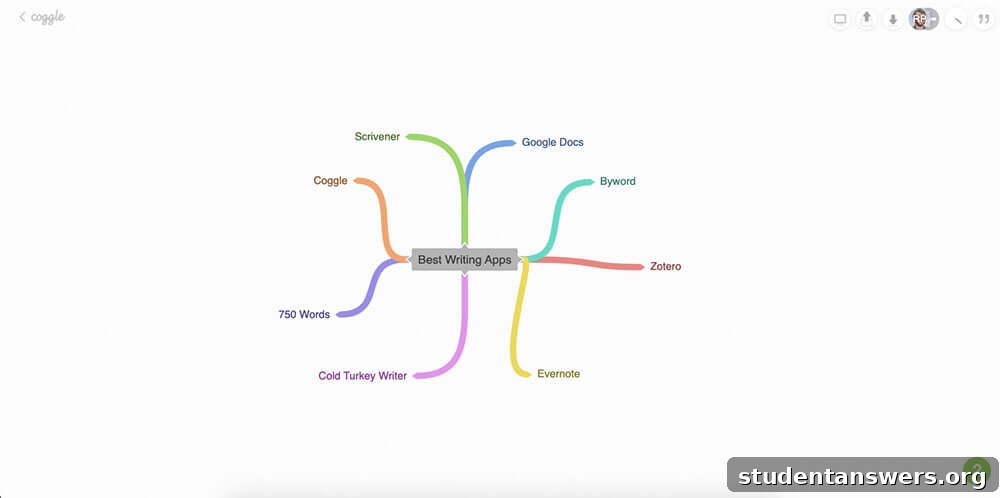
Overview: An intuitive and collaborative digital mind-mapping tool perfect for visual brainstorming and organizing thoughts.
Mind-mapping is a time-tested technique for unlocking creativity and drawing connections between disparate ideas. It traditionally involves pen and paper, with a central idea branching out into related concepts. However, this physical method can be messy and difficult to edit.
Coggle transports this powerful technique into the digital age. It allows you to create beautiful, branching mind maps in your browser. Because your creations are stored in the cloud, they are accessible from any device. Unlike paper, a Coggle mind map is a living document; you can endlessly drag, drop, edit, and rearrange nodes without ever running out of space or needing an eraser. It’s an ideal tool for outlining articles, planning story arcs, or simply getting your initial thoughts down in a structured, visual format. If you’re facing writer’s block, Coggle can provide the creative spark you need to get started.
Price: The free plan allows for up to 3 private diagrams and unlimited public ones. Paid plans start at $5 per month, offering unlimited private diagrams, advanced shapes, and more formatting controls.
Platforms: Web
2. Evernote
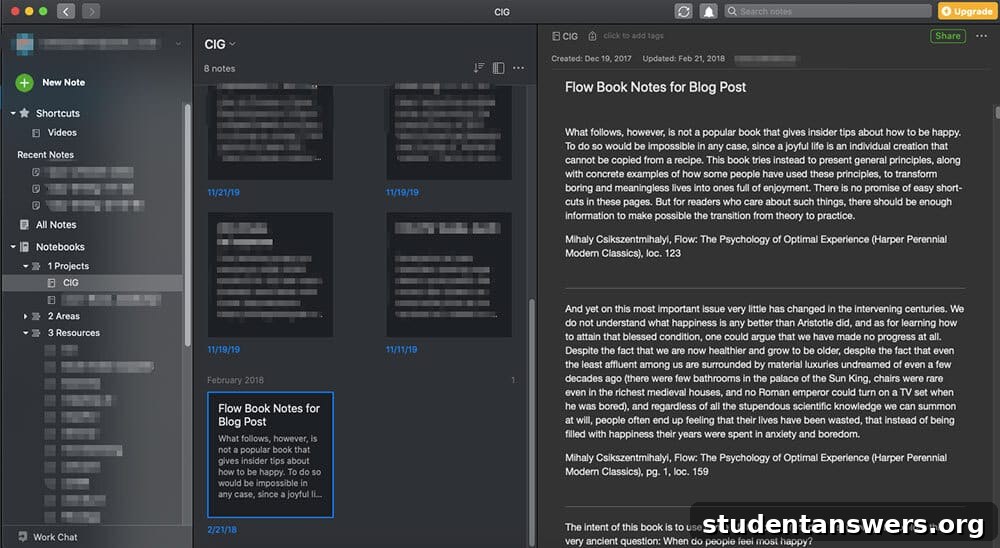
Overview: A versatile and long-standing digital notebook for capturing, organizing, and retrieving all your ideas and research.
Evernote was one of the pioneers in personal knowledge management, and it remains a powerhouse for writers today. Think of it as your digital second brain—a single, searchable repository for everything that inspires you. You can use it to jot down fleeting ideas, write detailed outlines, or even draft entire articles.
One of its standout features is the Web Clipper, a browser extension that lets you save articles, PDFs, images, and entire web pages with a single click. This makes it an invaluable research tool, allowing you to build a personal library of reference material that you can access even when offline. While many newer apps have entered the note-taking space, Evernote’s robust search capabilities, cross-platform availability, and proven reliability make it an excellent choice for any writer looking to create an organized digital workspace.
Price: A comprehensive free version is available. Evernote Personal is $7.99 per month and adds features like larger upload limits and offline access. Students can get a 50% discount on their first year.
Platforms: Android, iOS, Windows, Mac, Web
3. Google Docs
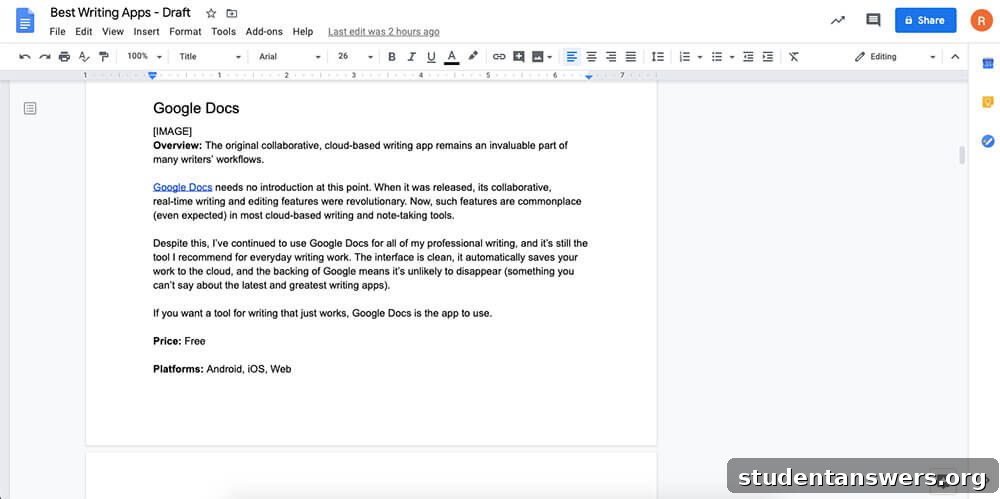
Overview: The ubiquitous, cloud-based word processor that excels at collaboration and accessibility.
Google Docs hardly needs an introduction. It revolutionized writing by introducing real-time, simultaneous collaboration, a feature that has since become a standard expectation for cloud-based tools. Despite the rise of countless competitors, Google Docs remains the go-to choice for millions of writers, and for good reason.
Its strength lies in its simplicity and reliability. The interface is clean and intuitive, it saves your work automatically to the cloud, and its version history is a lifesaver. Because it is part of the Google ecosystem, it seamlessly integrates with other services like Google Drive and Gmail. For any writing task that involves feedback or collaboration—from academic papers to professional reports—Google Docs is the undisputed champion. It’s a free, powerful, and dependable tool that simply works.
Price: Free
Platforms: Android, iOS, Web
4. Cold Turkey Writer
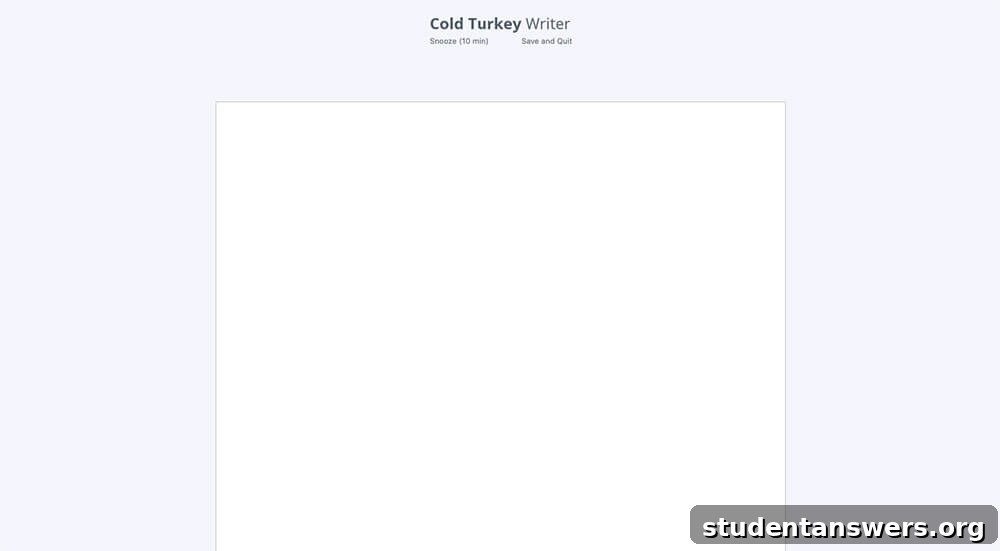
Overview: The ultimate distraction-blocking tool that forces you to write by locking you out of your computer.
Procrastination is the writer’s oldest enemy, and the modern computer is its greatest weapon. With social media, games, and endless internet rabbit holes just a click away, staying focused can feel impossible. Cold Turkey Writer is the nuclear option for fighting back.
When you open the app, you set a goal: either a specific word count or a duration of time. Once you click “Start,” Cold Turkey Writer transforms your computer into nothing more than a typewriter. It blocks every other application, including your browser, until your goal is met. There are no loopholes and no escape. This approach may seem extreme, but its effectiveness is undeniable. By removing all other options, it forces you to confront the blank page and just write. It’s not a full-featured word processor, so you’ll need to copy your text into another app for formatting, but for producing a focused first draft, it is unparalleled.
Price: The core features are free. A one-time payment of $9 (CAD) unlocks extra themes and formatting options.
Platforms: Mac, Windows
5. Scrivener
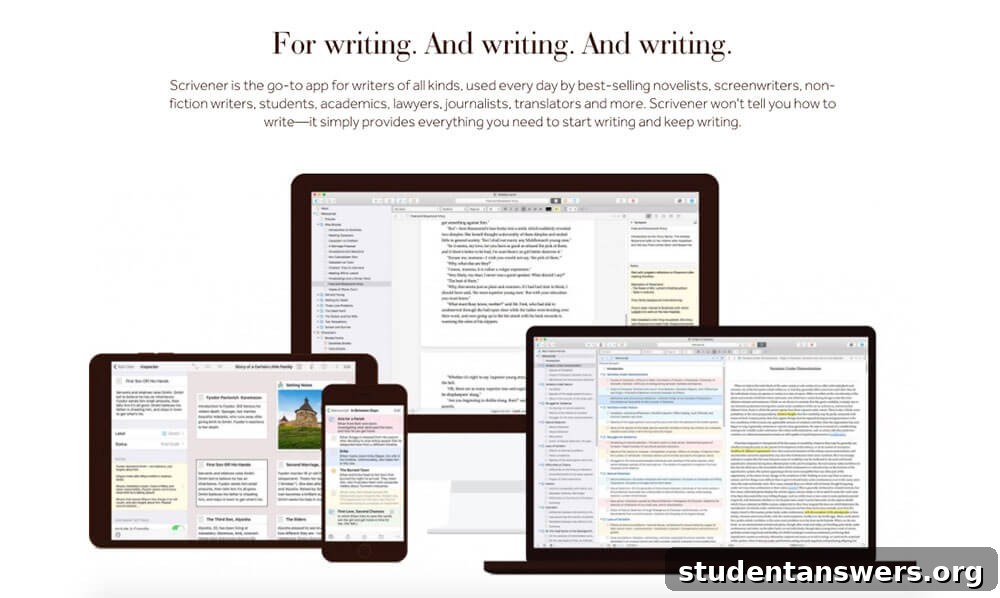
Overview: A powerful writing studio designed for managing large, complex projects like novels, screenplays, and academic dissertations.
Writing a book or a thesis is a monumental organizational challenge. A single, linear document can quickly become unwieldy and impossible to navigate. Scrivener is built to solve this exact problem. It’s not just a word processor; it’s a complete project management system for writers.
Scrivener allows you to break your manuscript into small, manageable chunks—chapters, scenes, or sections—and view them as a collection of index cards on a virtual corkboard. You can easily rearrange these pieces to experiment with structure without disruptive cutting and pasting. It also features a split-screen view, allowing you to keep your research materials (PDFs, images, web pages) visible right next to your draft. When you’re ready to publish, its powerful “Compiler” can export your work into a variety of formats, from a standard Word document to a Kindle ebook. For any long-form writer, Scrivener is a game-changer.
Price: A one-time purchase of $49 for a desktop license (Mac or Windows). An educational discount is available for $41.65. The iOS app is a separate $19.99 purchase. A generous 30-day free trial is also offered.
Platforms: Mac, Windows, iOS
6. Novlr
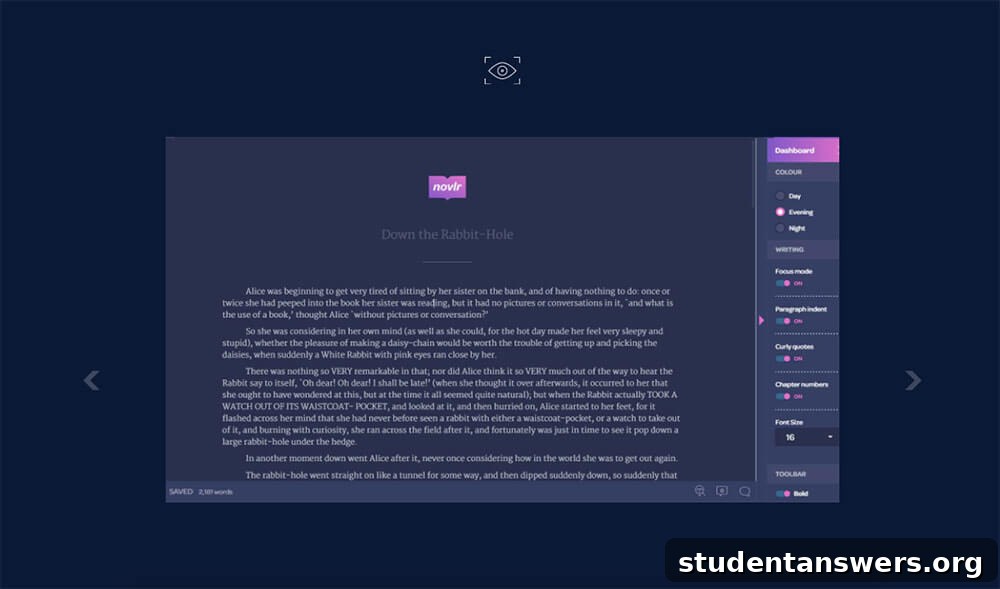
Overview: A modern, web-based writing platform specifically tailored to the needs of novelists, with built-in goal tracking and analytics.
While Novlr shares some organizational features with Scrivener, it offers a distinctly different experience. Built from the ground up as a cloud-native application, Novlr boasts a sleek, minimalist interface that puts the focus squarely on your words. All your work is continuously saved and synced across devices, giving you peace of mind.
Where Novlr truly shines is in its dedication to the novelist’s workflow. It includes robust goal-setting and progress-tracking features, which are perfect for events like NaNoWriMo or simply for maintaining a consistent writing habit. The app also integrates a proofreading engine that provides suggestions on grammar, spelling, and style, complete with explanations to help you improve your craft over time. While Scrivener is a more versatile tool for all types of long-form writing, Novlr’s laser focus on fiction makes it a compelling choice for authors who value a streamlined, modern, and motivating writing environment.
Price: $10 per month or $100 per year. A 2-week free trial is available.
Platforms: Web (with full offline functionality)
7. Byword
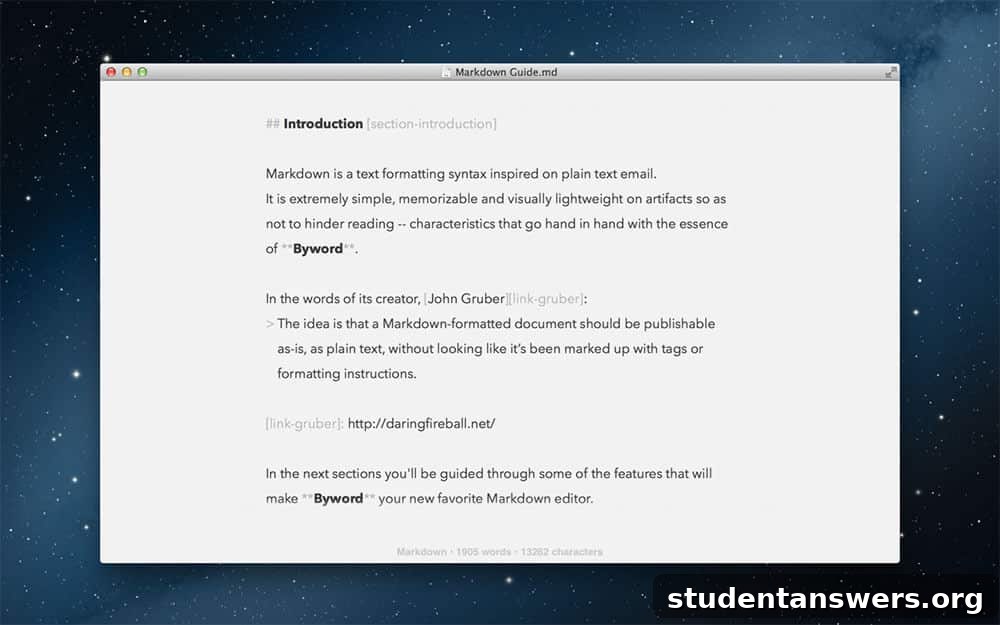
Overview: A minimalist and elegant Markdown editor for Mac and iOS designed for writers who publish to the web.
Byword is for writers who value speed and simplicity. It is a Markdown text editor, which means you format your text using simple characters (like `*` for italics or `#` for headings) rather than clicking buttons in a toolbar. This allows you to keep your hands on the keyboard and maintain your writing flow.
If you regularly write blog posts, online articles, or web copy, learning Markdown can dramatically speed up your workflow. Byword provides a beautiful, distraction-free environment to do just that. Once your draft is complete, you can export it to clean HTML, Rich Text, or PDF. Even better, it can publish directly to platforms like WordPress, Medium, and Tumblr. For web writers in the Apple ecosystem, Byword is a fast and efficient tool that gets out of your way and lets you focus on writing.
Price: One-time purchase of $10.99 for the Mac app and $5.99 for the iPhone/iPad app.
Platforms: Mac, iOS
8. Written? Kitten!
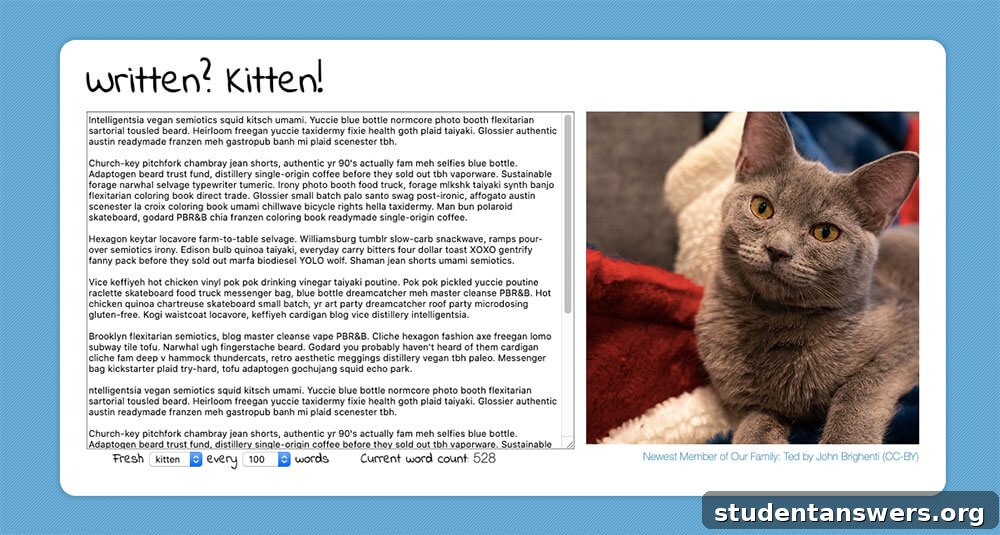
Overview: A charmingly simple web tool that motivates you to write with pictures of cute animals.
Sometimes, all you need is a little positive reinforcement to get through a tough writing session. Written? Kitten! provides exactly that. This brilliantly simple web app presents you with a blank text field.
You set a word-count goal (every 100, 200, 500, or 1000 words), and every time you hit that milestone, a new picture of a cute animal appears. You can choose to be rewarded with kittens, puppies, or bunnies. It’s a whimsical but surprisingly effective way to gamify your writing process and motivate you to keep typing, especially when you’re working towards a specific word-count target for an essay or daily writing goal.
Price: Free
Platforms: Web
9. 750 Words
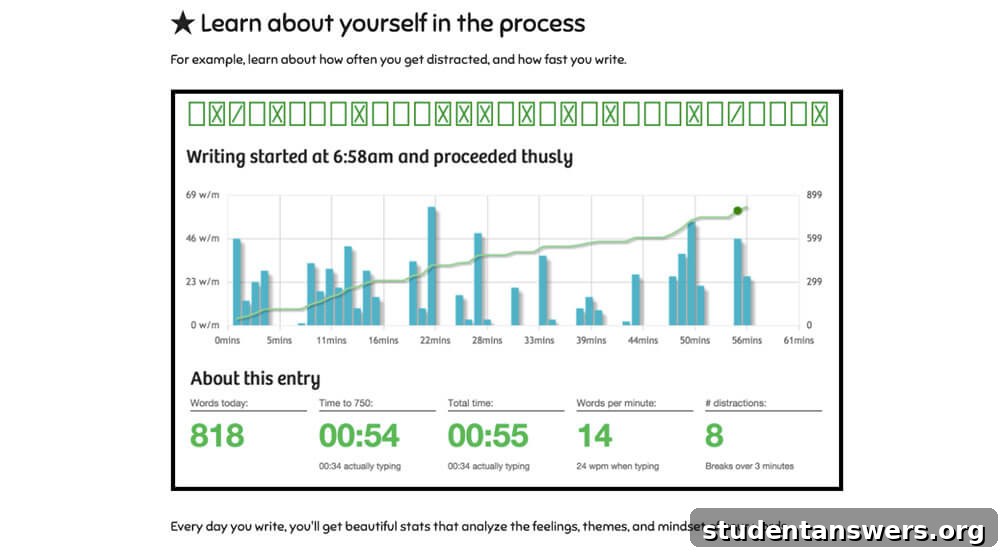
Overview: A private online journal designed to help you build and maintain a consistent daily writing habit.
The advice “write every day” is common, but putting it into practice is hard. 750 Words is an app built around this single principle. Inspired by the “morning pages” concept from Julia Cameron’s *The Artist’s Way*, the app encourages you to write 750 words (roughly three pages) each day.
The interface is a clean, distraction-free canvas for your thoughts, and everything you write is kept completely private. The app tracks your streak and rewards you with points and badges for consistency. After you write, it provides fascinating (and optional) analytics about your entry, analyzing the themes, mindset, and emotions present in your words. It’s an excellent tool for journaling, creative freewriting, or simply clearing your head and building the discipline of daily writing.
Price: 30-day free trial, then $5 per month.
Platforms: Web
10. Daily Page
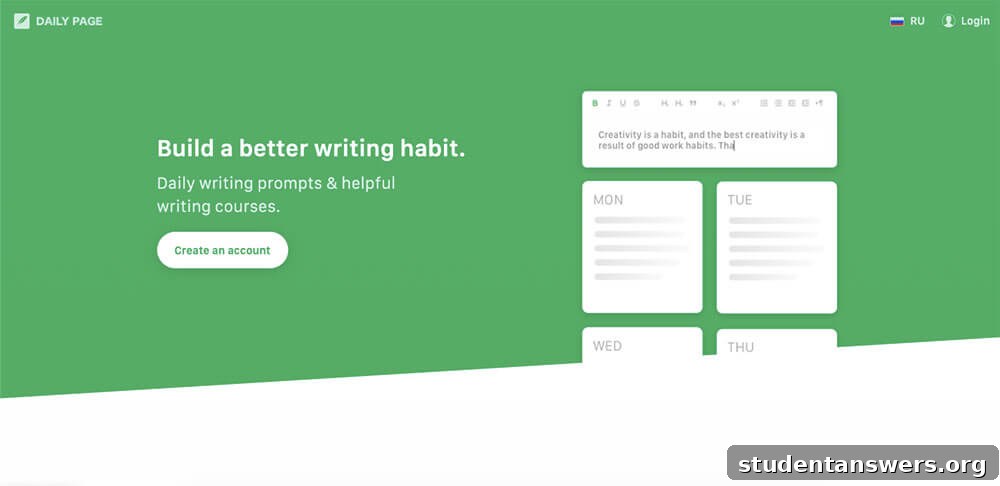
Overview: A service that provides daily writing prompts to your inbox to spark creativity and build a writing routine.
One of the biggest hurdles to a daily writing practice is deciding what to write about. Daily Page removes that obstacle. Each morning, the service emails you a unique and interesting writing prompt.
You simply click the link in the email to open a clean, focused writing space and respond to the prompt. If you’re not feeling inspired by the day’s prompt, you can always choose a free-writing option instead. A subscription also grants you access to a library of writing courses on topics like blogging and storytelling. For those who want the structure of a daily habit but struggle with the “blank page” problem, Daily Page offers an easy and engaging solution.
Price: $4.99 per month or $47.88 per year.
Platforms: Web
11. Grammarly
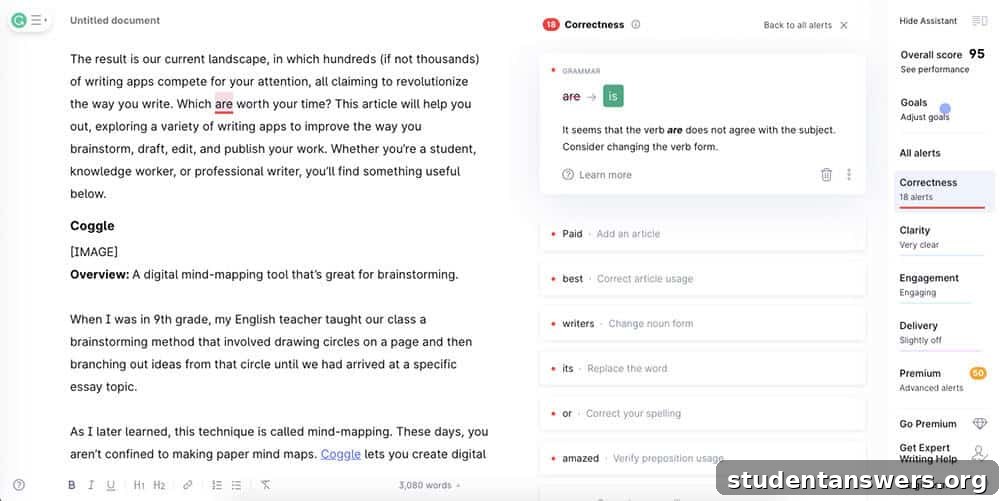
Overview: A powerful AI-powered writing assistant that checks your work for grammar, spelling, clarity, and tone.
Even the most experienced writers make mistakes. Standard spell checkers in word processors are helpful, but they often miss subtle grammatical errors and stylistic issues. This is where Grammarly excels. It acts as a second pair of eyes, scrutinizing your text for everything from misplaced commas to awkward phrasing.
Grammarly’s true power comes from its seamless integration into your workflow. The browser extension works inside Google Docs, email clients, social media, and virtually any other text field on the web. It also offers standalone desktop apps and a Microsoft Word add-in. The free version is excellent for catching critical errors, while the Premium version offers advanced suggestions on tone, conciseness, word choice, and even plagiarism. It’s an indispensable tool for ensuring your writing is clear, correct, and professional.
Price: The core grammar and spelling checker is free. Premium plans with advanced features start at around $12 per month when billed annually.
Platforms: Android, iOS, Mac, Windows, Web. Browser extensions for all major browsers and an add-in for Microsoft Word are available.
12. Hemingway Editor
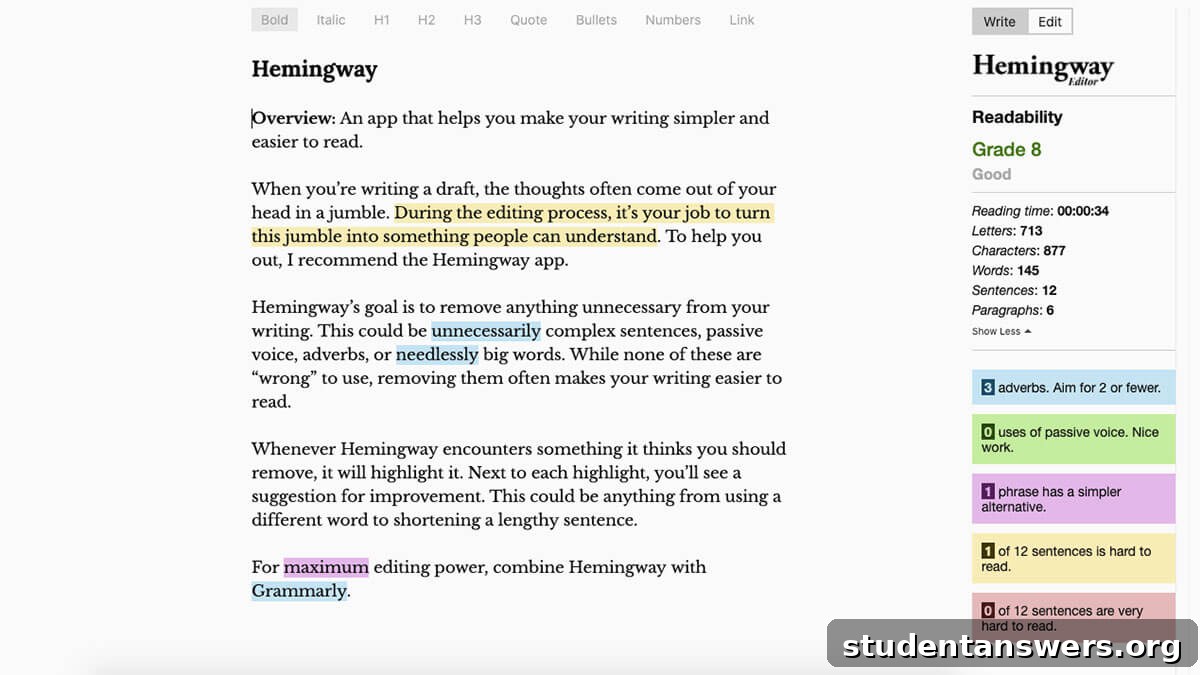
Overview: A style-checking tool that helps you make your writing bold, clear, and concise.
While Grammarly focuses on correctness, the Hemingway Editor focuses on clarity. Its goal is to help you trim the fat from your writing, eliminating unnecessary words and complex sentences. Simply paste your text into the editor, and it will highlight potential issues in different colors.
Yellow highlights identify long, complex sentences that could be split up. Red indicates sentences that are so dense they may confuse readers. Blue points out weak adverbs, green shows passive voice, and purple suggests simpler word alternatives. The app also gives your text a “readability” grade level, helping you ensure your writing is accessible to your intended audience. For a final editing pass that tightens and strengthens your prose, Hemingway is an invaluable resource.
Price: The web version is free. The desktop app for Mac and Windows is a one-time purchase of $19.99.
Platforms: Mac, Windows, Web
13. Blurt
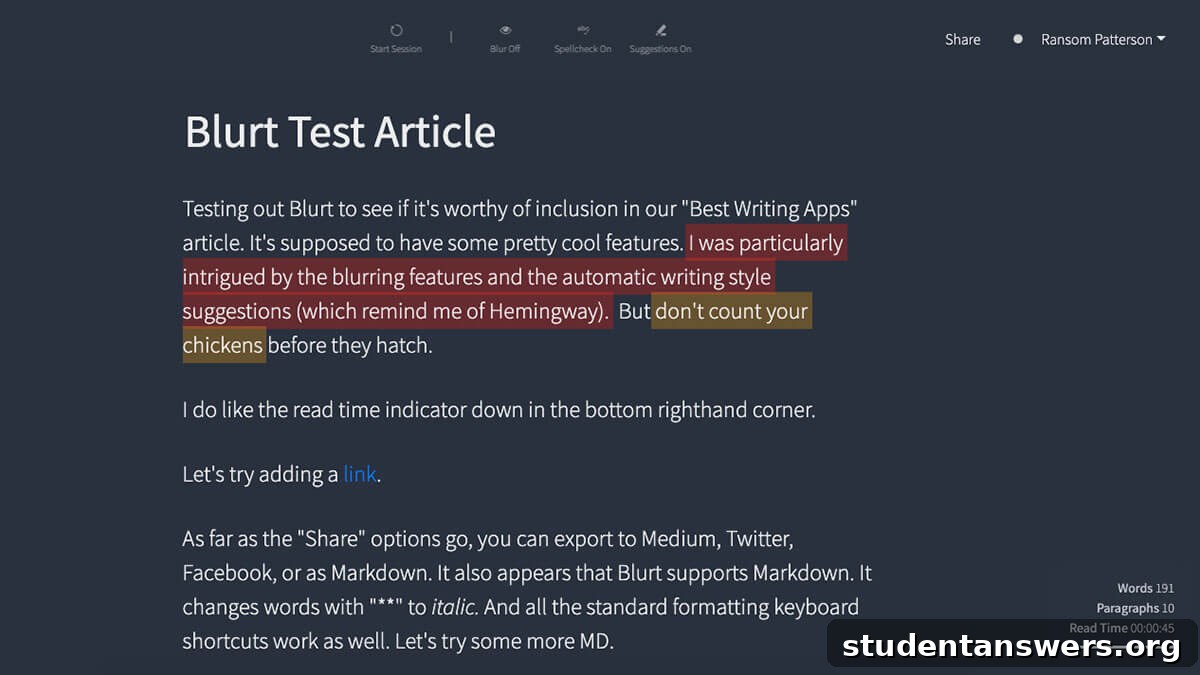
Overview: A comprehensive writing environment that combines goal setting, distraction-free drafting, and smart editing suggestions.
Blurt aims to be an all-in-one solution for writers who want to build a habit and improve their craft. It starts by having you define your projects and set daily writing goals for each, complete with email reminders. The editor itself is beautifully minimalist, but packed with powerful features.
You can initiate focused “Writing Sessions” to meet a word or time target. A unique feature allows you to blur your text as you type, which forces you to resist the urge to self-edit during a first draft. As you write, Blurt provides real-time suggestions on readability, similar to Hemingway, flagging clichés, adverbs, and difficult sentences. It’s an excellent tool for writers who appreciate the clean aesthetic of platforms like Medium but desire more robust features for focus and habit formation.
Price: 15-day free trial, then $14.99 per month.
Platforms: Web
14. Quetext
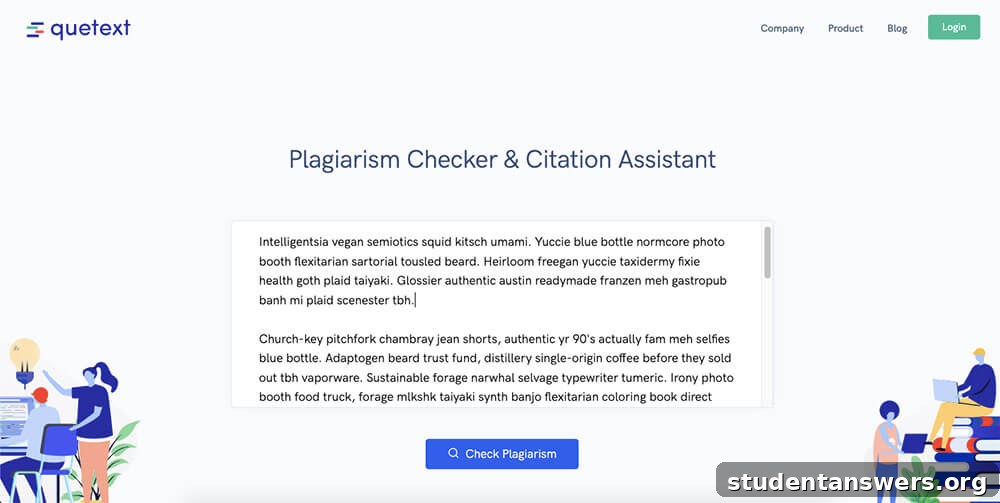
Overview: A user-friendly and accurate plagiarism checker for students, academics, and professional writers.
Plagiarism is a serious academic and professional offense. Even unintentional plagiarism can have severe consequences. A tool like Quetext is essential for ensuring the integrity of your work. It uses advanced technology to compare your text against billions of online sources and academic papers.
If Quetext finds any matching text, it highlights the passage and provides a link to the original source, making it easy for you to review and add proper citations. Whether you’re a student submitting a paper or a blogger publishing an article, running your work through a plagiarism checker is a crucial final step. It provides peace of mind and protects your reputation.
Price: The free plan includes a limited number of checks per month. The Pro plan offers unlimited checks and additional features for $9.99 per month.
Platforms: Web
15. Coffitivity
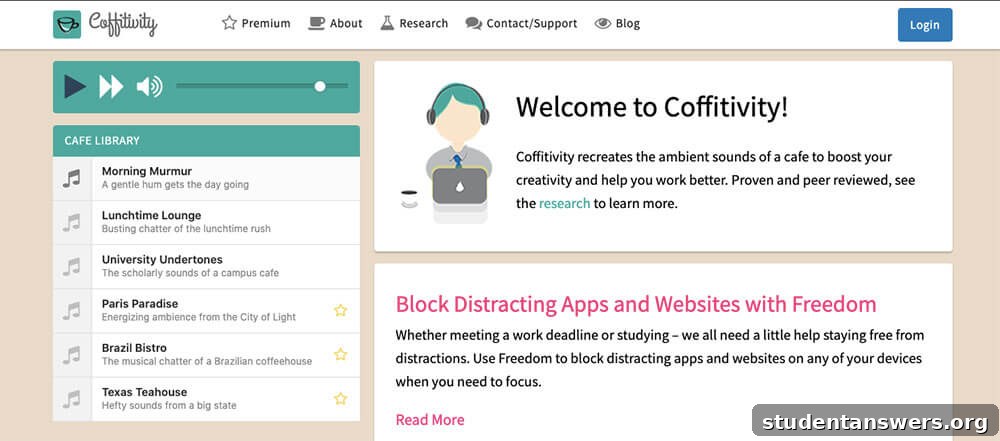
Overview: An ambient sound app that recreates the background chatter of a coffee shop to boost creativity and focus.
Many writers find that the low-level hum of a coffee shop helps them focus. The ambient noise is just engaging enough to prevent your mind from wandering, but not distracting enough to break your concentration. Coffitivity lets you bring that productive atmosphere anywhere.
This simple web app plays a high-quality audio loop of coffee shop sounds. You can choose from a few different “cafes,” like “Morning Murmur” or “University Undertones.” It’s a surprisingly effective way to create a focused work environment, especially when you’re working from a silent home office. You just have to provide your own coffee.
Price: Free. A premium plan for $9 per year adds more sound options.
Platforms: Web
16. Brain.fm
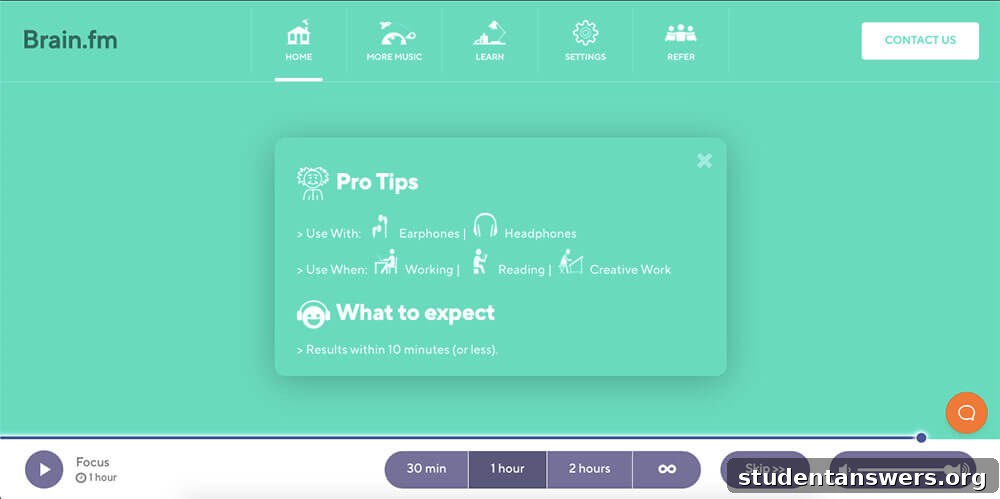
Overview: A science-backed functional music app that generates soundscapes specifically designed to enhance focus.
While some people can write to their favorite music, others find lyrics and complex melodies distracting. Brain.fm offers a different approach. The service uses AI to compose music that is scientifically engineered to help your brain achieve a state of deep focus, often known as a “flow state.”
You simply tell the app you want to focus, set a session duration (from 30 minutes to several hours), and it begins playing a stream of non-intrusive, atmospheric music. The compositions use specific rhythms and modulations to gently guide your brainwaves towards a productive pattern. It is remarkably effective for overcoming procrastination and powering through difficult writing tasks. For an ultimate focus boost, try combining it with a time-management technique like the Pomodoro method.
Price: $6.99 per month or $49.99 per year. A 3-day free trial is available.
Platforms: Android, iOS, Web
17. Zotero
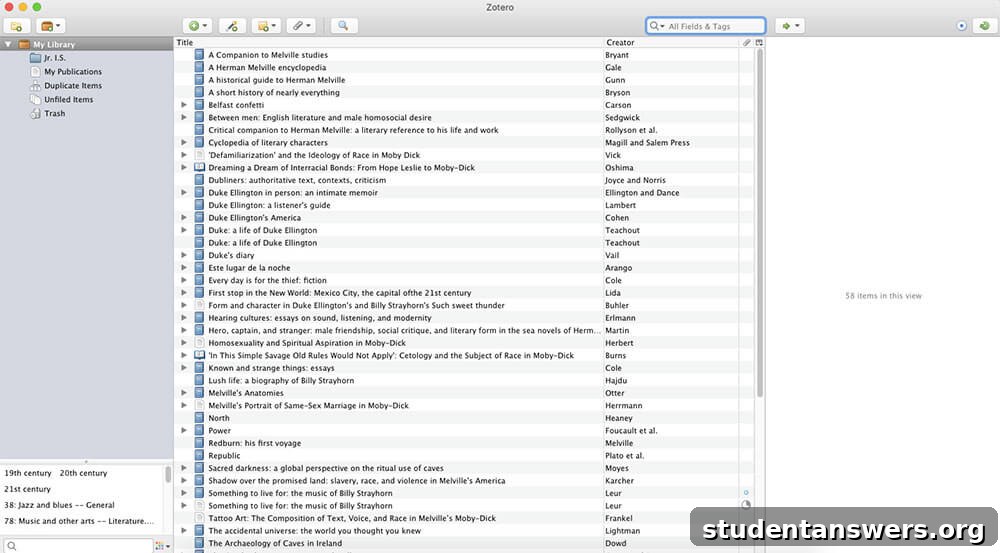
Overview: A free and open-source reference management tool for collecting, organizing, and citing academic sources.
For anyone writing a research paper, thesis, or any document that requires extensive citation, managing sources is a major headache. Zotero is a powerful tool that automates this entire process. It’s your personal research assistant.
With the Zotero browser extension, you can save sources from academic databases, library catalogs, and news websites with a single click. Zotero automatically pulls all the relevant metadata (author, title, publication date, etc.) and organizes it into a searchable library. When it’s time to write, Zotero can instantly generate a perfectly formatted bibliography or works cited page in thousands of different citation styles, including APA, MLA, and Chicago. It saves countless hours of tedious work and ensures your citations are accurate.
Price: Free
Platforms: Mac, Windows, Linux. Browser extensions for Chrome, Firefox, and Safari.
Your Brain Is the Ultimate Writing App
I hope this comprehensive guide has introduced you to a new tool that can make your writing process more focused, efficient, and enjoyable. Remember, however, that these apps are merely instruments. They can clear away distractions, help you organize your thoughts, and polish your final draft, but they cannot do the writing for you.
The most important tool in any writer’s arsenal is their own mind, and the best way to improve is through consistent practice. The path to becoming a better writer is a simple loop: write, seek feedback, learn from it, and repeat. So choose an app that fits your needs, open a new document, and start writing.