

Top Productivity Apps to Supercharge Your 2023
In today’s fast-paced world, being busy is the new normal. You have a mountain of tasks, a flood of deadlines, and only a finite amount of time to get everything done. While you could technically manage your life with a simple text file and a paper calendar, that approach is far from efficient. To truly master your time and boost your output, you need the right tools in your arsenal.
Fortunately, there are hundreds of productivity apps designed to streamline every aspect of your life, from managing complex projects to storing your most important files. The sheer volume of options can be overwhelming, making it difficult to know where to start. That’s why we’ve meticulously tested and curated this definitive guide to the best productivity apps available today. Whether you’re a student navigating coursework or a professional juggling deadlines, these tools will help you work smarter, not harder.
To-Do List Apps: Master Your Tasks
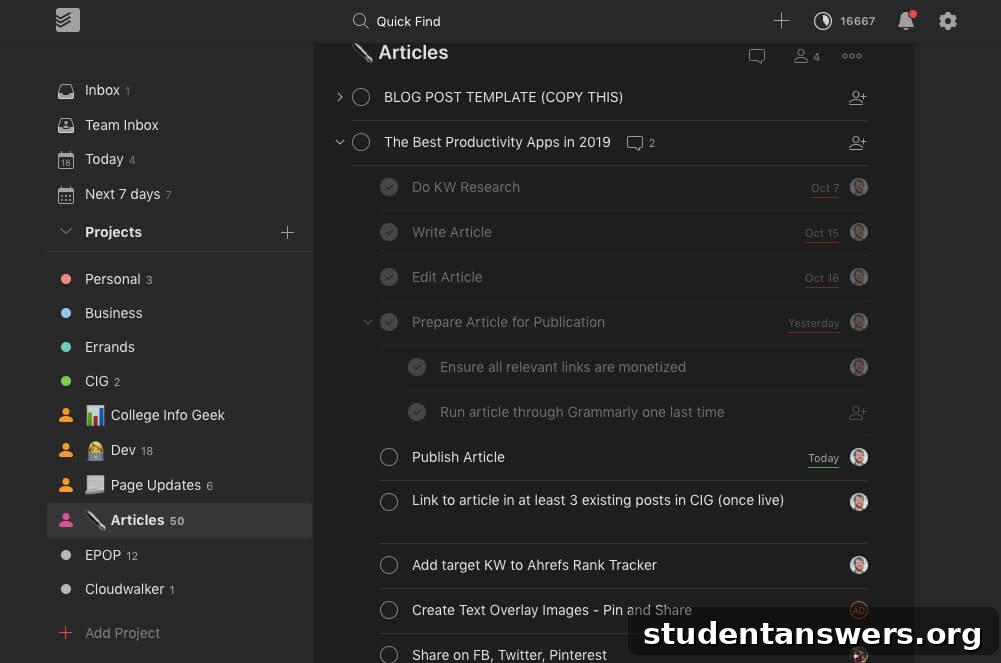
One of the most significant leaps you can make in your productivity journey is to externalize your tasks. Instead of trying to remember everything, a dedicated to-do list app ensures nothing falls through the cracks. From mundane chores like taking out the trash to critical reminders like updating your resume for a job application, a good task manager brings order to the chaos of your daily life.
Best To-Do List App: Todoist
After extensively testing numerous task managers, Todoist consistently comes out on top. Its clean, intuitive interface makes organizing your life a breeze. You can create projects for different areas like ‘Work,’ ‘Personal,’ or ‘School,’ and then break them down into nested sub-tasks for granular control. Adding new tasks is incredibly fast, taking just a few seconds.
Where Todoist truly shines is its powerful natural language processing. You can simply type “Submit project report every Friday at 5 pm,” and the app will automatically create a recurring task named “Submit project report” due every Friday at 5 pm. This feature alone saves a significant amount of time and makes task management feel effortless.
Runner-Up: TickTick
TickTick is a formidable competitor to Todoist, with a remarkably similar interface and feature set. However, it packs a few extra punches that might appeal to certain users, such as a built-in calendar view for a more visual overview of your week and an integrated habit tracker. It even includes a Pomodoro timer to help you focus. Since both apps are so capable, we recommend trying both to see which one best fits your personal workflow.
- Alternative: For a deeper dive into more options, explore comprehensive guides on the best to-do list apps available.
Calendar Apps: Own Your Time
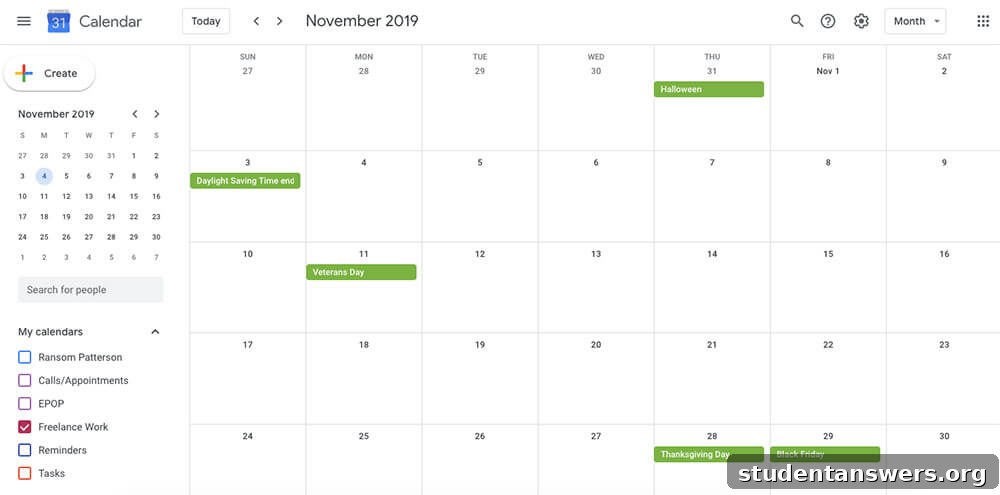
While a to-do list tracks what you need to do, a calendar tracks where you need to be and when. Effectively managing your calendar is a cornerstone of a productive life. It helps you allocate time for important tasks, schedule appointments, and maintain a clear overview of your commitments.
Best Calendar App: Google Calendar
Despite the crowded market, Google Calendar remains the undisputed champion. It’s free, universally accessible across all devices, and incredibly powerful for both individual and team use. You can manage multiple calendars with distinct color-coding (e.g., for work, personal, and family), set multiple event reminders, and seamlessly integrate it with virtually any other productivity app.
Runner-Up: SavvyCal
If you find yourself scheduling numerous meetings, SavvyCal is a game-changing tool that builds upon the foundation of Google Calendar. It streamlines the frustrating back-and-forth of finding a meeting time. SavvyCal lets you share personalized scheduling links and allows recipients to overlay their own calendars on top of yours to instantly find a mutual availability. It’s a specialized tool that solves a common productivity bottleneck.
- Alternative: Many other calendar apps offer unique features; it’s worth exploring guides to the best calendar apps to find the perfect fit for your needs.
Project Management Apps: Collaborate with Clarity
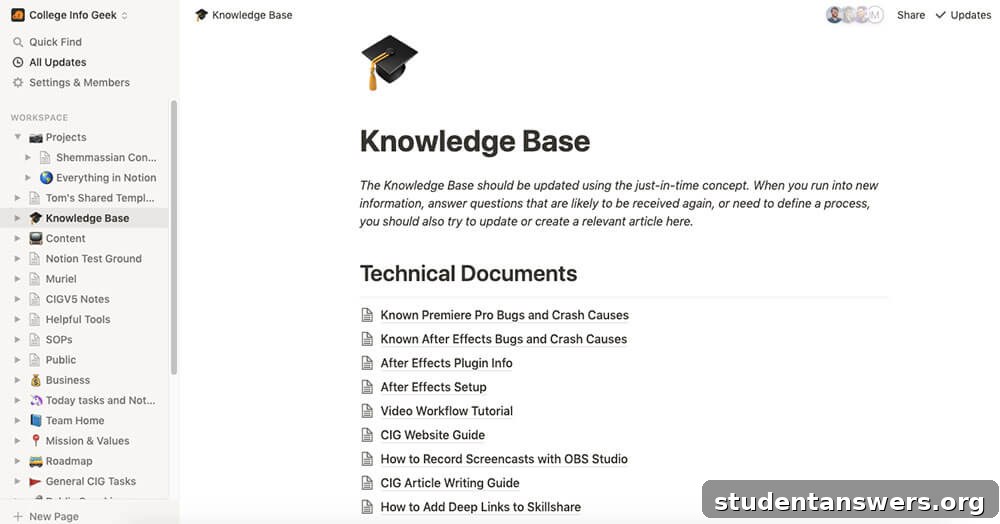
For solo work, a to-do list and a calendar might suffice. But when you’re collaborating with a team on larger, multi-stage projects, you need a more robust system. A project management app provides a central hub for communication, task assignment, and progress tracking, ensuring everyone is aligned and accountable.
Best Project Management App: Notion
Notion is more than just a project management tool; it’s an all-in-one workspace. Its incredible flexibility allows you to use it for note-taking, habit tracking, creating a personal wiki, and, of course, managing complex projects. We use it to coordinate everything from content calendars to video production workflows.
The power of Notion lies in its database functionality and customizable templates. You can create sophisticated systems with different views (Kanban boards, lists, calendars, galleries) to visualize project progress in whatever way works best for your team. Best of all, Notion offers its Personal Pro plan for free to students and educators with a .edu email address.
Runner-Up: ClickUp
As a powerful “one app to replace them all,” ClickUp is another excellent choice for project management. It offers a deep level of hierarchy and customization, making it suitable for managing large-scale projects or even an entire company’s operations. You can view tasks as lists, Kanban boards, or Gantt charts, create task dependencies, assign subtasks, and track goals, making it an incredibly versatile platform.
- Alternative: The world of project management is vast. Discover more options by checking out detailed reviews of the best project management apps.
Note-Taking Apps: Capture Every Idea
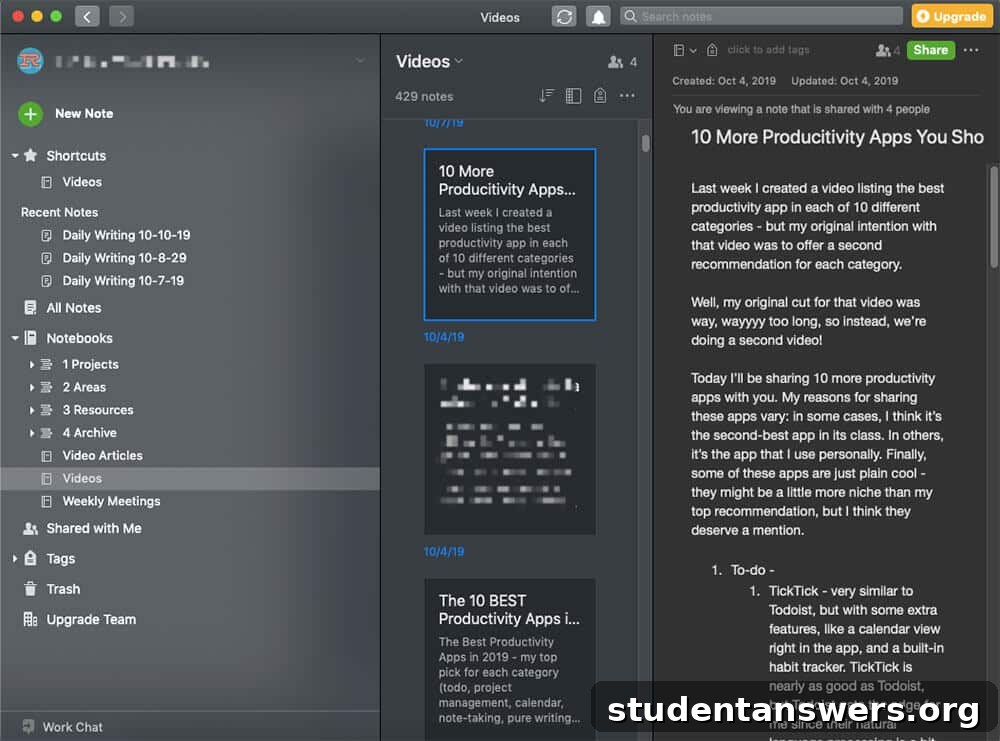
Whether you’re a student capturing lecture notes or a professional jotting down meeting minutes, a reliable note-taking system is essential. While a physical notebook has its charm, a digital app offers unparalleled organization, searchability, and accessibility across all your devices.
Best Note-Taking App: Evernote
Evernote has long been a leader in the digital note-taking space, and for good reason. It serves as your digital brain, allowing you to capture not just text but also images, audio recordings, PDFs, and web clippings. Your notes are organized into “notebooks,” which can be further grouped into “stacks.” Its powerful search functionality can even find text within images and scanned documents, ensuring you can always find what you’re looking for.
Runner-Up: OneNote
Microsoft’s OneNote is a fantastic and free alternative to Evernote. Its structure mimics a physical three-ring binder, with sections and pages that offer a free-form, canvas-like experience. You can type, draw, and place elements anywhere on the page, making it a great choice for visual thinkers. Its seamless integration with the Microsoft 365 suite is a major advantage for those already in that ecosystem.
- Alternative: Every person’s note-taking style is different. Explore a full guide to the best note-taking apps to find one that clicks with you.
Writing Apps: Craft Your Masterpiece
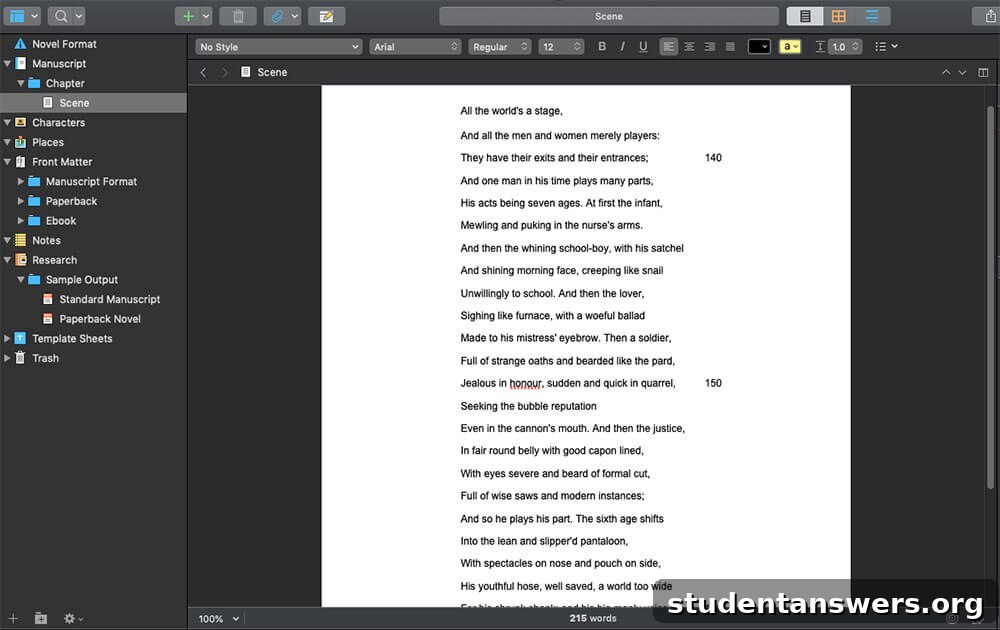
For short-form writing, a standard word processor or note-taking app is adequate. But for long-form projects like a novel, screenplay, or academic thesis, managing thousands of words, multiple chapters, and research notes becomes a monumental task. This is where dedicated writing apps provide invaluable structure and focus.
Best Writing App: Scrivener
Scrivener is the gold standard for serious writers. It’s less of a word processor and more of a complete writing studio. Its signature “binder” view lets you break down your manuscript into smaller, manageable chunks (chapters, scenes) and easily rearrange them. It also features a digital corkboard for outlining, split-screen viewing for referencing research while you write, and powerful compiling tools to export your work into various formats.
Runner-Up: Typora
If you prefer a minimalist, distraction-free writing environment, Typora is an excellent choice. It is a beautiful and functional Markdown editor that provides a seamless “what you see is what you mean” experience. Instead of seeing code and a preview pane, your Markdown formatting is rendered live as you type, allowing you to focus purely on the words. While it lacks Scrivener’s robust organizational features, its simplicity is its greatest strength.
- Alternatives: Google Docs is perfect for collaborative, cloud-based writing, while Microsoft Word remains a powerful tool, especially for documents intended for print.
Habit Trackers: Build a Better You
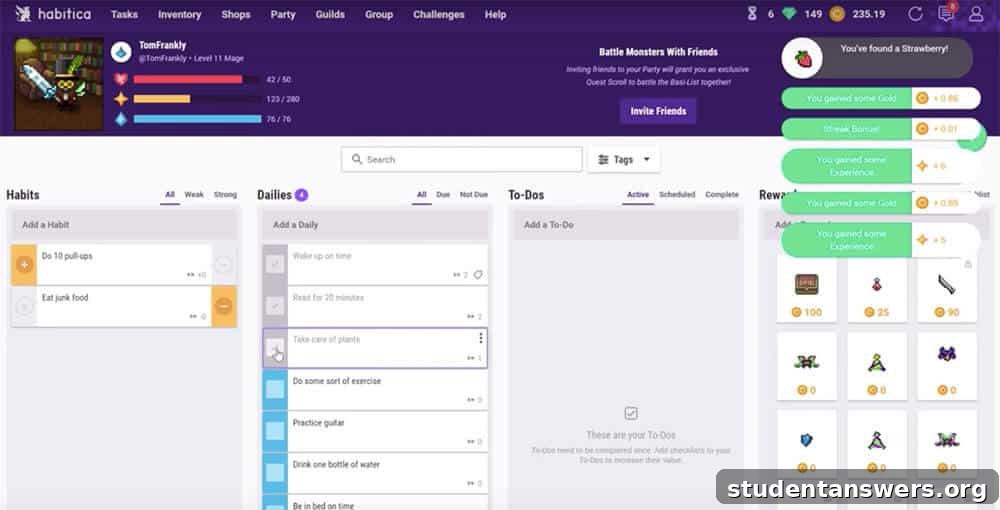
True, long-term productivity isn’t built on fleeting moments of motivation; it’s forged through consistent habits. However, establishing new routines can be challenging. A habit tracking app provides the structure, motivation, and visual feedback needed to make new behaviors stick until they become second nature.
Best Habit Tracker: Habitica
Habitica transforms the often tedious process of habit-building into a fun role-playing game (RPG). You create an avatar that levels up and earns gear as you complete your real-life habits and tasks. To add a layer of social accountability, you can join a “party” with friends to fight monsters together. If you skip a habit, your character—and your entire party—takes damage, providing a powerful incentive to stay on track.
Runner-Up: Habitify
For those who prefer a more data-driven approach, Habitify offers a beautifully designed and straightforward experience. It allows you to track your streaks and completion rates with insightful charts and graphs. Seeing your progress visually can be a powerful motivator, and its simple, clean interface makes it easy to check in with your habits daily.
Time Tracking Apps: Understand Where Your Day Goes
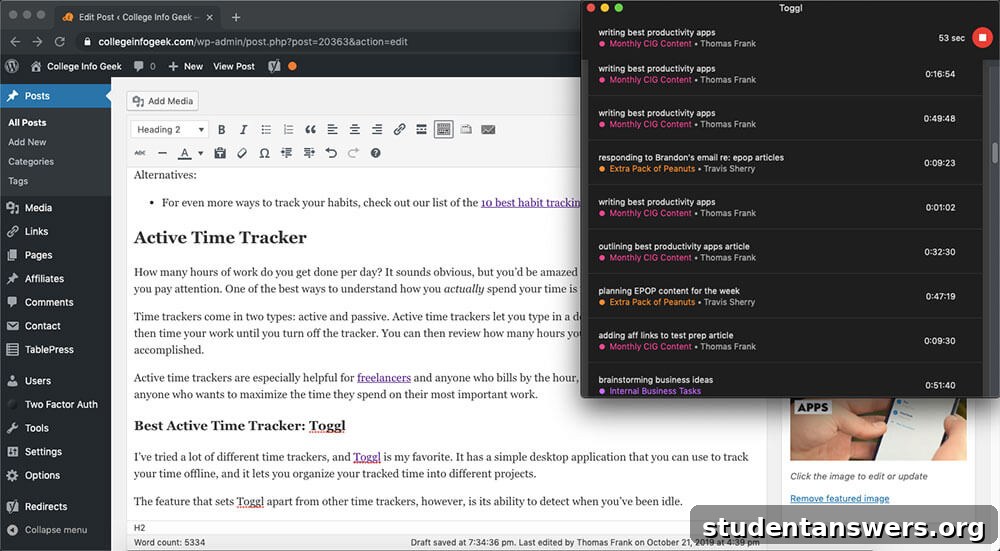
You might think you know how you spend your work hours, but the reality is often surprising. Time tracking is a powerful diagnostic tool that reveals exactly where your time goes, helping you identify time-wasting activities and dedicate more hours to what truly matters. There are two main types: active and passive trackers.
Best Active Time Tracker: Toggl Track
Toggl Track is our favorite active time tracker due to its simplicity and power. You simply type what you’re working on and start the timer. You can assign time entries to different projects and clients, generating detailed reports later. Its standout feature is idle detection; if you step away from your computer, Toggl will notice and ask if you want to discard the idle time, ensuring your data remains accurate.
Best Passive Time Tracker: RescueTime
If you don’t want the hassle of manually starting and stopping a timer, a passive tracker like RescueTime is the perfect solution. It runs securely in the background on your computer and mobile devices, automatically tracking the time you spend on different apps and websites. It then categorizes this activity and provides you with a “Productivity Score” and detailed reports, offering an eye-opening look at your digital habits.
Anti-Distraction Tools: Reclaim Your Focus
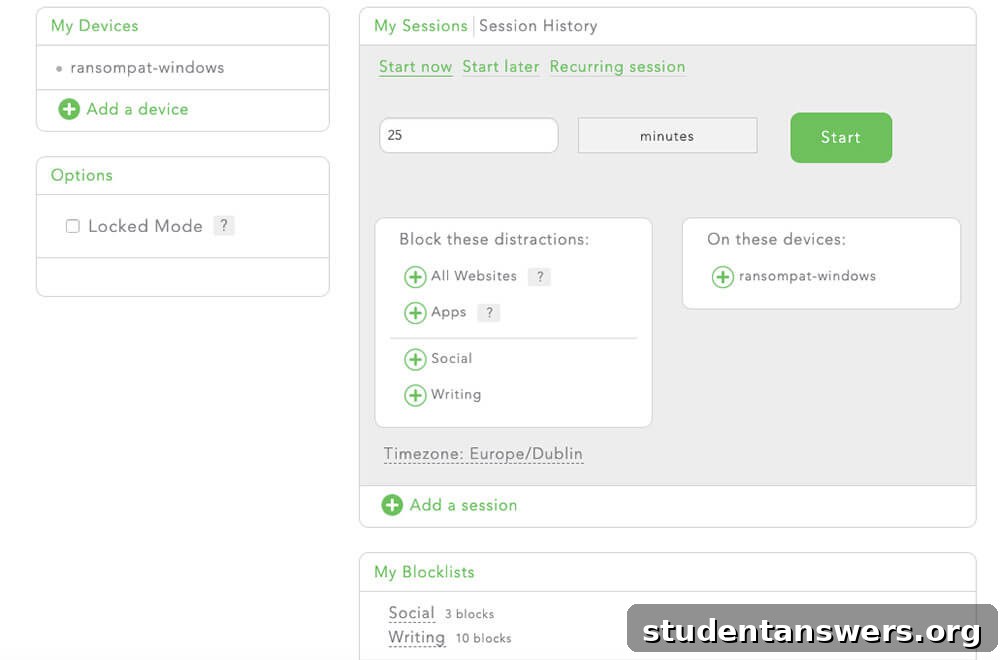
In a world of constant notifications and endless digital temptations, focus is a superpower. After tracking your time, you may realize that distractions are derailing your productivity more than you thought. Anti-distraction apps help you take back control by actively blocking the websites and applications that pull you away from deep work.
Best Anti-Distraction Tool: Freedom
Freedom is the most powerful and flexible distraction blocker on the market. It allows you to create custom blocklists of websites and apps and then start a blocking session across all your devices—Mac, Windows, Android, and iOS—simultaneously. You can schedule recurring sessions to protect your work hours automatically. For serious focus, its “Locked Mode” prevents you from ending a session early, forcing you to stick to your commitments.
Runner-Up: Forest
If your smartphone is your primary source of distraction, Forest offers a creative and rewarding solution. When you want to focus, you plant a virtual tree in the app. The tree grows as long as you stay off your phone. If you leave the app before the timer is up, the tree withers and dies. Over time, you cultivate a beautiful forest, a visual representation of your focused, productive time.
Cloud Storage & Sync Apps: Access Files Anywhere
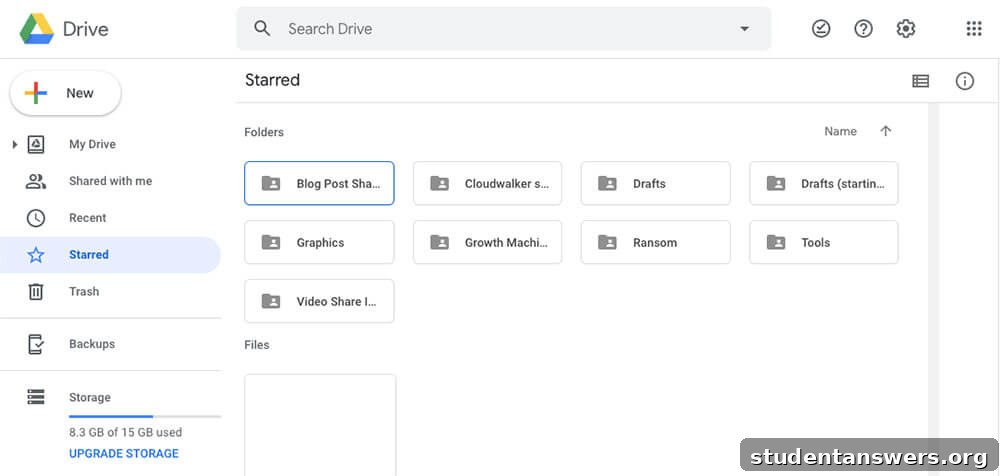
Storing important files on a single device is a recipe for disaster. A computer crash, theft, or simply leaving your laptop at home can bring your work to a halt. A cloud sync app solves this by storing your files securely online, making them accessible from any device and protecting them from data loss.
Best Cloud Sync App: Google Drive
Google Drive is our top recommendation primarily due to its generous free tier, which offers 15GB of storage—more than most competitors. It integrates seamlessly with Google’s suite of productivity tools (Docs, Sheets, Slides), making collaboration effortless. Its desktop and mobile apps work flawlessly to keep your files synced across all your devices.
Runner-Up: Dropbox
As a pioneer in cloud storage, Dropbox remains a fantastic and reliable choice. Its syncing technology is exceptionally fast and efficient, particularly for large files. While its free plan is less generous (2GB), its user-friendly interface and robust performance make it a favorite for many individuals and businesses.
Cloud Backup Apps: Protect Your Digital Life
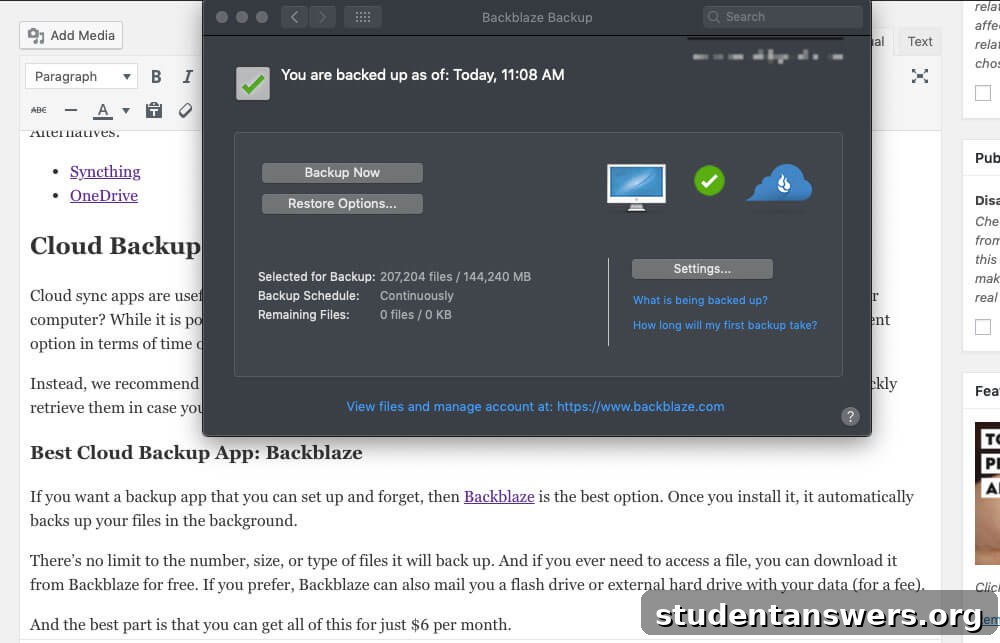
Cloud sync is for your active working files, but what about your entire computer? A dedicated cloud backup app works in the background to create a complete, secure copy of all your files in the cloud. This provides a critical safety net, allowing you to restore everything in case of a catastrophic hardware failure, loss, or theft.
Best Cloud Backup App: Backblaze
Backblaze is the epitome of “set it and forget it” peace of mind. For a low, flat monthly fee, it automatically backs up an unlimited amount of data from your computer. There are no file size limits or restrictions. After the initial setup, you never have to think about it again until you need to restore a file—or your entire hard drive—which you can do easily via a web download or by having them mail you a physical drive.
Password Managers: Secure Your Accounts
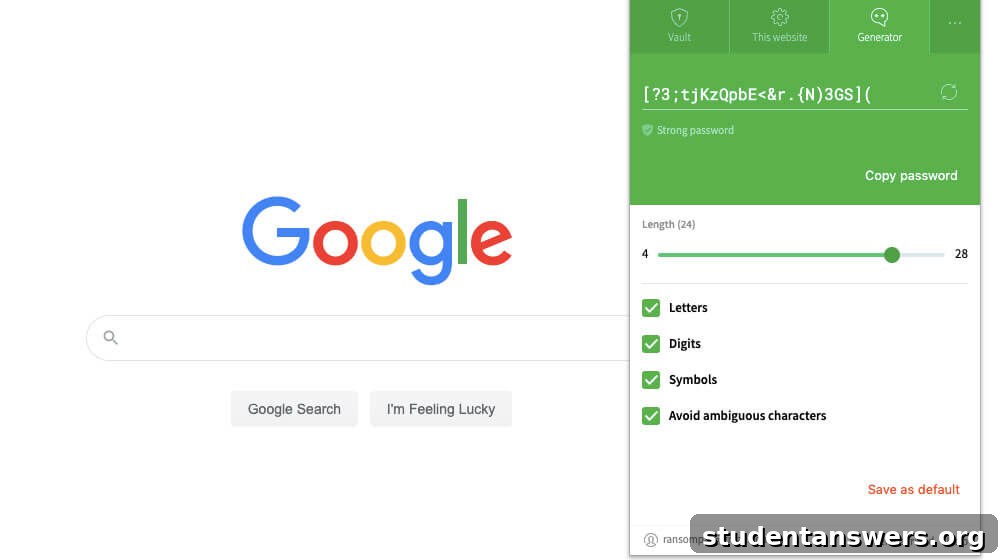
In today’s digital world, password security is non-negotiable. Using weak or repeated passwords across multiple sites is a massive security risk. A password manager solves this problem by generating long, unique, and complex passwords for every account, storing them in a secure encrypted vault, and automatically filling them in for you. All you have to remember is one single master password.
Best Password Manager: Dashlane
Dashlane provides a seamless and highly secure experience for managing your digital identity. It excels at generating strong passwords, storing them securely, and auto-filling them on websites and apps. Beyond password management, Dashlane offers valuable features like a security dashboard that alerts you to compromised passwords, dark web monitoring, and even a built-in VPN for secure browsing on public Wi-Fi.
Runner-Up: LastPass
LastPass is another top-tier password manager that offers a robust set of features. It reliably generates and stores passwords, accessible via a single master password. While its form-filling can occasionally be less consistent than Dashlane’s, it remains an excellent and widely trusted option for securing your online accounts.
Productivity is a System, Not Just a Tool
This guide offers a comprehensive toolkit to help you tackle any task and organize every aspect of your life. We encourage you to experiment with these apps to find the ones that best suit your unique needs and workflow. However, it’s crucial to remember that true productivity isn’t about finding the perfect app.
Apps are merely tools. The real transformation comes from building effective systems, cultivating positive habits, and developing a mindful approach to your work. Use these applications to support a solid productivity framework, and you’ll be well on your way to achieving your goals with less stress and more focus.