

The art of taking notes was once a straightforward affair. You would unfurl a scroll of parchment, dip your quill into a pot of ink, and let the words flow. It was simple, tactile, and effective.
But then, a wave of innovation swept through, and the simplicity of note-taking became a relic of the past. Suddenly, the world was filled with choices: different models of typewriters, competing keyboard layouts, and the clatter of mechanical keys. The process became more complex.
The arrival of the personal computer marked another seismic shift. Graphical user interfaces (GUIs) brought dozens of writing applications, each with its own quirks and features. Then, the internet connected everything, introducing cloud syncing and collaborative editing to the mix.
Fast forward to today, and we are faced with a seemingly infinite landscape of tools and applications designed for capturing our thoughts. This abundance of choice can be paralyzing. How do you possibly select the one that’s right for you?
Fortunately, we’ve navigated this complex world for you. After rigorously testing dozens of applications, examining every feature from the core writing experience and keyboard shortcuts to collaboration and sharing capabilities, we have compiled the definitive guide to the best note-taking apps available today.
Continue reading to discover the perfect tool tailored to your needs, your devices, and your budget. Find the app that will transform the way you organize your life and ideas.
The 11 Best Note-Taking Apps of 2024
1. Notion
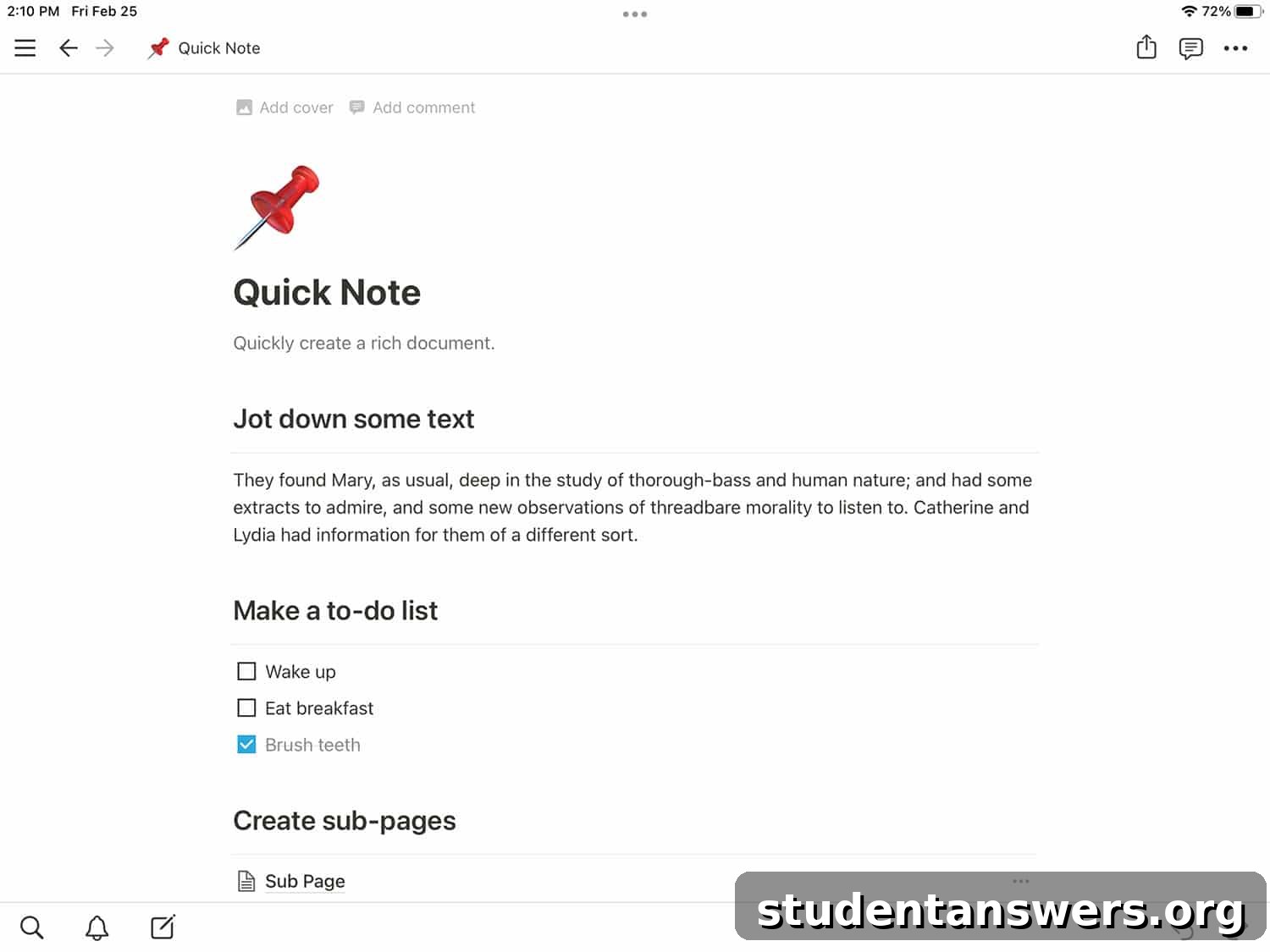
Overview: Notion is not just a note-taking app; it’s an all-in-one workspace. It provides a uniquely powerful, database-driven experience that sets it apart from nearly every other tool on the market. It’s a modular productivity system that lets you build the exact tools you need, from a simple to-do list to a complex project management dashboard.
Pros:
- Unmatched Flexibility: Notion pages are like digital Lego bricks. You can mix and match text, headings, databases, images, and over 50 other block types to create any layout you can imagine. Its template engine is incredibly powerful, allowing you to duplicate complex page structures with a single click.
- Powerful Databases: This is Notion’s killer feature. Tables in Notion are more than just grids of cells; they are relational databases. Each row in a table is its own full-fledged Notion page. You can create different views of the same database, such as a Kanban board, a calendar, a gallery, or a timeline, making it perfect for managing projects, content calendars, or personal CRMs.
- Hierarchical Organization: Notion excels at nested organization. You can place pages inside of pages, infinitely deep. This allows for the creation of personal wikis and highly structured knowledge bases. The toggle feature also lets you hide information within a dropdown, keeping your pages clean and focused.
- Free and Generous Personal Plan: For individual users, Notion’s free plan is incredibly robust. It offers unlimited pages and blocks, and the previous upload limit has been significantly increased, making it more than enough for most personal note-taking and organization needs.
Cons:
- Steep Learning Curve: With great power comes a significant learning curve. New users can feel overwhelmed by the sheer number of features and the “blank canvas” approach. It takes time and effort to understand how to best leverage Notion’s capabilities.
- Reliant on Internet Connection: While Notion has improved its offline capabilities, its performance is still best with a stable internet connection. Heavy users may experience some lag or syncing issues when working offline for extended periods.
Price: Free (for Personal use) | Paid plans start at $8/user/month
Platforms: Android, iOS, Mac, Windows, Web
2. Evernote
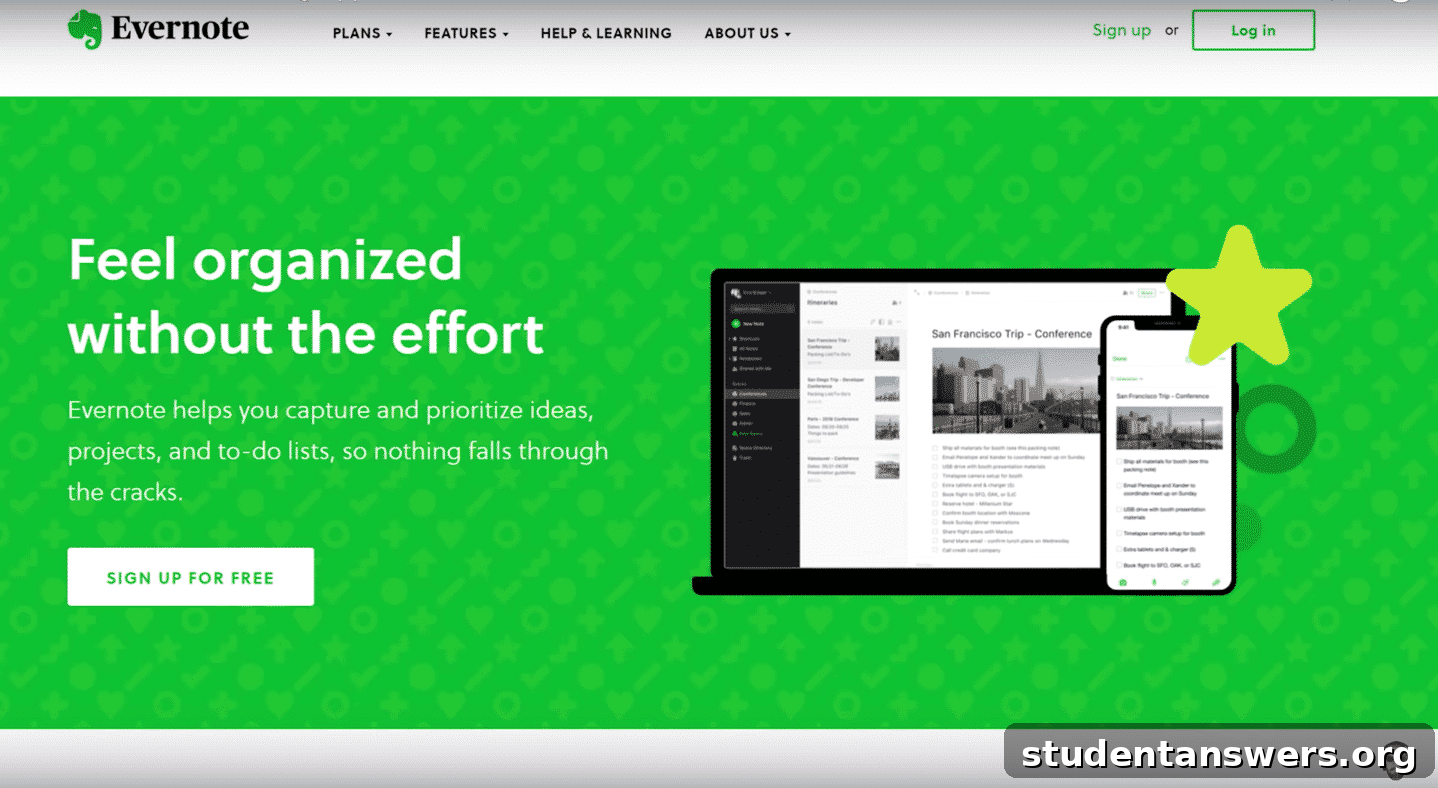
Overview: Evernote is one of the original pioneers in the digital note-taking space. It’s a cross-platform powerhouse designed to capture everything. Think of it as your digital filing cabinet, excellent for clipping web articles, scanning documents, and organizing a wide array of information formats.
Pros:
- Capture Everything: Evernote’s strength lies in its ability to handle diverse file formats. You can save PDFs, images, audio notes, and entire web pages. Its powerful web clipper is arguably the best in the business, allowing you to save articles cleanly and without clutter.
- Excellent Document Scanning: The mobile app features a fantastic scanner. You can use it to digitize handwritten notes, receipts, whiteboards, and book pages. Its Optical Character Recognition (OCR) technology makes the text within these scanned documents and images searchable, which is incredibly useful for research.
- Robust Search Capabilities: Finding what you need in Evernote is easy. The search function is fast and comprehensive, looking through your note titles, body text, and even the text inside your attached documents and images. Advanced search syntax allows for highly specific queries.
Cons:
- Restrictive Free Plan: In recent years, Evernote’s free plan has become very limited. It now restricts users to just two devices and has a small monthly upload limit, pushing most serious users towards a paid subscription.
- Dated Interface and Organization: While functional, the organization system (Stacks -> Notebooks -> Notes) can feel a bit rigid compared to more modern apps that use tags and bi-directional linking. The user interface, while improved, can sometimes feel less intuitive than newer competitors.
- Cost: The premium plans can be expensive, especially for students or individual users on a tight budget. Many of the app’s most powerful features, like OCR and a higher upload limit, are locked behind the paywall.
Price: Free (Limited) | Paid plans start at $14.99 / month
Platforms: Android, iOS, Mac, Windows, Web
3. Microsoft OneNote
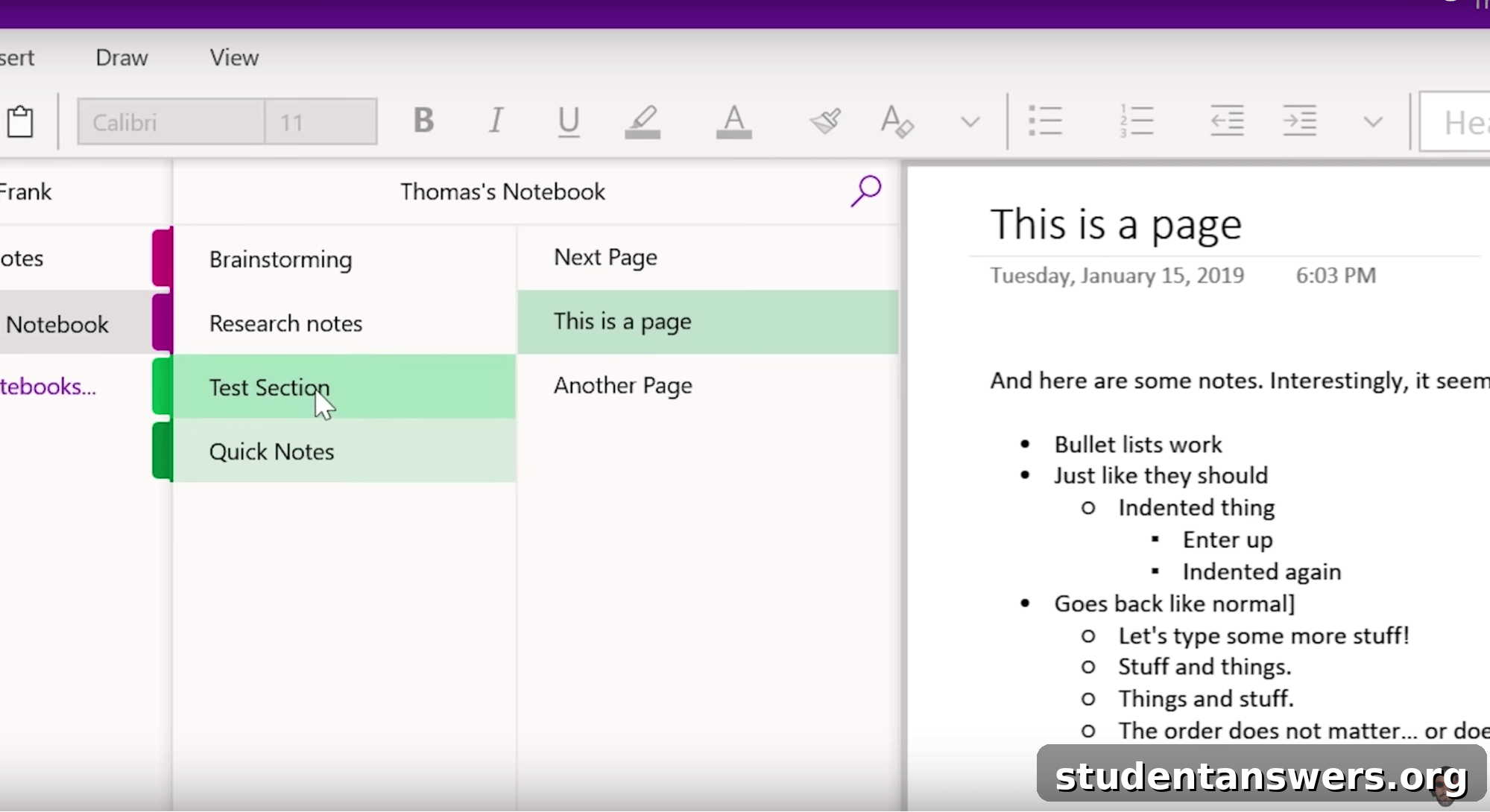
Overview: As Microsoft’s answer to Evernote, OneNote offers a comprehensive, free, and cross-platform note-taking solution. Its free-form canvas approach mimics a physical notebook, giving users immense flexibility in how they structure their notes.
Pros:
- Completely Free: OneNote’s biggest advantage is that its full feature set is available for free. There are no premium tiers or subscription fees. You get unlimited notes, syncing across unlimited devices, and access to all its powerful tools without paying a dime.
- Flexible Canvas: Unlike most note-taking apps that are structured like a word processor, OneNote offers a freeform canvas. You can click anywhere and start typing, insert images, draw sketches, and embed files wherever you like. This makes it fantastic for visual thinkers and for taking non-linear lecture notes.
- Deep Microsoft Office Integration: If you live in the Microsoft ecosystem, OneNote is a natural fit. It integrates seamlessly with other Office apps like Word, Excel, and Outlook, allowing you to embed spreadsheets or convert emails into notes with ease.
Cons:
- Cluttered Interface: The sheer number of features can make the interface feel busy and overwhelming for new users. The organizational metaphor (Notebooks, Sections, Pages) is spread across different parts of the screen, which can be confusing.
- Inconsistent Syncing: While generally reliable, OneNote can sometimes have issues with syncing, especially with large notebooks or those containing many attachments. It can be slower to sync than some of its competitors.
- Limited Tagging: The tagging system in OneNote is more like a set of predefined icons (e.g., To-Do, Important, Question) rather than a flexible, user-created tagging system found in apps like Bear or Evernote.
Price: Free (Included with a Microsoft account)
Platforms: Android, iOS, Mac, Windows, Web
4. Roam Research
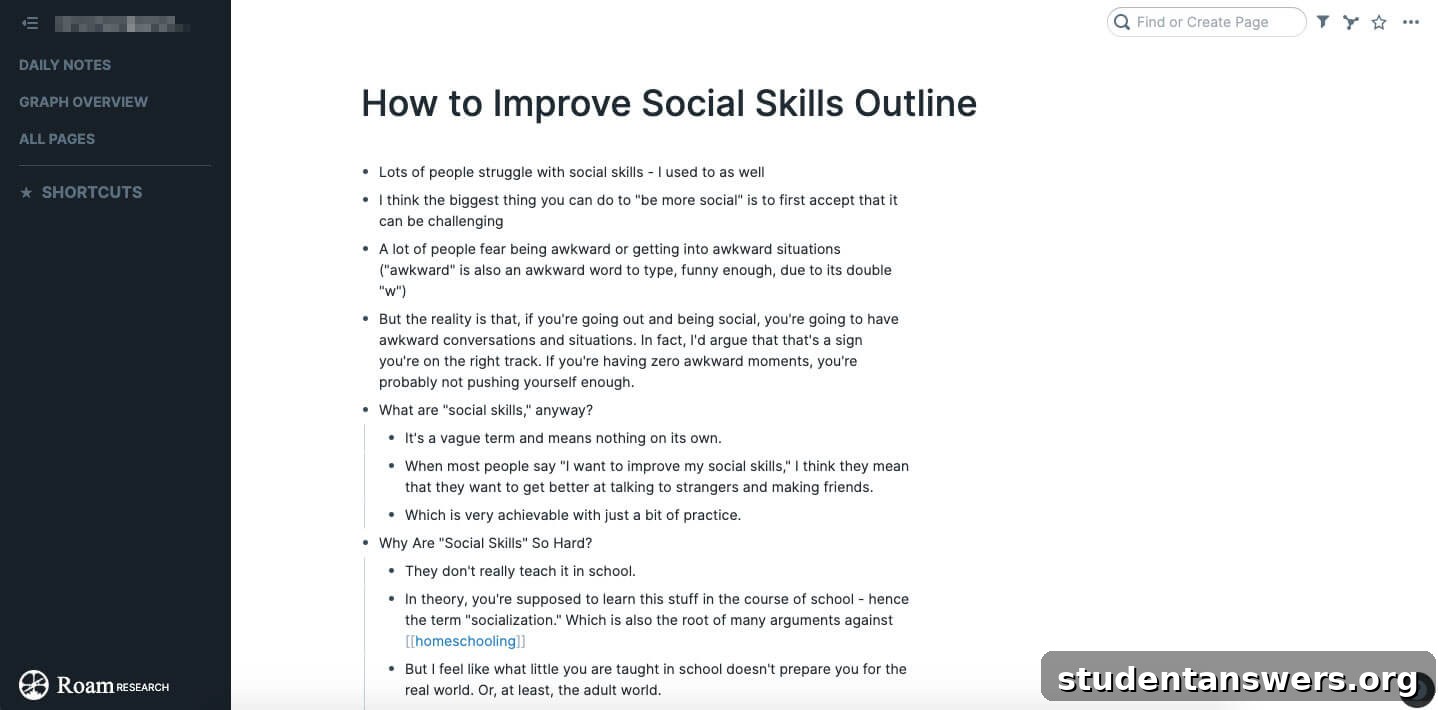
Overview: Roam Research is a tool designed for “networked thought.” It revolutionizes organization by moving away from traditional folders and tags. Instead, it allows you to effortlessly create links between your notes, building a web of interconnected knowledge that mirrors how your brain works.
Pros:
- Bi-Directional Linking: This is Roam’s core innovation. When you link to another note (or “Page”), Roam automatically creates a link back on the referenced page. This makes it incredibly easy to discover connections between ideas that you might have otherwise missed.
- The Daily Note: Roam encourages a habit of daily journaling and note-taking by presenting you with a fresh “Daily Note” page each day. This becomes a frictionless starting point for capturing thoughts, tasks, and meeting notes as they happen.
- Graph Overview: Roam allows you to visualize the connections between your notes as a neural network-style graph. This provides a fascinating and insightful high-level view of your knowledge base, revealing clusters of related ideas and central concepts.
- Outlining Focus: Every note in Roam is an outline. This bullet-point-based structure encourages breaking down complex topics into smaller, more digestible pieces, which is excellent for learning and clear thinking.
Cons:
- Very Expensive: At $15 per month, Roam is one of the most expensive note-taking apps on the market. This high price point can be a significant barrier for many potential users.
- Significant Learning Curve: The philosophy behind Roam is different from traditional note-taking apps. It takes time to learn the specific syntax and to shift your mindset to a networked approach.
- Web-Only and Requires Connection: Roam Research primarily operates in the browser and requires an internet connection. While it has some offline caching, it is not designed as an offline-first application.
Price: $15 / month (after a 14-day free trial)
Platforms: Web, with desktop wrappers for Mac, Linux, Windows
5. Bear
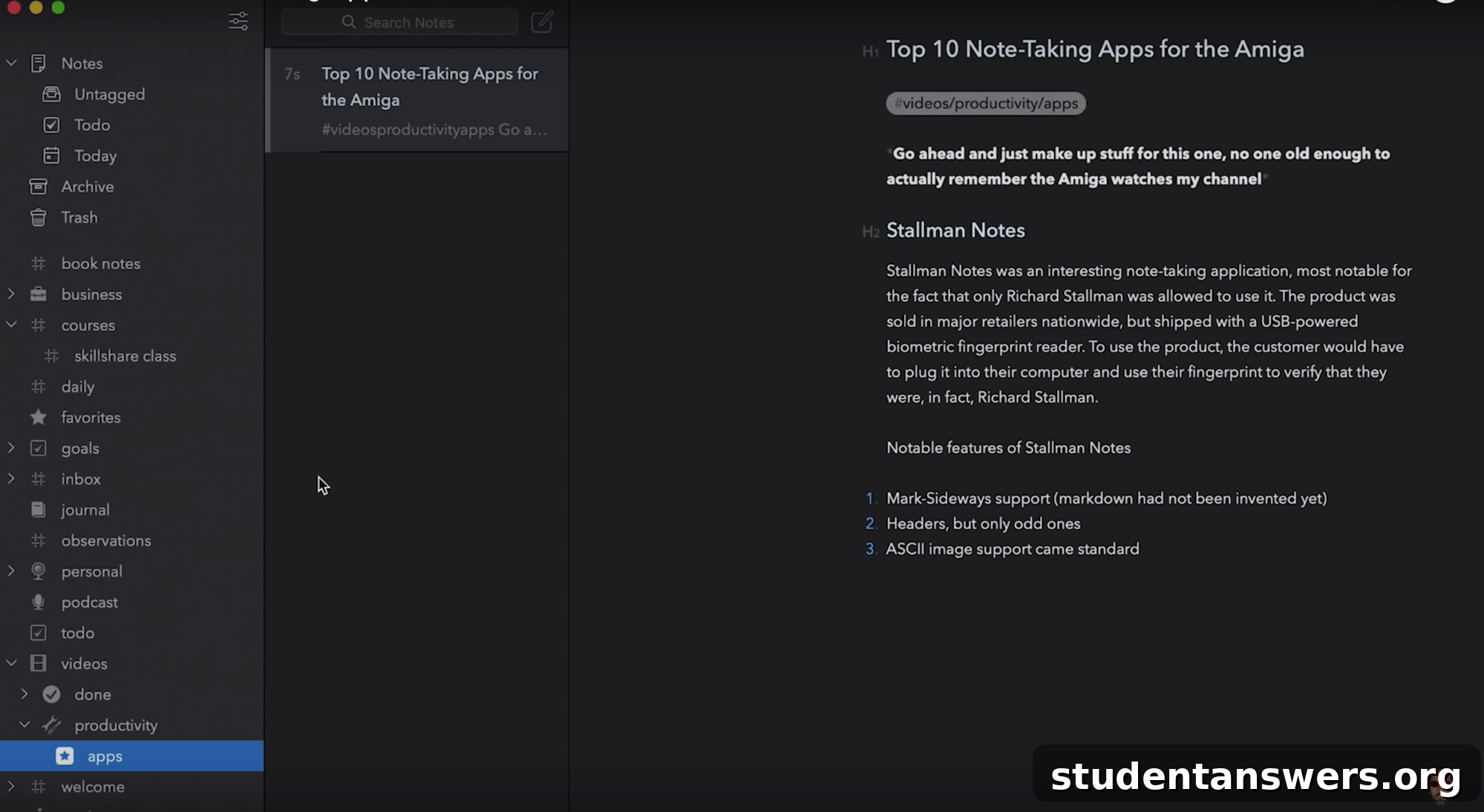
Overview: For users within the Apple ecosystem, Bear offers a beautiful, fast, and fluid writing experience. It combines a powerful Markdown editor with a simple yet effective tag-based organization system, making it a favorite among writers and developers.
Pros:
- Elegant Writing Experience: Bear is a joy to write in. Its interface is clean, minimalist, and highly polished. The hybrid Markdown editor formats your text as you type, providing a seamless “what you see is what you get” experience without distracting syntax.
- Flexible Tag-Based Organization: Instead of folders, Bear uses a clever tagging system. You can add tags anywhere in your note using hashtags (e.g., #work/projects/alpha). This creates a nested hierarchy in the sidebar, allowing for a flexible and multi-dimensional organizational structure.
- Blazing Fast and Lightweight: The app is native to Apple’s platforms, which makes it incredibly fast and responsive. Search is instantaneous, and the app feels nimble and lightweight, even with thousands of notes.
- Beautiful Themes: The premium version unlocks a variety of beautifully designed themes, allowing you to customize the look and feel of the app to suit your personal style.
Cons:
- Apple Exclusive: The biggest drawback of Bear is its limitation to Mac, iPhone, and iPad. There is no support for Windows, Android, or the web, making it a non-starter for anyone who uses non-Apple devices.
- Syncing Requires Subscription: While the app is free to use on a single device, syncing notes between your Mac and iPhone requires a Bear Pro subscription, which is very reasonably priced.
Price: Free (without sync) | Bear Pro is $2.99 / month or $29.99 / year
Platforms: iOS, Mac
6. Apple Notes
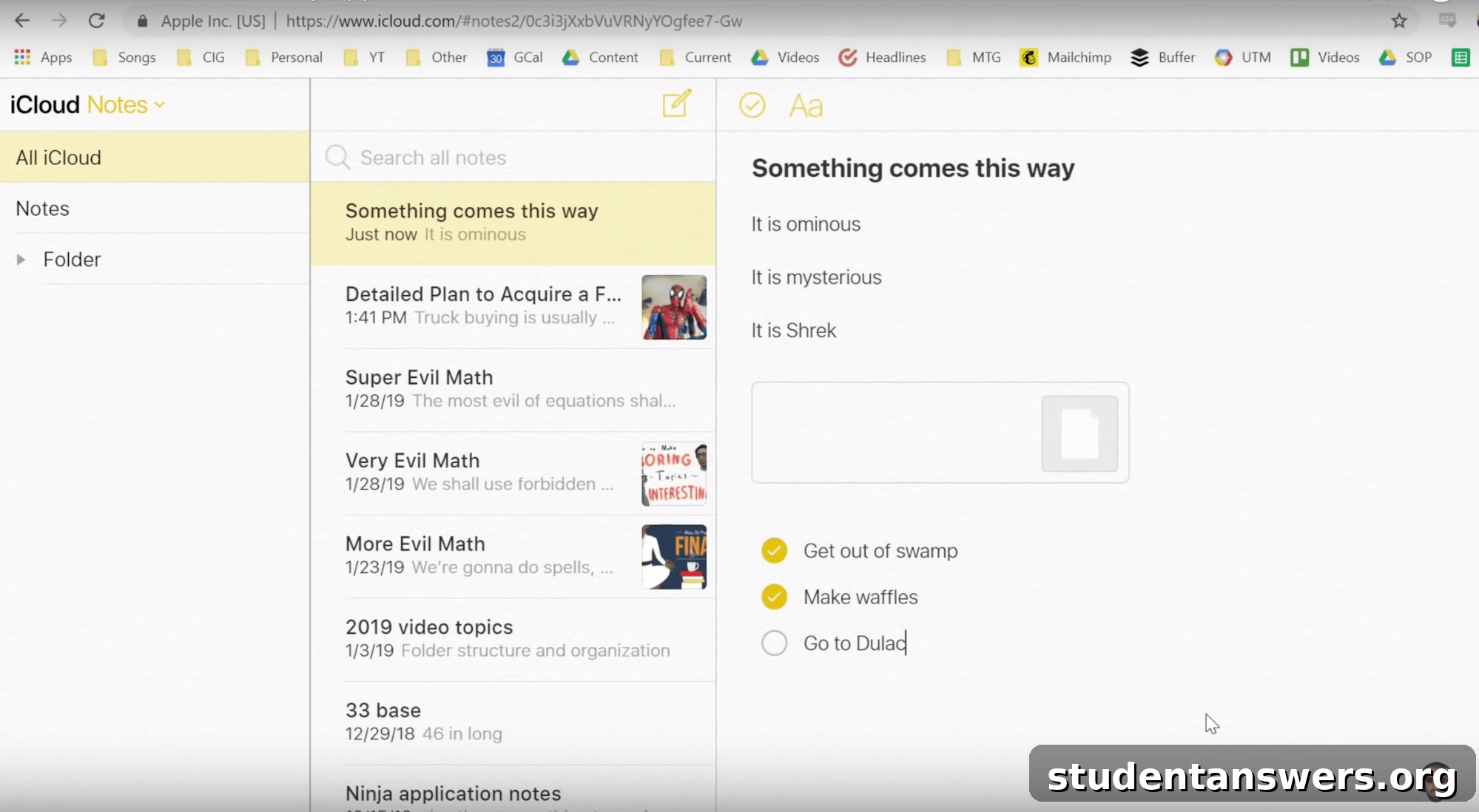
Overview: Once a very basic utility, Apple Notes has evolved into a surprisingly powerful and capable note-taking app. It comes pre-installed on every Apple device, offering robust organization, solid formatting tools, and seamless iCloud syncing for free.
Pros:
- Free and Perfectly Integrated: As a native Apple app, it’s completely free and works flawlessly across Mac, iPhone, and iPad. The iCloud sync is fast and reliable, ensuring your notes are always up-to-date everywhere.
- Powerful Features: Apple Notes includes features that you often have to pay for in other apps. This includes document scanning, robust table creation, checklists, sketching tools with Apple Pencil support, and the ability to add attachments.
- Good Organization: You can organize notes into folders and even create nested sub-folders for a hierarchical structure. The recent addition of tags and Smart Folders has made organization even more flexible and powerful.
- Collaboration: Sharing and collaborating on notes is simple. You can share a note or an entire folder with others via a link, and everyone can see changes in real-time.
Cons:
- Apple Ecosystem Only: Similar to Bear, its biggest weakness is its greatest strength: it’s only for Apple users. While there is a limited web version on iCloud.com, the experience is subpar compared to the native apps.
- No Markdown Support: Apple Notes uses a rich text editor. For users who prefer the speed and precision of writing in Markdown, its absence is a notable omission.
Price: Free
Platforms: iOS, Mac, Web (via iCloud)
7. Google Keep
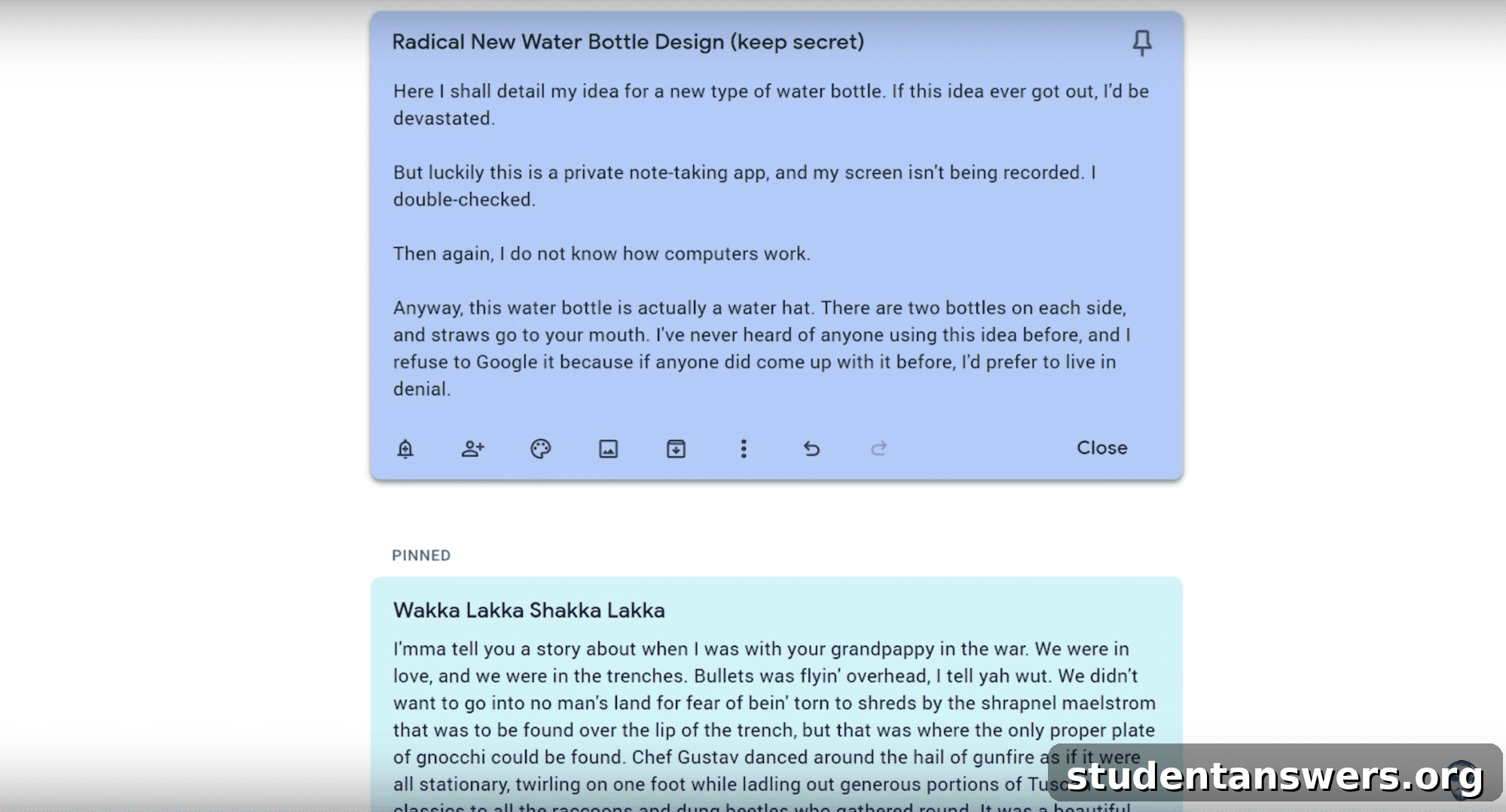
Overview: Google Keep is the digital equivalent of a handful of sticky notes and a whiteboard. It’s designed for capturing quick thoughts, lists, and reminders effortlessly. It is simple, fast, cross-platform, and integrates perfectly into the Google ecosystem.
Pros:
- Simplicity and Speed: Keep’s interface is incredibly straightforward. It’s designed for speed—open the app, type your thought, and you’re done. The colorful, card-based layout makes it easy to see your notes at a glance.
- Excellent for Quick Capture: It’s the perfect tool for jotting down grocery lists, quick reminders, or fleeting ideas you don’t want to forget. You can also create voice notes that Google will transcribe for you.
- Seamless Google Integration: Keep is accessible directly from the sidebar in Gmail, Google Calendar, and Google Docs, making it easy to drag and drop notes into emails or documents. Reminders set in Keep can appear in your Google Assistant feed.
- Completely Free and Cross-Platform: Like most Google services, Keep is free and available on every platform, including a great web app and mobile apps for Android and iOS.
Cons:
- Lacks Advanced Organization: Keep’s organization is limited to labels (tags) and colors. There are no folders, notebooks, or hierarchical structures. This makes it unsuitable for managing large, complex projects or building a detailed knowledge base.
- Poor for Long-Form Writing: The note interface is not designed for writing long articles or detailed documents. Formatting options are extremely basic.
Price: Free
Platforms: Android, iOS, Web
8. Standard Notes
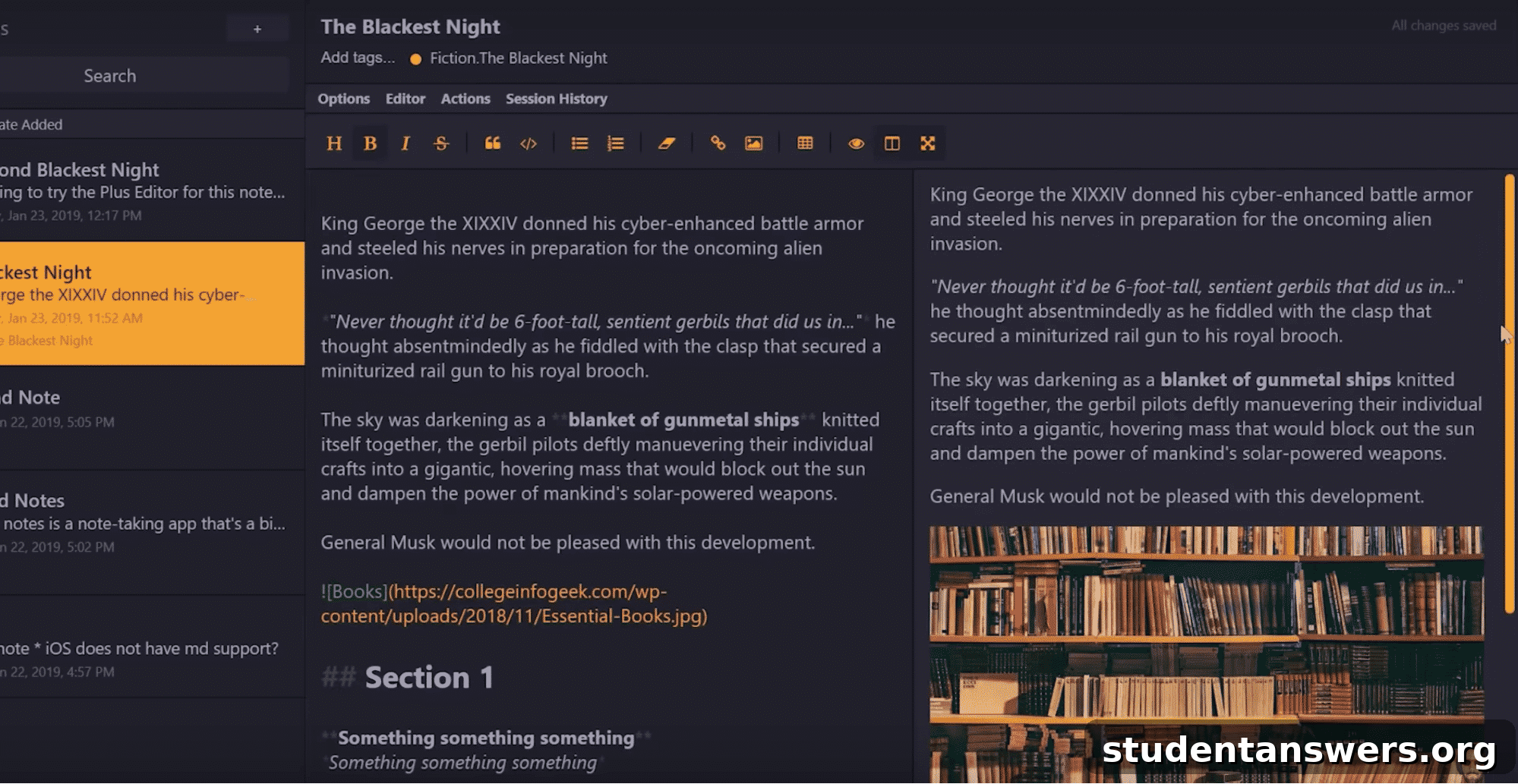
Overview: For the privacy-conscious, Standard Notes is the ultimate solution. It is a simple, open-source, and completely private note-taking application. Its core philosophy is built around longevity and security, ensuring your notes are safe and accessible only to you, forever.
Pros:
- Unbreakable Security: Standard Notes uses end-to-end encryption for everything you write. This means that no one—not even the company itself—can read your notes. Only you, with your password, can decrypt and access your data.
- Free and Functional: The free version provides the core secure note-taking experience, which is more than enough for many users who simply want a private place to store their plain text notes.
- Extensible with a Paid Plan: The paid subscription unlocks powerful extensions, including different editor types (like Markdown and a rich text editor), themes, and cloud backup integrations (like Dropbox and Google Drive).
- Available Everywhere: It supports all major platforms, including Windows, Mac, Linux, iOS, and Android, ensuring you can access your secure notes from any device.
Cons:
- Barebones Free Version: The free app only supports plain text. If you want any formatting, such as bold, italics, or checklists, you must upgrade to a paid plan.
- No In-App Image Hosting: Standard Notes does not directly host images. You can embed images from a public URL, but you cannot upload them directly to a note, which can be cumbersome.
Price: Free (for basic features) | Paid plans start at $9.99 / month
Platforms: Android, iOS, Linux, Mac, Windows, Web
9. Obsidian
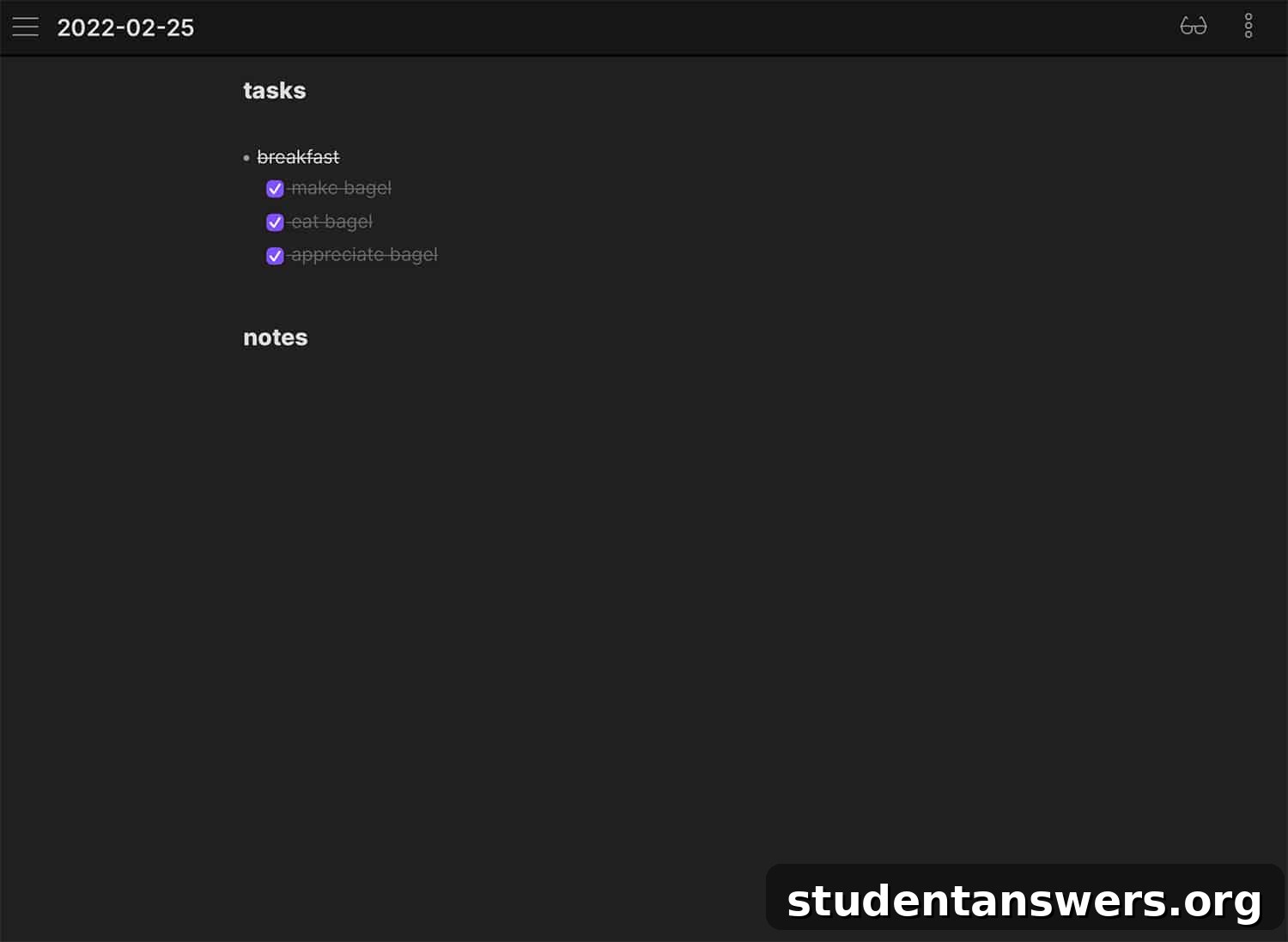
Overview: Obsidian is a powerful knowledge base that works on top of a local folder of plain text Markdown files. Like Roam Research, it facilitates networked thought through linking, but with a crucial difference: you are always in control of your data.
Pros:
- Local-First and Future-Proof: Your notes are stored as simple Markdown files on your computer. This means you own your data completely. If Obsidian ever disappears, you’ll still have all your notes in a universally readable format.
- Highly Customizable: Obsidian’s core experience can be extended with a vast library of community-built plugins. You can add features like calendars, Kanban boards, and advanced tables, tailoring the app to your exact workflow. You can also customize its appearance with CSS.
- Powerful Linking and Graph View: Obsidian has excellent support for bi-directional linking and visualizing your knowledge graph, helping you to connect ideas and build a personal “second brain.”
- Works Offline: Since all your files are stored locally, Obsidian works perfectly offline. You never need an internet connection to access or edit your notes.
Cons:
- Syncing Costs Extra: The core app is free for personal use, but if you want the official, seamless end-to-end encrypted sync service between your devices, you’ll need to pay for Obsidian Sync. (Though free, community-supported sync methods exist for tech-savvy users).
- Requires More Setup: Because it’s a local-file system, you are responsible for managing your files and folder structure. It’s less of a “pick-up-and-go” solution than a cloud-based app like Notion.
Price: Free (for personal use) | Obsidian Sync is $10 / month
Platforms: Android, iOS, Linux, Mac, Windows
10. Ulysses
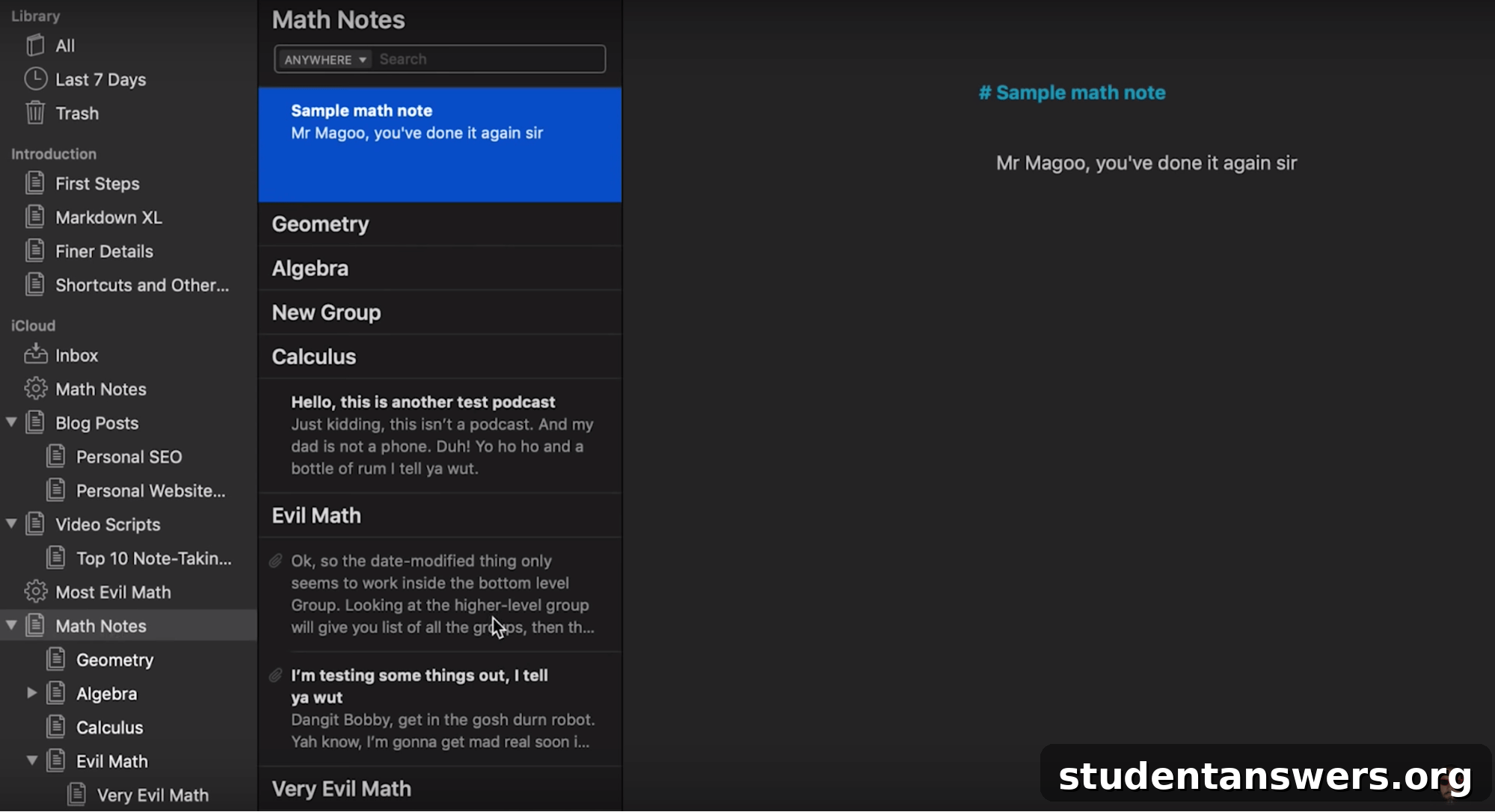
Overview: Ulysses is more than just a note-taking app; it’s a complete, professional-grade writing environment for Mac, iPhone, and iPad. It’s designed for anyone who writes long-form content, from students working on a thesis to bloggers, novelists, and journalists.
Pros:
- Distraction-Free Writing Environment: Ulysses excels at getting out of your way and letting you focus on the words. Its clean interface, full-screen mode, and beautiful typography create an unparalleled writing sanctuary.
- Excellent Organization for Large Projects: It uses a single library for all your texts, but allows you to organize them with groups, filters, and keywords. You can easily manage complex projects with many chapters or sections. Sheets can be merged and rearranged with simple drag-and-drop.
- Powerful Export Options: When you’re finished writing, Ulysses can export your work into a variety of professional formats, including PDF, ePub, DOCX, and even publish directly to WordPress and Medium.
- Writing Goals and Statistics: You can set goals for your writing projects based on word count or deadlines, helping you stay on track. Built-in statistics give you detailed insights into your progress.
Cons:
- Subscription-Based: Ulysses operates on a subscription model with no free tier, though it does offer a free trial. There are discounts available for students.
- Apple Exclusive: Like Bear, Ulysses is only available on Apple devices, which limits its user base significantly.
Price: $5.99 / month or $49.99 / year
Platforms: iOS, Mac
11. Typora
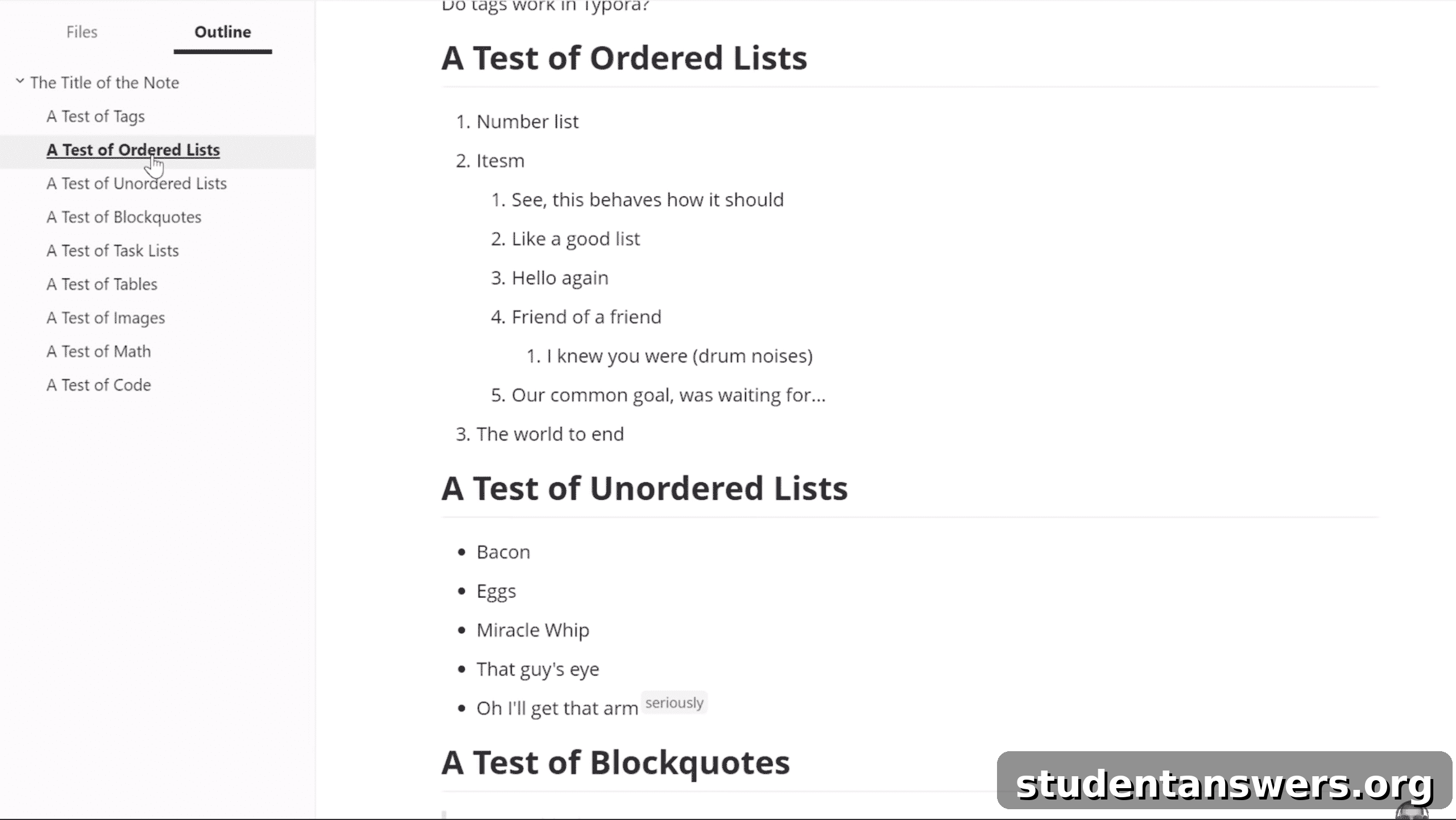
Overview: Typora is a beautiful and minimalist Markdown editor that offers a seamless, “what you see is what you get” live preview. It’s not a note-organization system, but rather a powerful editor for the Markdown files you store on your computer, making it a perfect companion for apps like Obsidian or a simple folder-based system.
Pros:
- Seamless Live Preview: Typora’s standout feature is its hybrid editor. As you type Markdown syntax, it instantly renders the formatted text, hiding the syntax itself. This provides a clean, readable, and distraction-free writing experience.
- Focus and Typewriter Modes: To help you concentrate, Focus Mode dims all paragraphs except the one you are currently editing. Typewriter Mode keeps the active line centered vertically on your screen.
- Highly Customizable Themes: Typora comes with several built-in themes, and because they are based on CSS, you can easily customize them or download new themes from the community to create your perfect writing environment.
- Cross-Platform: It is available on Windows, Mac, and Linux, making it a great choice for users who work across different operating systems.
Cons:
- It’s an Editor, Not an Organizer: Typora does not have a built-in library or organization system. It is simply an editor for individual `.md` files. You are responsible for organizing your files in your computer’s file system (e.g., using Dropbox or Google Drive for syncing).
- No Mobile App: There are no official mobile apps for Typora. To edit your notes on the go, you would need to use a different Markdown-compatible mobile app and sync your files via a cloud service.
Price: $14.99 (one-time purchase)
Platforms: Linux, Mac, Windows
Find the Note-Taking Method That Works for You
The world of note-taking apps is vast and varied, with a solution for every possible need and workflow. The perfect application isn’t about having the most features; it’s about finding the tool that seamlessly integrates into your life and helps you think more clearly.
For the ultimate customizer who wants to build their own system, Notion is unparalleled. For the Apple user who values a beautiful writing experience, Bear or Ulysses are top contenders. If you need a free, powerful, and cross-platform workhorse, OneNote is hard to beat. And for those who prioritize privacy and data ownership above all else, Obsidian and Standard Notes are the clear winners.
We hope this comprehensive guide helps you choose the right note-taking app to capture your ideas, organize your projects, and build your personal knowledge base.
Bonus: Once you’ve chosen your tool, optimizing the rest of your productivity system is the next step. Explore these guides to learn more:
- The Best To-Do List Apps for Task Management
- The Ultimate Guide to Time Tracking Applications
- The 40+ Best Apps for College Students
- 15+ Essential Writing Apps to Perfect Your Process