
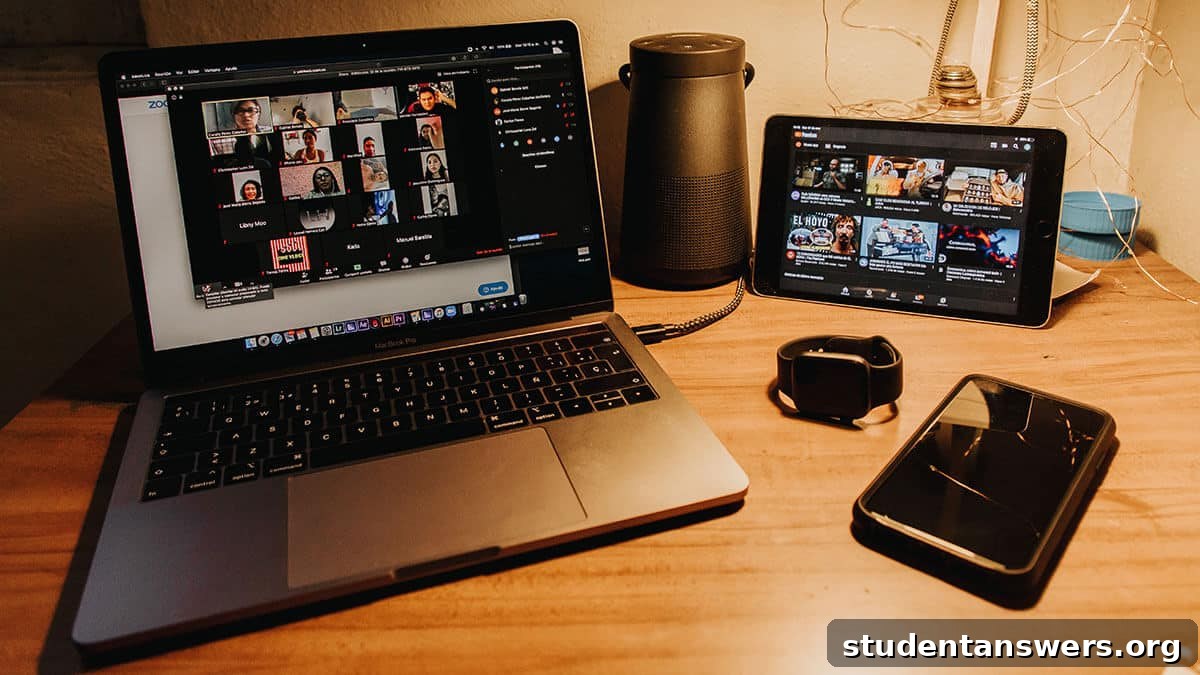
What once seemed like science fiction—seeing and talking to someone halfway across the world in real-time—is now an everyday reality. Video calls have seamlessly integrated into our personal and professional lives, connecting us with family, friends, and colleagues with just the tap of a button. The technology is no longer a novelty; it’s a necessity.
As video calling has become commonplace, our expectations have risen. We’re no longer satisfied with an app that can simply place a video call. We demand a superior experience with crystal-clear audio, high-definition video, robust features, and ironclad security. With a crowded market of applications all claiming to be the best, choosing the right one can feel overwhelming.
To cut through the noise, we’ve meticulously researched and compiled a definitive guide to the best video chat apps available today. Whether you’re looking for a simple tool to catch up with friends, a powerful platform for business meetings, or a customizable solution for your enterprise, this list has the perfect option for your needs.
Zoom: The Go-To for Reliable Video Conferencing
Overview: A household name in video communication, Zoom is a powerful, feature-rich platform that is remarkably easy to set up and use. It has become the de facto standard for everything from online classes to corporate webinars.
Zoom offers a versatile communication experience. You can host one-on-one meetings or large group calls with high-quality video and audio. If your internet connection is unstable or you’re not camera-ready, you can easily switch to an audio-only mode. Beyond basic calling, Zoom is packed with productivity features. You can share your entire screen or a specific application, use an interactive whiteboard, and record your meetings to the cloud or your computer for future reference. Advanced features like virtual backgrounds and breakout rooms for smaller group discussions make it a versatile tool for any situation.
The free plan is incredibly generous, offering unlimited one-on-one meetings and group calls with up to 100 participants. However, group calls on the free tier are limited to a 40-minute duration. While initially plagued by security concerns during its rapid growth, Zoom has since implemented significant security enhancements. Features like waiting rooms, per-meeting passwords, and improved encryption are now standard. While end-to-end encryption is available, it is typically a feature for paid plans. For most users and businesses, Zoom is perfectly secure when following basic security practices like using strong passwords for meetings.
Price: The Basic plan is free for unlimited 1:1 meetings and 40-minute group calls with up to 100 participants. Paid plans start at around $14.99/month per license, unlocking features like unlimited group meeting duration, cloud recording, and enhanced administrative controls.
Platforms: Android, iOS, Mac, Windows, Linux, Web
Skype: The Original Video Chat App That’s Still Relevant
Overview: As one of the pioneers of video calling, it’s easy to overlook Skype in favor of newer platforms. However, this veteran app remains a solid and reliable choice, especially for personal conversations and small groups.
Skype delivers all the essential features you’d expect from a modern video chat app. You can host group video calls with up to 100 participants (a significant increase from its previous limits), make audio-only calls, and use its robust instant messaging. Essential tools like screen sharing and call recording are also included at no cost. A standout feature is its real-time translation for calls and messages, breaking down language barriers. All Skype-to-Skype communications are securely encrypted.
Where Skype truly shines is its integration with traditional phone networks. All the core video and audio calling features between Skype users are completely free. If you need to call a mobile phone or a landline anywhere in the world, you can do so at highly competitive rates using Skype Credit (a pay-as-you-go system) or a monthly subscription. This makes it an excellent tool for staying in touch with friends and family who may not have a smartphone or reliable internet.
Price: Free for all video calls, audio calls, and instant messages between Skype users. Paid plans and credits are available for making calls to landlines and mobile phones.
Platforms: Android, iOS, Mac, Windows, Linux, Web, Xbox, Amazon Alexa devices
Microsoft Teams: The Ultimate Collaboration Hub for Businesses
Overview: Microsoft Teams is much more than just a video chat app; it’s a comprehensive collaboration platform designed for the modern workplace, especially for organizations embedded in the Microsoft 365 ecosystem.
Teams serves as a central hub for communication and productivity. It allows groups of up to 300 people (or more on higher-tier plans) to connect via video meetings, audio calls, and persistent chat channels. Standard features like screen sharing, call recording, and custom backgrounds are all included. What sets Teams apart is its unparalleled integration with other Microsoft applications. You can co-author a Word document, collaborate on an Excel spreadsheet, or present a PowerPoint slideshow directly within a meeting, creating a seamless and efficient workflow.
The platform is built around the concept of “teams” and “channels,” which helps organize conversations and files by project or department. This persistent chat functionality makes it a powerful alternative to email for internal communication. If your organization already subscribes to Microsoft 365, using Teams is a natural choice. For those not in the Microsoft ecosystem, a standalone app like Zoom might be a more straightforward solution.
Price: A robust free version of Teams is available with generous features. To unlock advanced capabilities like meeting recordings, enhanced security, and full integration, you’ll need a Microsoft 365 Business Basic subscription, which starts at $5.00/user per month.
Platforms: Android, iOS, Mac, Windows, Linux, Web
Google Meet: Simple, Secure Video Meetings for Everyone
Overview: Google’s answer to the video conferencing boom, Google Meet, is a streamlined and secure platform that is deeply integrated into the Google Workspace ecosystem.
Google Meet prioritizes simplicity and accessibility. It runs smoothly in a web browser, meaning you and your participants don’t need to install any software to join a call. Its integration with other Google services is its greatest strength. When you create a meeting in Google Calendar, a Meet link is automatically generated. Meeting recordings are saved directly to your Google Drive, and you can even launch a meeting from within Gmail. It offers high-quality video, real-time captions powered by Google’s speech recognition technology, and excellent noise cancellation on paid plans.
While Meet is designed primarily for video, it does include basic chat functionality for sharing links and messages during a call. It’s important to distinguish Meet from other Google communication tools. Google Duo is a more casual, mobile-first app for one-on-one calls (similar to FaceTime), while Hangouts is being phased out for Workspace users in favor of Meet. For anyone with a Google account, Meet offers a fantastic free experience for personal and professional use.
Price: Free for anyone with a Google account, with meetings limited to 60 minutes and 100 participants. Upgrading to a Google Workspace plan (starting at around $8/user/month for Essentials) unlocks longer meeting durations, more participants, call recording, and other premium features.
Platforms: Android, iOS, Web
Jitsi Meet: The Free, Open-Source, and Private Option
Overview: For those who prioritize privacy, security, and open-source principles, Jitsi Meet is an exceptional choice. It’s a completely free and highly customizable video conferencing solution.
Jitsi Meet stands out for its commitment to user privacy and ease of use. It runs entirely within your web browser, and you don’t need to create an account to start or join a meeting. Simply visit the Jitsi website, create a unique meeting name, and share the link. You can secure your meeting with a password to prevent unwanted guests. Despite being free, it doesn’t skimp on features. It offers screen sharing, an integrated chat, and even allows you to stream your meeting directly to YouTube.
The open-source nature of Jitsi means that tech-savvy users and organizations can host it on their own servers. This provides complete control over data and security, a critical feature for industries with strict compliance requirements. Jitsi Meet is more than just an app; it’s a project that empowers developers to build their own custom video communication tools.
Price: Completely free.
Platforms: Android, iOS, Web
Slack: Quick Video Huddles for Internal Teams
Overview: While famous as a team chat application, Slack also includes powerful voice and video calling features designed to enhance internal communication and collaboration.
Slack’s video calling feature, known as “Huddles,” is designed for spontaneous and quick conversations that are more efficient than typing. When a text-based discussion in a channel becomes too complex, you can instantly start a video or audio call with the relevant team members without ever leaving the app. You can share your screen, and others can even draw on it to highlight key points. The focus is on convenience and speed for internal collaboration.
Because calls are restricted to members of your Slack workspace, it’s not a tool for hosting meetings with external clients or partners. It’s a fantastic solution for remote or hybrid teams to replicate the quick “tap on the shoulder” conversations of an office environment. While less feature-rich than dedicated platforms like Zoom, its tight integration within the Slack workflow makes it invaluable for teams that already live in the app.
Price: One-on-one voice and video calls are included in Slack’s free plan. To make group calls with up to 15 people, you’ll need to upgrade to a paid plan, which starts at $6.67/user per month (billed annually).
Platforms: Android, iOS, Mac, Windows, Linux, Web
Honorable Mentions for Personal Use
While our focus is on robust platforms for group and business use, many excellent apps excel at one-on-one and small group personal chats. You probably already have one of these on your phone.
- FaceTime: The default for Apple users. Incredibly simple and high-quality, it now supports group calls with up to 32 people on any modern Apple device.
- WhatsApp: With over two billion users, this is one of the world’s most popular messaging apps. It supports secure, end-to-end encrypted group video calls with up to 8 people.
- Facebook Messenger: Integrated into the Facebook ecosystem, Messenger allows you to host large video chats with up to 50 people, complete with fun AR filters and effects.
- Discord: Originally built for gamers, Discord has evolved into a powerful community platform. Its video chat and screen sharing features are excellent for small groups and communities.
- Google Duo: Google’s answer to FaceTime, Duo is a simple, high-quality mobile video calling app that works across both Android and iOS devices.
Find the Right App to Stay Connected
In a world where distance is no longer a barrier to communication, video chat apps are the essential bridges that keep us connected. Whether for a multinational business meeting, a virtual family gathering, or a quick check-in with a friend, the right tool can make all the difference. The “best” app is the one that fits your specific needs, budget, and workflow. We hope this guide has illuminated the strengths of each platform, empowering you to choose the perfect solution to keep your conversations flowing, no matter where you are.